Floating Navigation Menu
By OverLayout
Product media
Screenshots
1 of 6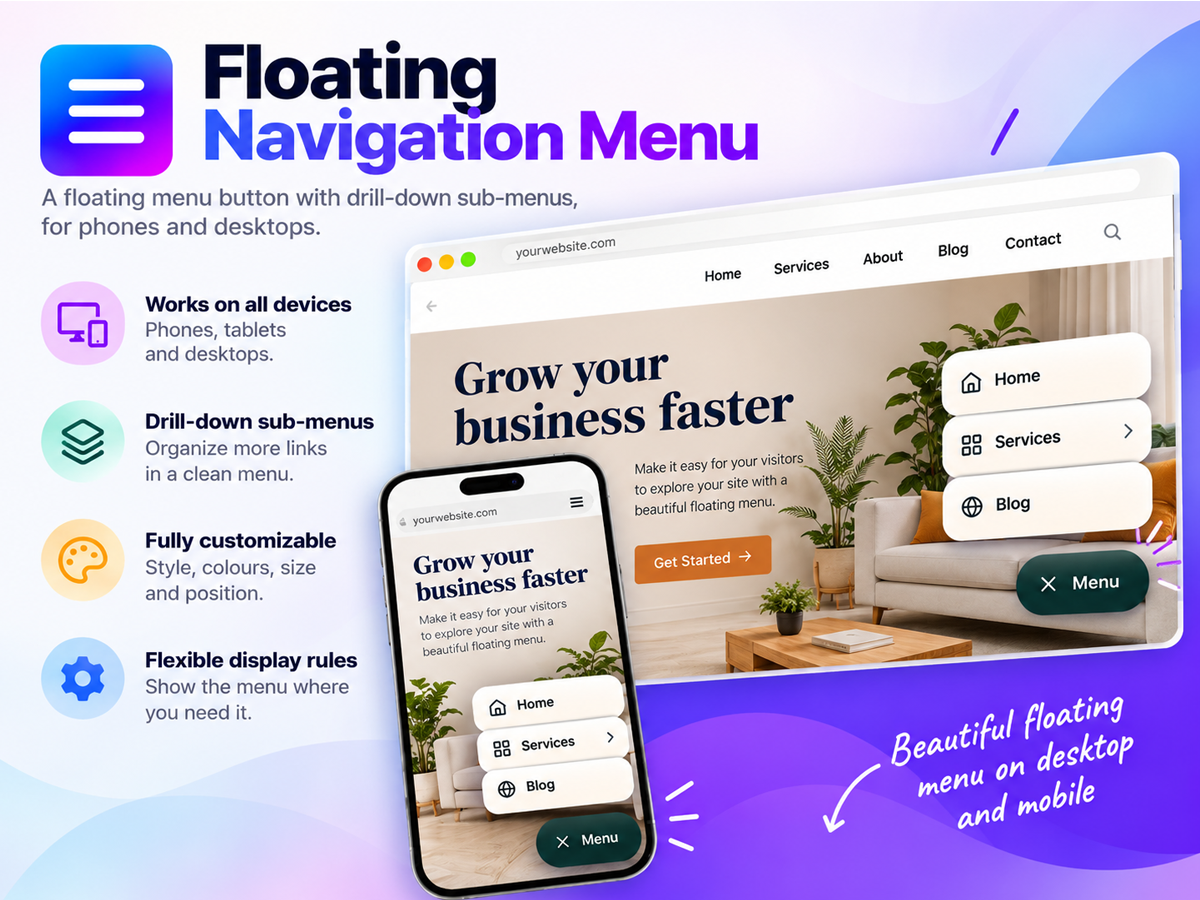
Overview
About this App
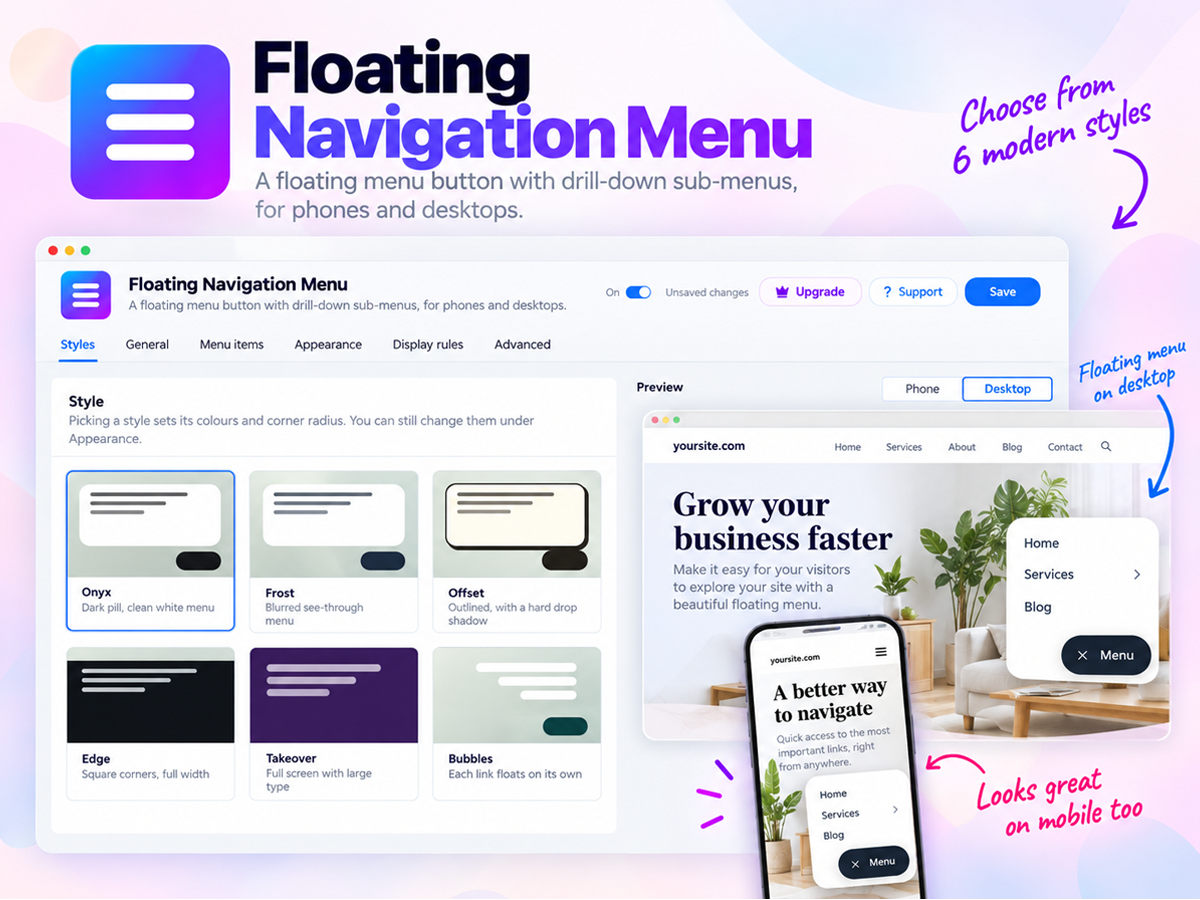
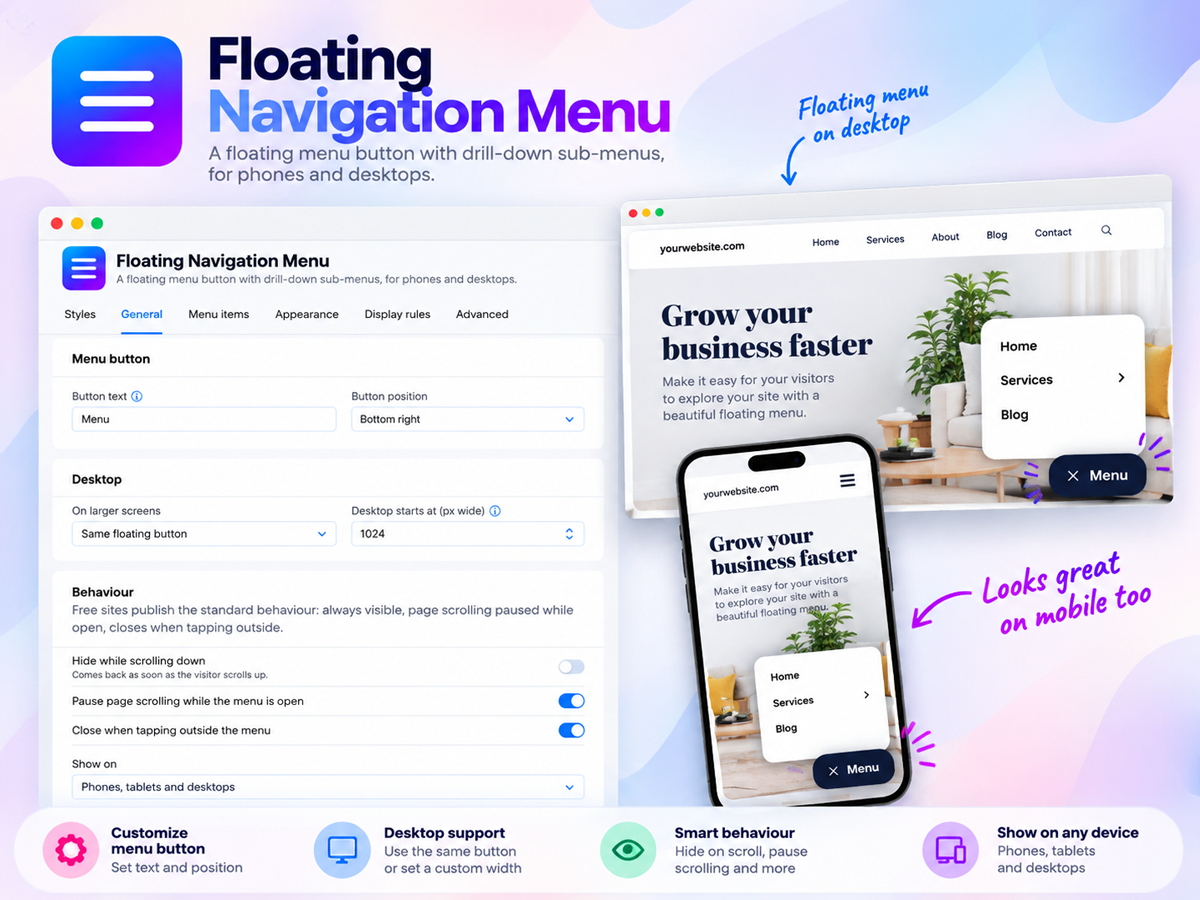
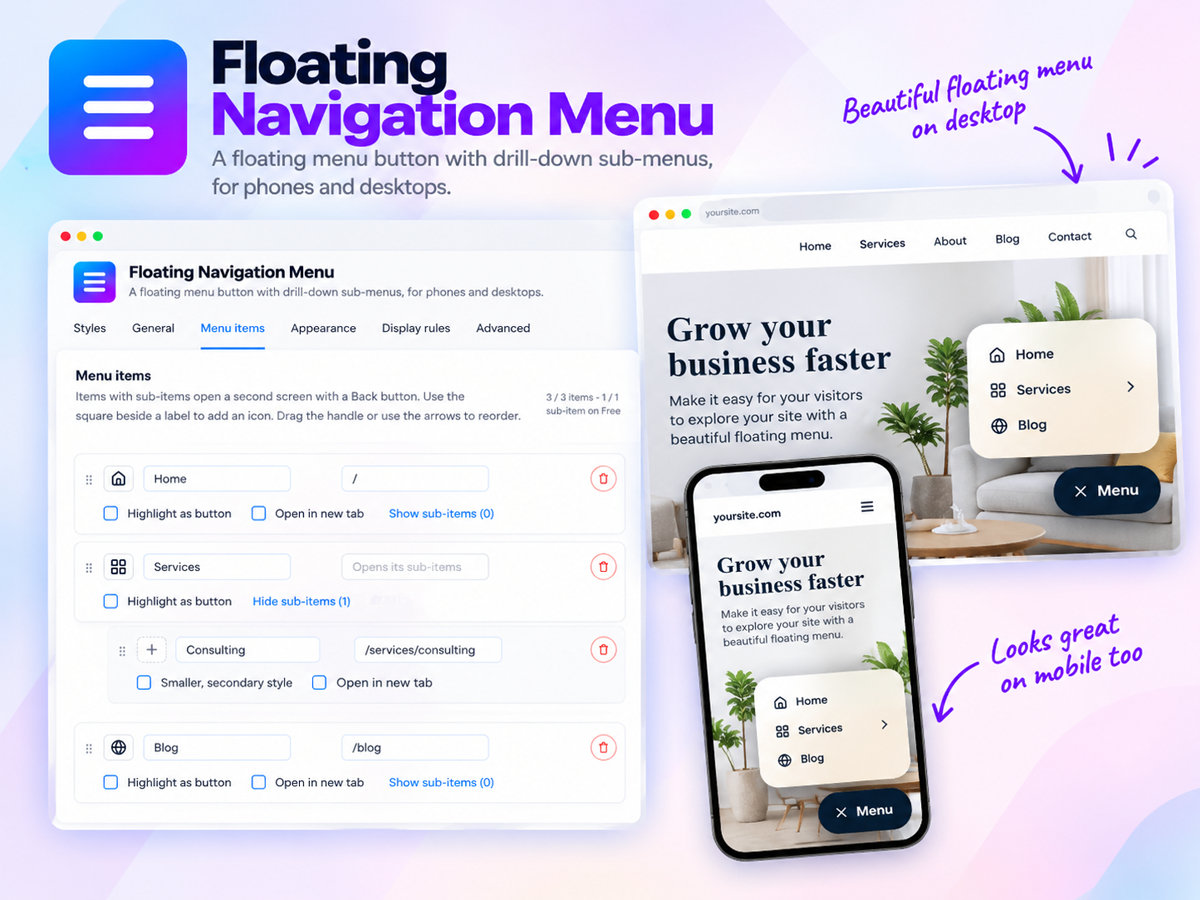
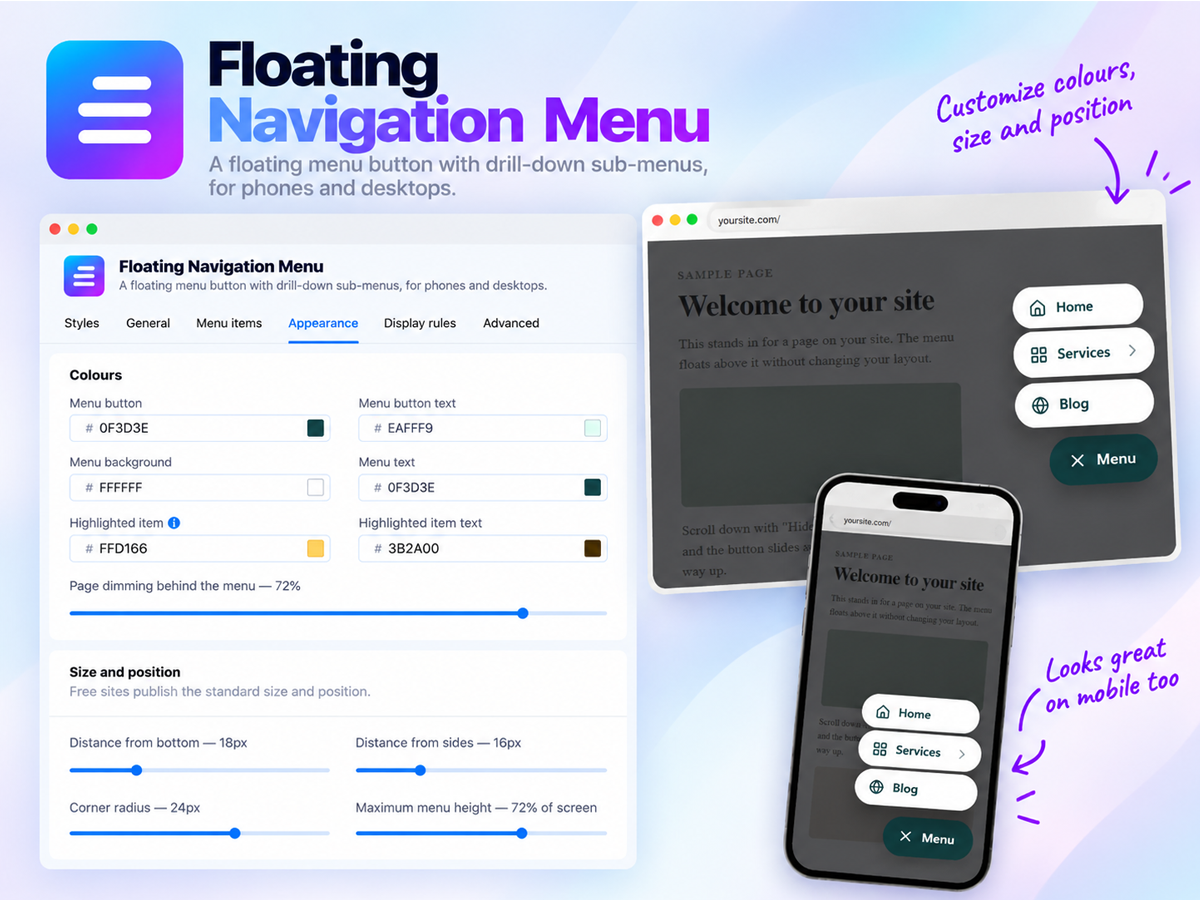
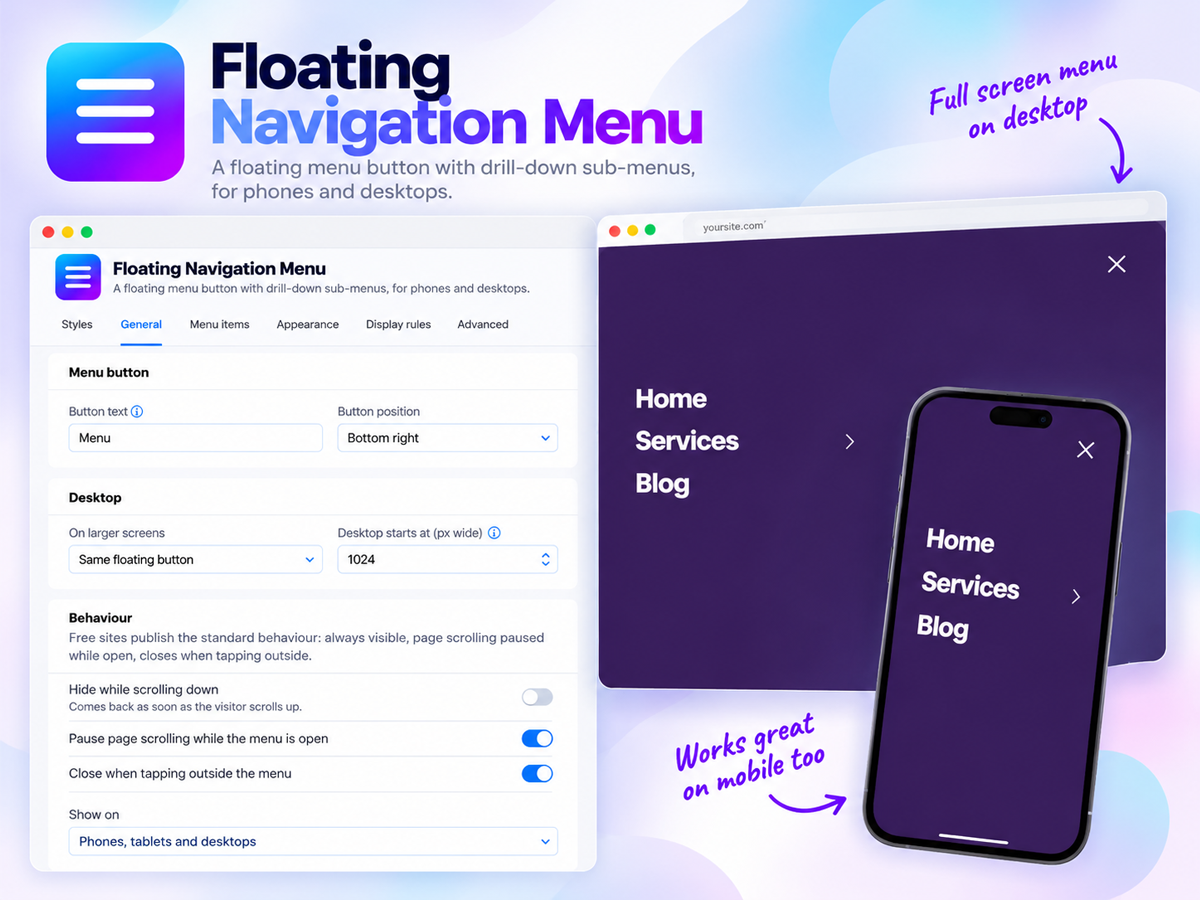
Floating Navigation Menu adds a floating button to your site that opens a clean, easy-to-tap navigation menu on any page. The button stays on screen as visitors scroll, keeping your key pages within reach. On mobile, headers often scroll out of view, and links can end up behind a small hamburger icon. Keeping navigation one tap away can help visitors explore more of your site and reach your contact, booking, or shop pages more easily. The app includes six styles (Onyx, Frost, Offset, Edge, Takeover, and Bubbles), each adjustable with your own colors, text size, corners, and position. A menu can hold up to 10 items with dropdown sub-items, and one link can stand out as a call-to-action button. The button can sit in any corner and tuck away on scroll, and on desktop, the menu can appear as a top bar. Display rules can limit the menu to selected pages, or to members or guests. The current page can be highlighted, and custom CSS is available for finer control. You can check every change in a live preview first. The free plan includes a 3-item menu in the Onyx style. Premium adds more items, every style, display rules, and the desktop top bar.
What the listing highlights
- Always within reach on mobile and desktop: Add a floating menu button that stays on screen as visitors scroll, so your navigation is one tap away on every page instead of hiding in a header that scrolls out of view, and place it in any corner or tuck it away while visitors read
- Six ready made styles that match your brand: Choose from our styles Onyx, Frost, Offset, Edge, Takeover and Bubbles, then set your own colors, text size, corners and position in a few clicks and watch every change in a live preview before you publish, with no code needed
- Dropdown menus with a clear call to action: Add up to 10 menu items with sub-items for your services, products or pages, and feature your most important link as a bold button so visitors head straight to your contact, booking or shop page, with an optional top bar with dropdowns on desktop
- Smart display rules for the right visitors: Show the menu only on the pages you pick, only to site members or only to guests, highlight the page each visitor is on so they always know where they are, and fine tune the finished look with custom CSS
Reviews
Official Wix marketplace summary
Wix Marketplace feedback
No reviews yet.
Plan comparison
Pricing & Plans
Basic
Free
Free
- Floating menu button on every page
- Up to 3 menu items and 1 sub-item
- Custom colours and button text
Premium
$4.99 / month
$59.88 billed yearly Save 17% yearly$5.99 / month
- 6 style access and future styles
- Add more menu items and sub menu items
- More controls and Desktop dropdown
Detailed App featuresCompare all 11 structured features
| Feature | FreeBasic | Paid planPremium |
|---|---|---|
| Desktop top barOn larger screens, show your menu as a top navigation bar with your brand text, rather than a floating button. | Not included | Included |
| Up to 15 sub-items per itemOrganise related pages into dropdowns with up to 15 sub-items under each menu item. The Free plan allows 1 sub-item in total. | Not included | Included |
| Display rules for pagesShow the menu only on the pages you choose, or hide it on specific pages like checkout or landing pages. | Not included | Included |
| 10 menu items support to the menuBuild a complete menu with up to 10 main items instead of 3, so every important page is one tap away. | Not included | Included |
| Custom CSSAdd your own CSS to style any part of the menu beyond the built-in settings. | Not included | Included |
| All 6 menu styles and future stylesGo beyond the default Onyx style. Choose from Frost, Offset, Edge, Bubbles, and the full-screen Takeover to match your site's look. | Not included | Included |
| Current page highlightHighlight the menu item for the page a visitor is viewing, in a color you choose, so they always know where they are. | Not included | Included |
| Icons for menu itemsAdd an icon next to each menu item or sub-item so visitors can scan your menu more quickly. | Not included | Included |
| Advanced behaviour controlsHide the button while scrolling down, show the menu only on mobile or only on desktop, and choose how scrolling and tapping outside work. | Not included | Included |
| Custom size and positionAdjust the button offset, corner radius, menu height, font size, and shadow to fit your design. | Not included | Included |
| Top corner button positionPlace the menu button in the top-left or top-right corner of the screen, not just the bottom corners. | Not included | Included |