
Gallery: Impressive Slideshow
- Verified by Wix
- Wix Recommended
- Wix Related App
- Wix Campaign
- Wix Context Featured
- Wix Highly Promoted
Product media
Screenshots
1 of 5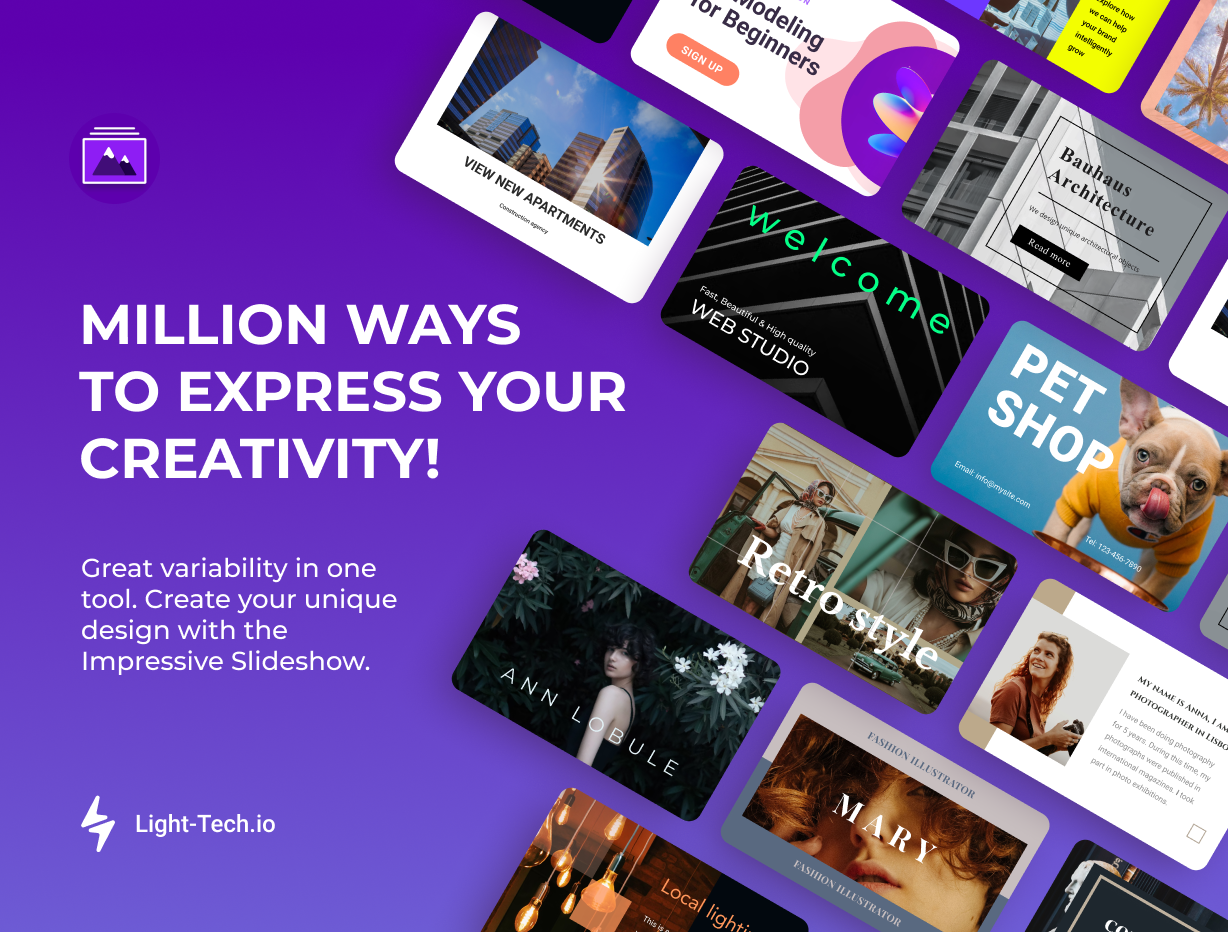
Overview
About this App
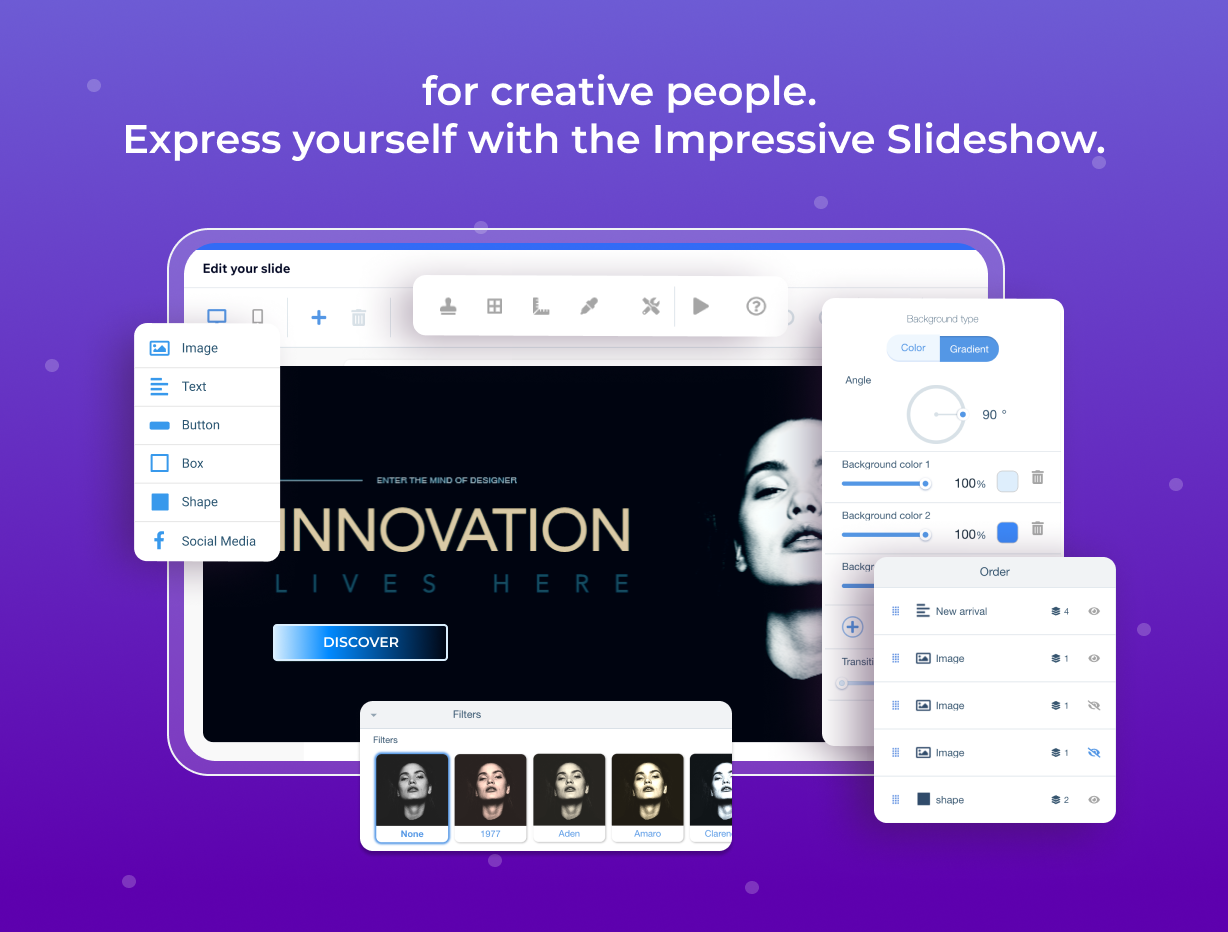
Impressive Slideshow Gallery is the perfect tool to enhance your website with stunning photo slideshows. Create animated slideshow galleries that captivate your audience with seamless image and caption animations. Easily tailor every aspect of your slideshows to match your brand, including unique font uploads and design elements. Enjoy unlimited photo uploads and add multiple gallery instances to your site. Protect your images with robust security features and optimize your slideshows for SEO. Enhance images with various filters and ensure optimal display on both desktop and mobile devices with navigation styles. Choose from pre-made design templates or create your unique designs. The app is easy to use, suitable for both beginners and professionals. You can set up and test the app freely before publishing your website. Your free trial starts only after your site is published, so you have enough time to explore the app, adjust the design, and see how it works in real conditions before committing. Ideal for businesses, the Impressive Slideshow Gallery offers a comprehensive solution for professionally showcasing your work.
What the listing highlights
- Pro templates → Ready for business → Pre-built sliders for banners, products, or testimonials
- Easy editing → No tech skills needed → Customize every detail to match your brand
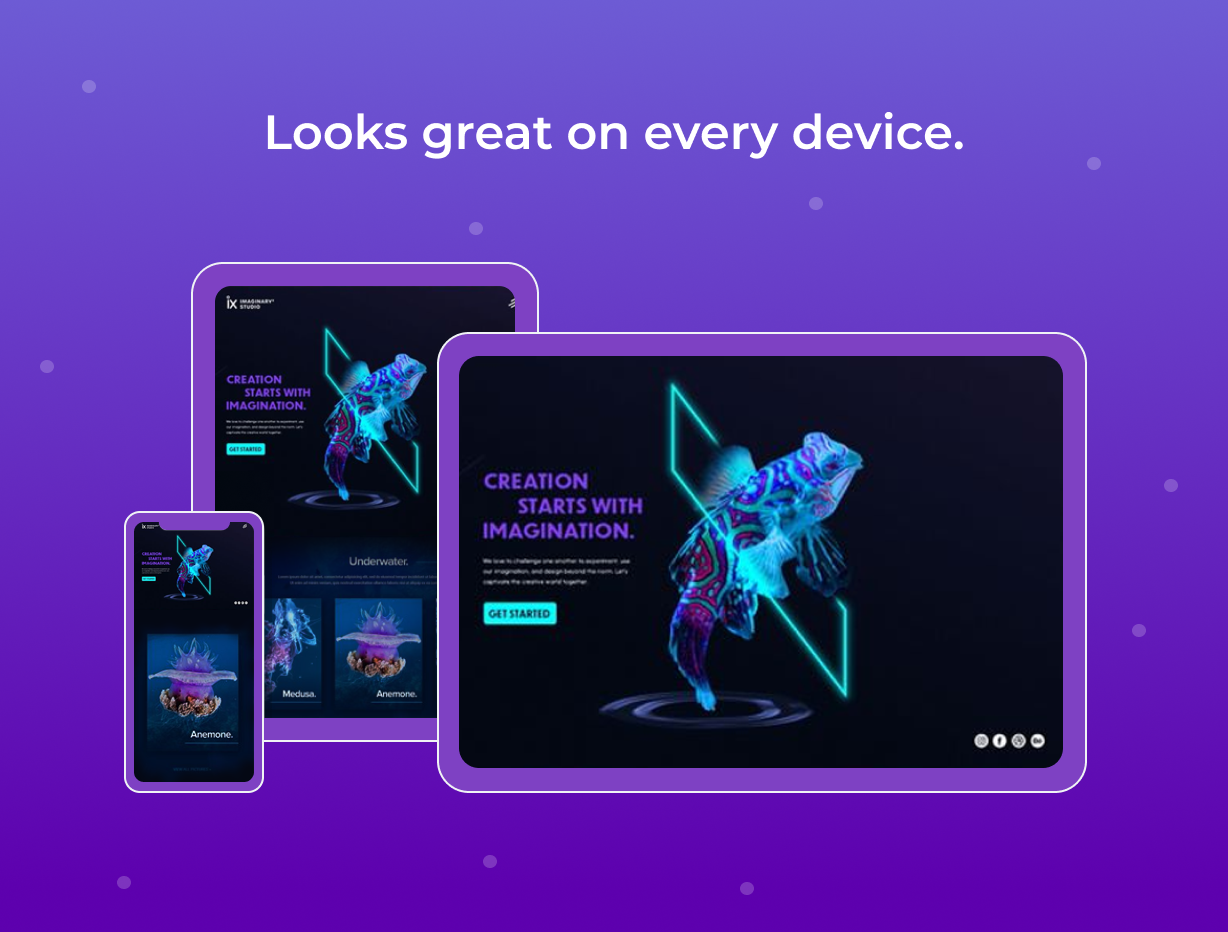
- Responsive design → Perfect on every screen → Always smooth and adaptive on any device
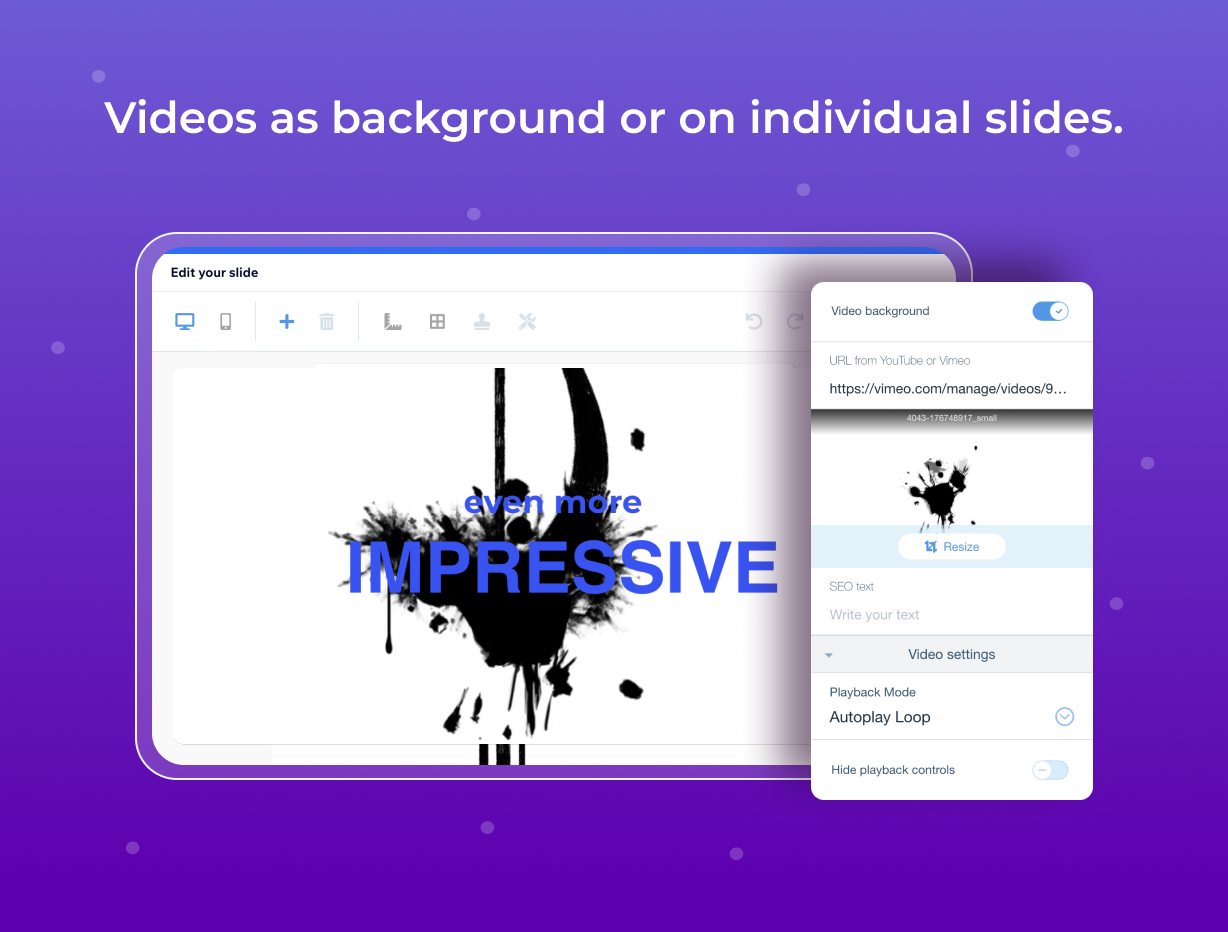
- Mixed media → Combine images PNG, JPG, WEBP, GIFs, and videos YouTube, Vimeo for a vivid story flow
Additional product media
Promotional media

Videos
Reviews
Official Wix marketplace summary
Wix Marketplace feedback
Review intelligence
App Market Index summaries derived from currently preserved Wix Review rows. The selected period affects only Review activity and Ratings; replies, publication state, and Review patterns describe the overall preserved dataset.Review activity, rating distribution, stored replies, publication state, and App Market Index review-pattern signals.
Calculated as of
Review activity
Reviews whose original Wix Review date falls in the selected elapsed-day period, compared with the immediately preceding equal period. Each paired bar represents the same relative part of both periods.Reviews in selected period
2 −3 (−60%) vs previous 30 days2 Reviews in the selected 30 days and 5 in the previous 30 days.
Stored replies
Reply coverage is the percentage of 1,661 preserved Reviews with at least one stored reply. Median and P75 use 1,644 Reviews with valid dated stored replies. Reply authorship is not inferred.Stored publication state
Current stored state across 1,661 preserved Reviews. A Review may remain preserved after it is no longer published by Wix.- Published
- 1,595 96.03%
- Unpublished
- 66 3.97%
- Unknown
- 0 0%
Review pattern signals
Automated App Market Index classifications, not proof of manipulation. Ordinary strength uses published 5-star Reviews. Suspicious unpublished is a separate signal for stored unpublished 5-star Reviews; an App can carry both kinds of evidence.Analysis pending coverage
Review timeline
Visualize Review volume and rating mix over time, plus Review-pattern activity.
- Active months
- 113
- Peak Review month
- Nov 2023 · 56
Review volume
Reviews are grouped by original Wix Review month. Rating colors use each Review's currently stored rating. Hover a column for exact monthly counts.Review intelligence over time
Each lane has its own scale so low-volume evidence remains visible. Hover a mark for the exact monthly count. Pattern classifications describe current stored analysis grouped by original Review month.Ratings describe currently preserved Reviews grouped by their original Review dates. Unpublished activity uses surviving Wix-supplied unpublication dates. Switch to Table for exact numbers.
Timeline data table
| Month | Reviews | Rating | Unpublished | ||||
|---|---|---|---|---|---|---|---|
| 5 stars | 4 stars | 3 stars | 2 stars | 1 star | |||
| May 2015 | 5 | 4 | 0 | 0 | 0 | 1 | 0 |
| Jun 2015 | 7 | 6 | 1 | 0 | 0 | 0 | 0 |
| Jul 2015 | 1 | 0 | 0 | 0 | 1 | 0 | 0 |
| Aug 2015 | 1 | 0 | 0 | 1 | 0 | 0 | 0 |
| Sep 2015 | 10 | 8 | 0 | 0 | 0 | 2 | 7 |
| Oct 2015 | 1 | 1 | 0 | 0 | 0 | 0 | 0 |
| Nov 2015 | 0 | 0 | 0 | 0 | 0 | 0 | 0 |
| Dec 2015 | 7 | 3 | 1 | 1 | 0 | 2 | 0 |
| Jan 2016 | 2 | 0 | 1 | 1 | 0 | 0 | 0 |
| Feb 2016 | 1 | 0 | 0 | 0 | 0 | 1 | 0 |
| Mar 2016 | 2 | 1 | 0 | 1 | 0 | 0 | 1 |
| Apr 2016 | 2 | 0 | 0 | 0 | 2 | 0 | 0 |
| May 2016 | 6 | 2 | 0 | 2 | 1 | 1 | 2 |
| Jun 2016 | 0 | 0 | 0 | 0 | 0 | 0 | 0 |
| Jul 2016 | 0 | 0 | 0 | 0 | 0 | 0 | 0 |
| Aug 2016 | 3 | 1 | 0 | 0 | 0 | 2 | 0 |
| Sep 2016 | 2 | 1 | 0 | 0 | 0 | 1 | 0 |
| Oct 2016 | 0 | 0 | 0 | 0 | 0 | 0 | 0 |
| Nov 2016 | 1 | 1 | 0 | 0 | 0 | 0 | 0 |
| Dec 2016 | 1 | 0 | 0 | 0 | 0 | 1 | 0 |
| Jan 2017 | 3 | 0 | 2 | 1 | 0 | 0 | 0 |
| Feb 2017 | 0 | 0 | 0 | 0 | 0 | 0 | 0 |
| Mar 2017 | 1 | 0 | 0 | 0 | 0 | 1 | 0 |
| Apr 2017 | 0 | 0 | 0 | 0 | 0 | 0 | 0 |
| May 2017 | 0 | 0 | 0 | 0 | 0 | 0 | 0 |
| Jun 2017 | 1 | 0 | 0 | 0 | 0 | 1 | 1 |
| Jul 2017 | 0 | 0 | 0 | 0 | 0 | 0 | 0 |
| Aug 2017 | 0 | 0 | 0 | 0 | 0 | 0 | 0 |
| Sep 2017 | 0 | 0 | 0 | 0 | 0 | 0 | 0 |
| Oct 2017 | 1 | 0 | 0 | 0 | 0 | 1 | 11 |
| Nov 2017 | 0 | 0 | 0 | 0 | 0 | 0 | 0 |
| Dec 2017 | 1 | 0 | 1 | 0 | 0 | 0 | 0 |
| Jan 2018 | 0 | 0 | 0 | 0 | 0 | 0 | 0 |
| Feb 2018 | 2 | 0 | 0 | 0 | 0 | 2 | 0 |
| Mar 2018 | 2 | 0 | 1 | 0 | 0 | 1 | 0 |
| Apr 2018 | 3 | 0 | 0 | 0 | 0 | 3 | 0 |
| May 2018 | 0 | 0 | 0 | 0 | 0 | 0 | 0 |
| Jun 2018 | 2 | 0 | 0 | 0 | 0 | 2 | 11 |
| Jul 2018 | 2 | 0 | 0 | 0 | 1 | 1 | 0 |
| Aug 2018 | 0 | 0 | 0 | 0 | 0 | 0 | 0 |
| Sep 2018 | 1 | 0 | 0 | 0 | 1 | 0 | 0 |
| Oct 2018 | 0 | 0 | 0 | 0 | 0 | 0 | 4 |
| Nov 2018 | 1 | 0 | 0 | 1 | 0 | 0 | 0 |
| Dec 2018 | 0 | 0 | 0 | 0 | 0 | 0 | 5 |
| Jan 2019 | 0 | 0 | 0 | 0 | 0 | 0 | 0 |
| Feb 2019 | 1 | 0 | 0 | 0 | 0 | 1 | 1 |
| Mar 2019 | 1 | 0 | 0 | 1 | 0 | 0 | 0 |
| Apr 2019 | 1 | 0 | 0 | 0 | 0 | 1 | 0 |
| May 2019 | 2 | 1 | 0 | 0 | 0 | 1 | 0 |
| Jun 2019 | 0 | 0 | 0 | 0 | 0 | 0 | 0 |
| Jul 2019 | 0 | 0 | 0 | 0 | 0 | 0 | 0 |
| Aug 2019 | 0 | 0 | 0 | 0 | 0 | 0 | 0 |
| Sep 2019 | 2 | 0 | 0 | 0 | 0 | 2 | 2 |
| Oct 2019 | 3 | 0 | 0 | 0 | 0 | 3 | 0 |
| Nov 2019 | 2 | 0 | 0 | 0 | 0 | 2 | 0 |
| Dec 2019 | 0 | 0 | 0 | 0 | 0 | 0 | 7 |
| Jan 2020 | 1 | 0 | 0 | 0 | 0 | 1 | 0 |
| Feb 2020 | 4 | 0 | 0 | 0 | 1 | 3 | 0 |
| Mar 2020 | 1 | 0 | 0 | 0 | 0 | 1 | 0 |
| Apr 2020 | 4 | 2 | 1 | 0 | 1 | 0 | 7 |
| May 2020 | 4 | 1 | 0 | 0 | 0 | 3 | 0 |
| Jun 2020 | 2 | 1 | 1 | 0 | 0 | 0 | 0 |
| Jul 2020 | 1 | 0 | 0 | 0 | 0 | 1 | 3 |
| Aug 2020 | 17 | 11 | 2 | 1 | 0 | 3 | 0 |
| Sep 2020 | 2 | 0 | 0 | 0 | 1 | 1 | 0 |
| Oct 2020 | 4 | 1 | 1 | 0 | 1 | 1 | 2 |
| Nov 2020 | 2 | 0 | 0 | 0 | 0 | 2 | 0 |
| Dec 2020 | 3 | 3 | 0 | 0 | 0 | 0 | 0 |
| Jan 2021 | 3 | 1 | 1 | 0 | 0 | 1 | 0 |
| Feb 2021 | 12 | 8 | 0 | 0 | 0 | 4 | 0 |
| Mar 2021 | 11 | 10 | 0 | 0 | 0 | 1 | 0 |
| Apr 2021 | 23 | 21 | 0 | 1 | 0 | 1 | 0 |
| May 2021 | 7 | 7 | 0 | 0 | 0 | 0 | 0 |
| Jun 2021 | 0 | 0 | 0 | 0 | 0 | 0 | 0 |
| Jul 2021 | 0 | 0 | 0 | 0 | 0 | 0 | 0 |
| Aug 2021 | 0 | 0 | 0 | 0 | 0 | 0 | 0 |
| Sep 2021 | 1 | 0 | 0 | 0 | 0 | 1 | 0 |
| Oct 2021 | 3 | 2 | 0 | 0 | 0 | 1 | 0 |
| Nov 2021 | 6 | 2 | 1 | 0 | 1 | 2 | 0 |
| Dec 2021 | 4 | 3 | 0 | 0 | 1 | 0 | 0 |
| Jan 2022 | 7 | 1 | 0 | 1 | 1 | 4 | 0 |
| Feb 2022 | 39 | 31 | 1 | 2 | 1 | 4 | 0 |
| Mar 2022 | 36 | 30 | 3 | 1 | 0 | 2 | 0 |
| Apr 2022 | 30 | 25 | 3 | 2 | 0 | 0 | 0 |
| May 2022 | 35 | 31 | 1 | 0 | 1 | 2 | 0 |
| Jun 2022 | 27 | 26 | 0 | 0 | 0 | 1 | 1 |
| Jul 2022 | 37 | 30 | 1 | 2 | 0 | 4 | 0 |
| Aug 2022 | 25 | 20 | 1 | 2 | 0 | 2 | 0 |
| Sep 2022 | 33 | 30 | 1 | 0 | 1 | 1 | 0 |
| Oct 2022 | 20 | 18 | 0 | 1 | 1 | 0 | 0 |
| Nov 2022 | 42 | 33 | 4 | 1 | 1 | 3 | 0 |
| Dec 2022 | 34 | 27 | 1 | 2 | 3 | 1 | 0 |
| Jan 2023 | 30 | 25 | 2 | 0 | 0 | 3 | 0 |
| Feb 2023 | 29 | 24 | 5 | 0 | 0 | 0 | 0 |
| Mar 2023 | 34 | 24 | 5 | 2 | 1 | 2 | 0 |
| Apr 2023 | 32 | 24 | 3 | 2 | 1 | 2 | 0 |
| May 2023 | 32 | 29 | 2 | 0 | 1 | 0 | 0 |
| Jun 2023 | 27 | 23 | 1 | 1 | 0 | 2 | 0 |
| Jul 2023 | 36 | 29 | 4 | 0 | 0 | 3 | 0 |
| Aug 2023 | 42 | 38 | 1 | 2 | 0 | 1 | 0 |
| Sep 2023 | 40 | 37 | 0 | 1 | 1 | 1 | 0 |
| Oct 2023 | 25 | 20 | 1 | 2 | 2 | 0 | 0 |
| Nov 2023 | 56 | 44 | 6 | 2 | 0 | 4 | 0 |
| Dec 2023 | 31 | 26 | 3 | 1 | 1 | 0 | 0 |
| Jan 2024 | 43 | 36 | 4 | 1 | 1 | 1 | 0 |
| Feb 2024 | 49 | 42 | 4 | 2 | 0 | 1 | 0 |
| Mar 2024 | 33 | 27 | 3 | 0 | 0 | 3 | 0 |
| Apr 2024 | 22 | 11 | 2 | 4 | 2 | 3 | 0 |
| May 2024 | 19 | 14 | 2 | 1 | 2 | 0 | 1 |
| Jun 2024 | 10 | 9 | 0 | 1 | 0 | 0 | 0 |
| Jul 2024 | 15 | 11 | 0 | 1 | 1 | 2 | 0 |
| Aug 2024 | 14 | 11 | 0 | 1 | 0 | 2 | 0 |
| Sep 2024 | 19 | 17 | 0 | 0 | 1 | 1 | 0 |
| Oct 2024 | 32 | 21 | 0 | 3 | 1 | 7 | 0 |
| Nov 2024 | 13 | 10 | 1 | 0 | 1 | 1 | 0 |
| Dec 2024 | 13 | 11 | 0 | 1 | 0 | 1 | 0 |
| Jan 2025 | 24 | 16 | 0 | 1 | 2 | 5 | 0 |
| Feb 2025 | 24 | 16 | 2 | 2 | 0 | 4 | 0 |
| Mar 2025 | 29 | 19 | 1 | 3 | 2 | 4 | 0 |
| Apr 2025 | 32 | 26 | 1 | 1 | 1 | 3 | 0 |
| May 2025 | 30 | 17 | 1 | 2 | 3 | 7 | 0 |
| Jun 2025 | 32 | 21 | 5 | 1 | 2 | 3 | 0 |
| Jul 2025 | 28 | 21 | 0 | 1 | 2 | 4 | 0 |
| Aug 2025 | 27 | 19 | 2 | 0 | 2 | 4 | 0 |
| Sep 2025 | 19 | 15 | 1 | 0 | 2 | 1 | 0 |
| Oct 2025 | 27 | 19 | 1 | 0 | 1 | 6 | 0 |
| Nov 2025 | 17 | 12 | 0 | 2 | 0 | 3 | 0 |
| Dec 2025 | 13 | 8 | 0 | 1 | 0 | 4 | 0 |
| Jan 2026 | 18 | 12 | 2 | 0 | 0 | 4 | 0 |
| Feb 2026 | 13 | 7 | 0 | 0 | 1 | 5 | 0 |
| Mar 2026 | 26 | 20 | 1 | 0 | 2 | 3 | 0 |
| Apr 2026 | 17 | 7 | 0 | 1 | 2 | 7 | 0 |
| May 2026 | 14 | 11 | 0 | 1 | 1 | 1 | 0 |
| Jun 2026 | 2 | 1 | 0 | 0 | 1 | 0 | 0 |
| Jul 2026 | 2 | 2 | 0 | 0 | 0 | 0 | 0 |
| Aug 2026 | 5 | 3 | 0 | 0 | 0 | 2 | 0 |
| Sep 2026 | 2 | 1 | 0 | 0 | 0 | 1 | 0 |
Review-pattern Timeline data is pending complete coverage.
App Market Index archive
Review list
Browse preserved published and unpublished Reviews.These are preserved App Market Index Review rows. They are separate from the current official Wix marketplace summary shown above, and publication labels describe the state currently stored by App Market Index. About this archive
App Market Index Review-pattern filters are pending complete coverage.
Show other reviews by reviewer- portalciencianatur
mais ou menos
quando eu abro para configurar os elementos a parte de opção de ferramentas fica ó metade da tela não abre inteiro e não tem omo configurar direito
Pedimos desculpas pelo transtorno. Queremos entender melhor o que aconteceu e ajudar a resolver isso o quanto antes. Por favor, entre em contato com nosso suporte pelo e-mail support@light-tech.io para que possamos verificar a situação com mais detalhes. Atenciosamente, Light-tech team
- edsbaxxo
Slideshow stays the same
When published in WIX the slideshows created with Gallery all have the same photos. In edit mode they are different, but in publish mode they are the same
Hi edsbaxxo! 👋 Thank you for your review and for taking the time to report this! We're sorry to hear the slideshows are displaying the same photos in publish mode — we completely understand how frustrating that can be. Our team would love to look into this for you and get it sorted out! Please reach out to us directly at support@light-tech.io with a brief description of the issue, and we'll do our best to help you as quickly as possible. We truly value your feedback and appreciate your support! 🙏
- brconflict
Useful, but a little fussy.
I was looking for a better, more professional slideshow for my website. Ultimately, I found it with this app. Everything looks golden, and I like the options that are there when I'm ready to change what appears. I also love the separate controlled appearance for mobile devices. My only gripe is that, some elements are uncooperative when trying to make minute adjustments, and some items are difficult to find, such as the color background for text (not immediately obvious). Overlapping elements may also cause frustration. Aside all that, it's worth the money spent.
Hi there, Thanks for the thoughtful 3-star review—and for calling out what you like (options + separate mobile view). Sorry some tweaks felt “fussy.” A few quick tips based on our FAQs: For precise positioning, zoom the editor and use arrow keys; manage overlaps via the Layers/Order panel (bring to front/back, lock or group). Text background color: open Edit Slide → Text to set background/fill; you can also place a shape behind text and adjust opacity. Mobile controls are separate: first size the widget in Wix’s mobile editor, then fine-tune elements in Edit Slide → Mobile (desktop and mobile edits don’t affect each other). After changes, remember to click our app’s Publish so updates appear on the live site. If you share a screenshot or short recording of where controls felt hidden or uncooperative, we’ll guide you step-by-step: support@light-tech.io. Best regards, Light-Tech Team
- colleeninatural
it ok but could be much better.
Its not very user friendly
Hi there, Thanks for the 3-star review and for the honest feedback. I’m sorry parts of Impressive Slideshow didn’t feel user-friendly. Could you share what was hardest—adding slides, arranging layout, captions/links, animations, or mobile settings? With a bit more detail (and a screenshot or short recording if possible), we can guide you step-by-step or adjust our docs/UI. If you’d like, email us at support@light-tech.io and we’ll help you get the result you want as quickly as possible. Best regards, Light-Tech Team
- scottpnorvall
It wont ever be 5 star until it removes the youtube interface that pops up
Hi! Thank you for your feedback, we really appreciate it. There’s a setting called “Hide playback controls” that hides the YouTube interface (sound, speed, quality, etc.). This should solve the issue you mentioned. If you have any other questions, please reach out to our support team, we’ll be glad to help! Best regards, Light-Tech Team
- jositoduranandaur
buena pero esta mal optimizada
esta app es una muy buena opcion, pero por ejemplo al momento de hacer las diapositivas se trababa o los botones quedaban unos encima de otros lo que dificulta su uso
Hola, ¡Gracias por tu reseña y por compartir tu experiencia! Nuestra aplicación Impressive Slideshow está optimizada para cargar lo más rápido posible (normalmente en menos de dos segundos); sin embargo, hay un par de factores que pueden influir en el rendimiento dentro del Editor: Velocidad de conexión a Internet: conexiones más lentas pueden hacer que el Editor se sienta más lento. Orden de carga de activos de Wix: Wix siempre carga primero sus propios recursos y luego las apps de terceros, como la nuestra. Siempre estamos trabajando para mejorar y nos encantaría conocer más detalles sobre tu caso: ¿en qué momento se trababa o cómo quedaban los botones superpuestos? Escríbenos a support@light-tech.io y con gusto revisaremos tu situación para ofrecerte la mejor solución. ¡Gracias por tu feedback y por ayudarnos a crecer! Saludos cordiales, El equipo de Light-Tech
- marcecastano711
todavia no la aprendo amanejar bien
Hello, Thank you for your review! If you need any help learning how to use the app, feel free to reach out to our support team — we’re happy to assist you and provide guidance. Best regards, Light-Technologies Ltd.
- shapcottlauber
Concerned about a blue screen
I have upgraded the app and I get a blue screen on my website for a few seconds that say (Your Logo) WTF?
Hello, Thanks for your review! We're sorry to hear about the issue — this doesn't sound like expected behavior. Could you please contact our support team with more details or a screenshot? We'll be happy to take a closer look and help resolve it. Best regards, Light-Technologies Ltd.
- rescoreinc
Not Easy to Understand How to Use
I hope I can figure this out, because I like the concept but for what ever reason I'm not finding it easy to navigate.
Hello, Thanks for your feedback and for giving the app a try! We understand that getting started can feel a bit confusing at first. To make things easier, we’ve created tutorials and a help center where you can find step-by-step guidance. If anything’s unclear or you’d like personal assistance, feel free to reach out — we’ll be happy to help! We're also currently working on improving the app's usability. If you have any suggestions or ideas, we’d love to hear them! Best regards, Light-Technologies Ltd.
- jackchur14
it's okay. does the job
Hello! Thank you for your review! We’re glad to hear that Impressive Slideshow is working for you and doing the job. If you have any suggestions on how we could make the experience even better, we’d love to hear from you! Your feedback helps us improve and add features that matter to our users. Feel free to reach out to us anytime at support@light-tech.io. Best regards, Light-Technologies Ltd
- wearehumblecooks
should be free
a free trial sucks
Hello, Thank you for choosing Impressive Applications! Our applications are developed by third-party developers and published on the Wix App Market. Because of this, our Premium plans are separate from Wix's Premium plans. We strive to keep our pricing competitive while offering a free version so users can explore the app before upgrading. If you have any questions or feedback, feel free to reach out—we’re happy to help! Best regards, Light-Technologies Ltd.
- floydyoung6
Better notification of trial status
When deploying the app nowhere was it apparent that I was using a trial.
Hello! Thank you for your feedback! We’re sorry for any confusion regarding the trial status. We appreciate your suggestion and will look into making the trial status more visible to improve clarity for our users. If you have any questions about the trial or need assistance, please don’t hesitate to contact our support team at support@light-tech.io. We’re happy to help! Best regards, Light-Technologies Ltd
- shopkqftanz
stll watermark remaining
Hello, Thank you for your feedback! The watermark appears only in the free version of Impressive Slideshow. If you have upgraded to the premium version and the watermark is still visible, this may be a technical issue. Please reach out to our support team at support@light-tech.io, and we’ll be happy to assist you in resolving this as quickly as possible. Looking forward to helping you! Best regards, Light-Technologies Ltd
- jessicalui0925
you cant change how slides transition to the other
you cant change how slides transition to the other
Hello, Thank you for your feedback! You can change the order of slides by using the Menu Order option inside the Edit Slide modal. This allows you to control how slides transition and appear in your slideshow. If you need further assistance or have any additional questions, please feel free to reach out to our support team at support@light-tech.io. We’re happy to help! Best regards, Light-Technologies Ltd
- koyalbissessur
Is ok
Is okayish
Hello, Thank you for taking the time to leave a review. If you have any specific concerns or suggestions about our app, we’d greatly appreciate it if you could share them with us. Your feedback is valuable in helping us improve! Best regards, Light-Technologies Ltd.
- markallenhays4
Good slideshow - but multiple problems with mobile
This is a good slideshow app - unless you want your images to look similar on desktop and mobile. There is no way to adjust the scale of the image for desktop vs mobile - so the images are significantly cropped on mobile, unless you add a border on the desktop version. Impressive needs to add a scale function. Plus you cannot edit slides in the WIX mobile editor - and you cannot copy and paste Impressive Slideshows from one mobile page to another, or from desktop to mobile, or mobile to desktop. Plus, I found that the Impressive Slideshow 'crop / scale' function has a major bug with WIX Mobile. It shifts the image to the upper left corner - which also appears in WIX if the change is applied. Plus, there is no way to 'undo' this change. You have to delete the slide and start over. The Light-Tech.io Support Team and replied quickly to this review and suggested I use the Mobile 'crop' function - which shifts the image to the upper left. So there are clearly some major bugs .
Hello, Thank you for your detailed feedback and for pointing out the issues you've encountered. We truly appreciate your insights as they help us improve. Regarding the copy-and-paste functionality: this is a feature managed entirely by Wix. Unfortunately, they currently do not allow copying content between desktop and mobile views or vice versa, which limits our ability to provide this functionality. We also want to thank you for bringing the crop/scale issue to our attention. The behavior you described is not intended, and we will investigate this bug thoroughly. Your description is invaluable for us to identify and resolve the problem. To ensure we can keep you updated on the bug's resolution, please reach out to our support team at support@light-tech.io. We’d love to stay in touch and assist you further. Thank you for your patience and for giving us the opportunity to improve our app! Best regards, Light-Technologies Ltd
- amierobinson
Needs Improvement
it is slow and for the past 2 hours it does not save my changes and mobile version is a mess - not converting
Hello! Thank you for your feedback and for using Impressive Slideshow. We're sorry to hear about the issues you're experiencing. Regarding the mobile version, there is an option to configure it in the Mobile Section within the Edit Slide window. For a detailed walkthrough, please refer to our video guide: https://www.youtube.com/watch?v=YuGD7Wz85kA&list=PL_JXPQOiBY47RQ4t33kvY8ApVKMjA-8hs&index=7 If the saving issue persists or if you need additional assistance, please don’t hesitate to reach out to our support team at support@light-tech.io. We’d be happy to help resolve the issues. Best regards, Light-Technologies Ltd
- alexsztankovitsmed
Publish Issue
Hello! I have an issue about the publishing . When I make changes in the slideshow and publish, some changes don't appear on the new version.
Hello! Thank you for reaching out and letting us know about the publishing issue you're experiencing. We understand how important it is for your changes to appear accurately on the live site. Could you please contact our support team at support@light-tech.io with as many details as possible about the issue? The more information you can provide, the better we’ll be able to investigate and help resolve this for you. We’re here to ensure everything works smoothly, and we look forward to assisting you! Best regards, Light-Technologies Ltd
- 87212839
why there is always a blue line border aroud the slider
This slider maker is simple, easy, and very elegant, but when i click preview mode, i found there is always a blue line border outside the slider, very frustrating
Hello, Thank you for reaching out and for your kind words about our slider. We're glad to hear that you find it simple, easy, and elegant! The blue line border you mentioned sounds like the bounding box in the editor. Its purpose is to define the application’s borders and mark the draggable edges, allowing you to resize the slider as needed. This border should only appear in the editor mode and not on the live site. If this is not the issue you are referring to, please contact our support team at support@light-tech.io. We’ll be happy to investigate further and help resolve the problem. Best regards, Light-Technologies Ltd
- danielle6210
Great feature!
It's a great feature but hard to understand how to manipulate all the piece. Not as intuitive as the little video seems. Trying to change the text and which text that it referring to is not understood for newby.
Hello, Thank you for your feedback! We’re glad to hear that you like the feature, though we understand that it might be challenging to use at first. We are always working to make our product more intuitive. If you need any guidance or further explanations, please don't hesitate to reach out to our support team. We're here to help! Best regards, Light-Technologies Ltd.
Plan comparison
Pricing & Plans
Free
Free
Free
- Fully customizable
- 3 slides per slideshow after trial
- 2 captions per slide after trial
Premium Package
$3.51 / month
$42.12 billed yearly Save 30% yearly$4.99 / month
- Full customization
- Unlimited number of slides
- Unlimited number of captions
Detailed App featuresCompare all 9 structured features
| Feature | FreeFree | Paid planPremium Package |
|---|---|---|
| Number of CaptionsUnlimited number of captions per slide, ideal for detailed descriptions | 2 | Unlimited |
| Number of SlidesUnlimited number of slides, perfect for extensive galleries | 3 | Unlimited |
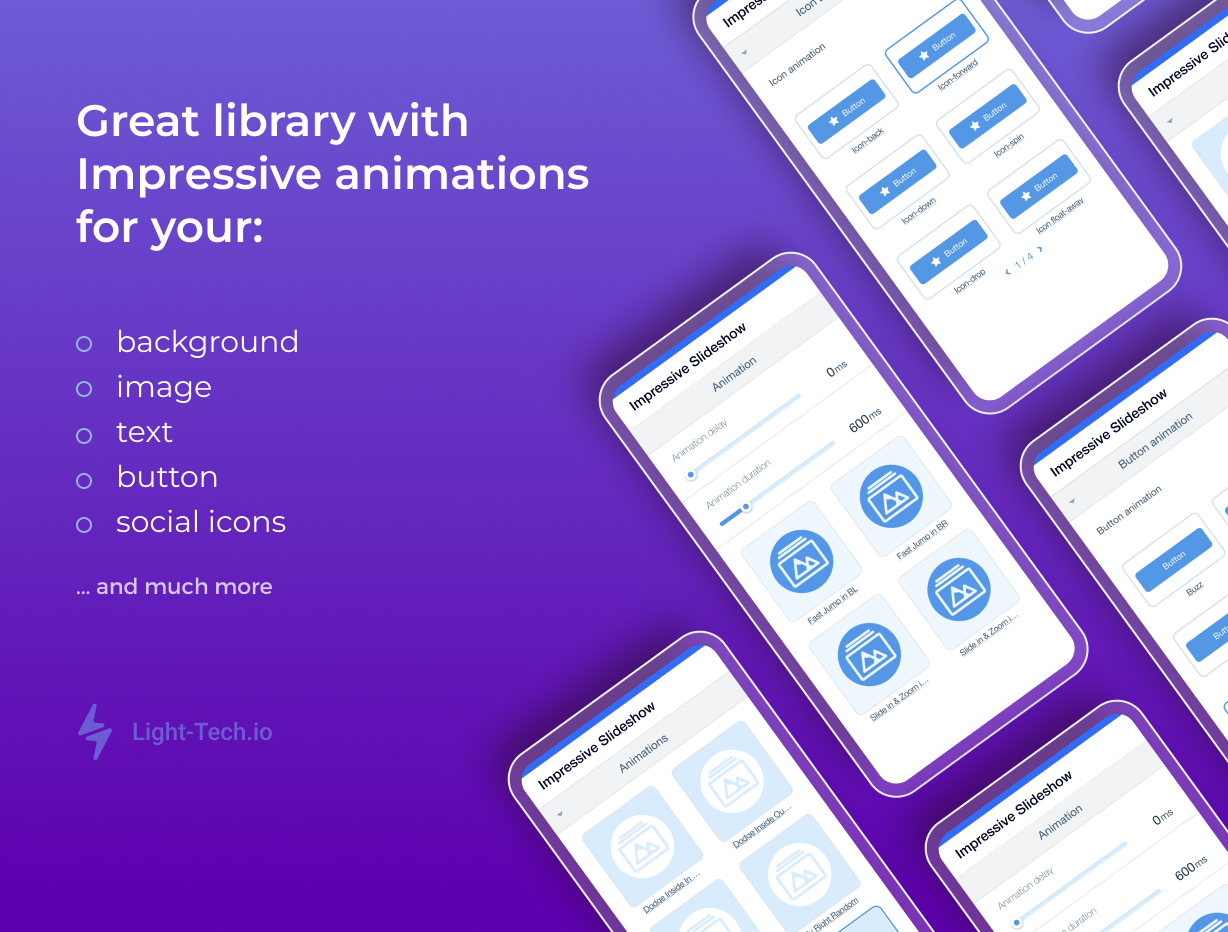
| Element CustomizationAdvanced text and image customization options including line height, SEO text, filters, shadow, and full animation controls | Not included | Included |
| Button IconAdd and customize icons on buttons with access to a library of 600 icons and upload custom icons | Not included | Included |
| Disable right clickDisable right click to protect images from being copied | Not included | Included |
| Remove logo and watermarkDelete the "Powered by Impressive Slideshow" banner from your gallery | Not included | Included |
| NavigationMultiple navigation styles with full customization | Not included | Advanced |
| Image filtersAdd advanced filters to your images to make them unique | Not included | Included |
| Video BackgroundAdd video backgrounds from YouTube or Vimeo with customizable playback options and overlays | Not included | Included |