
Appointment Reminder
Product media
Screenshots
1 of 5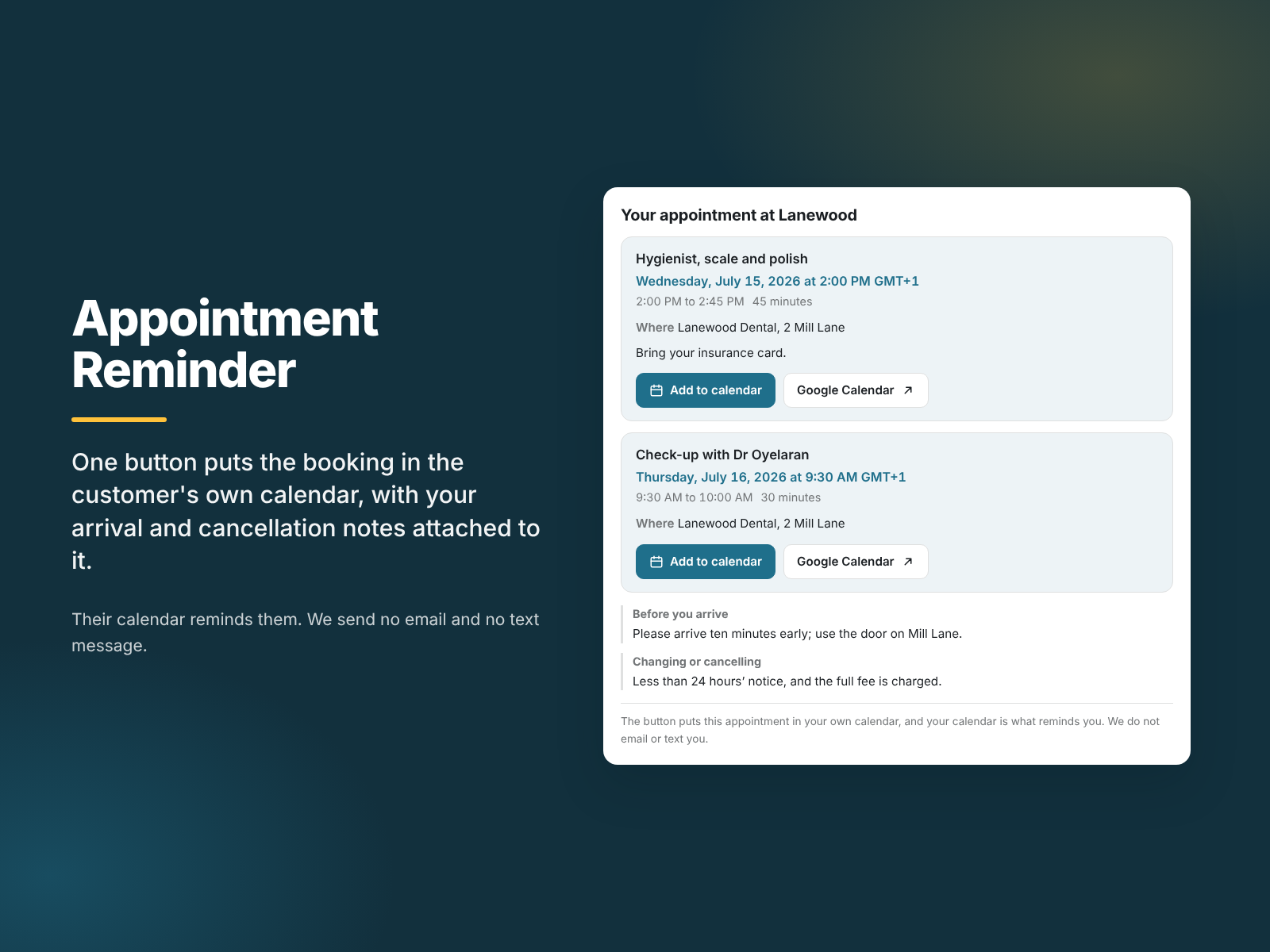
Overview
About this App
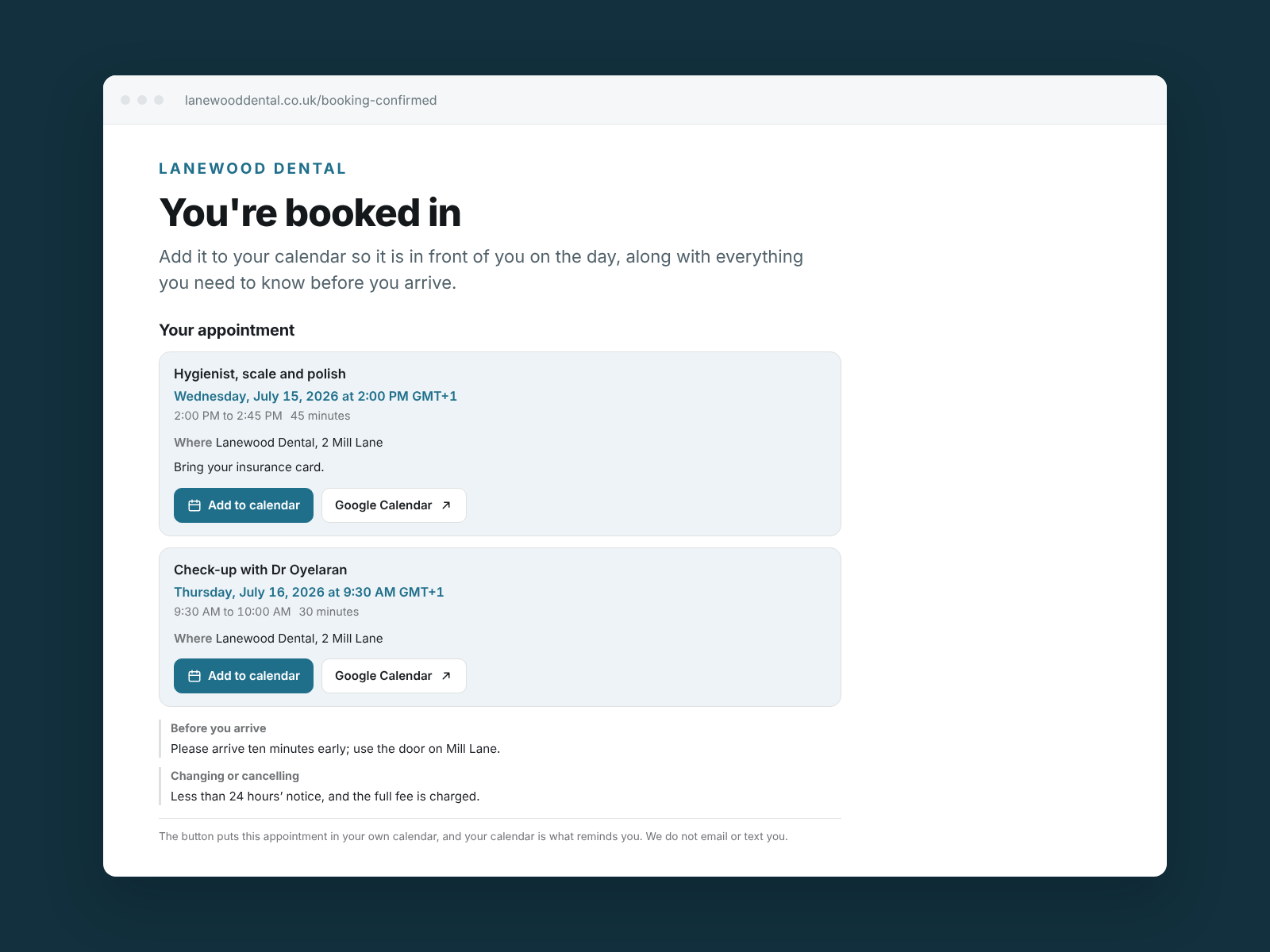
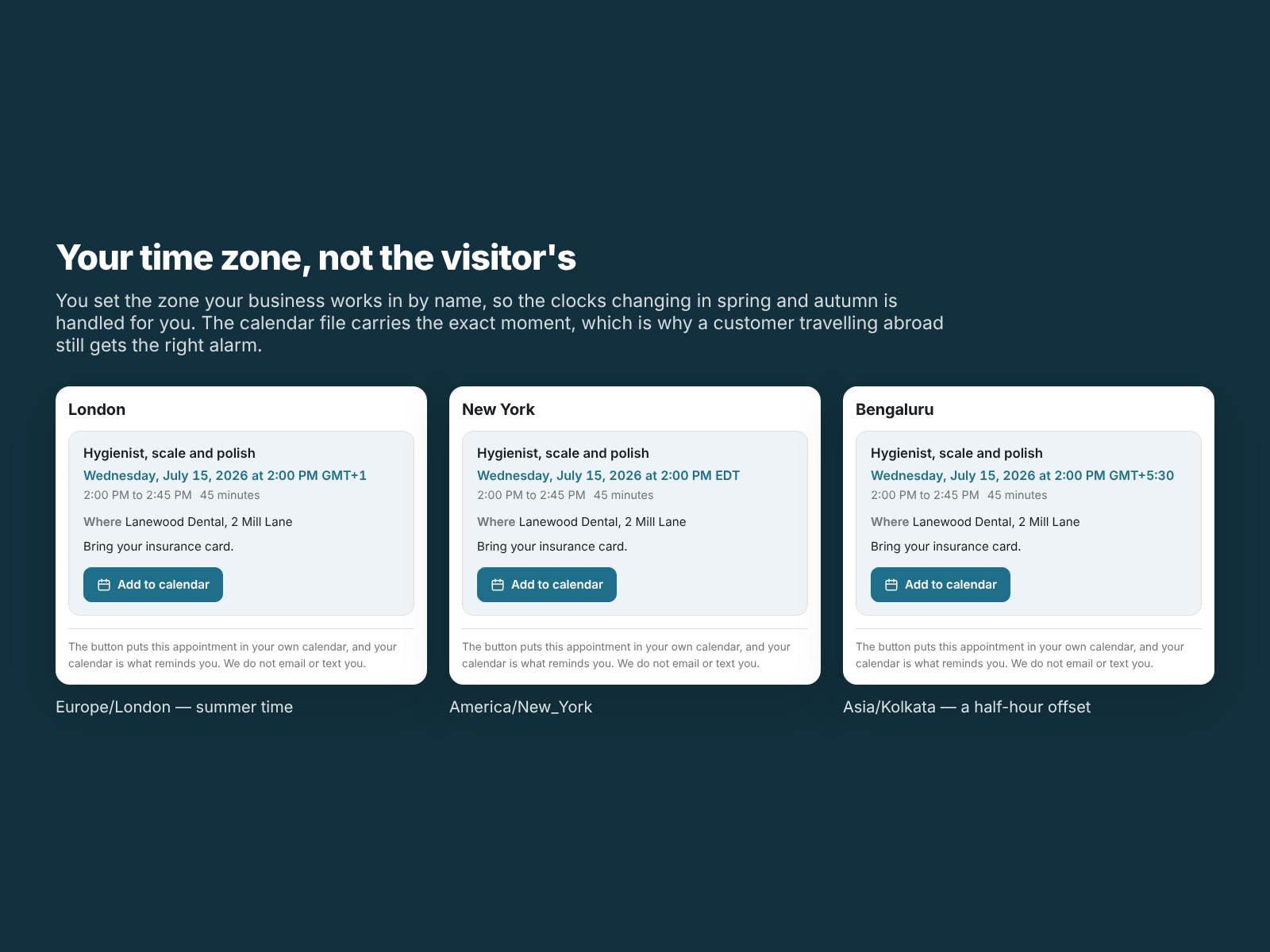
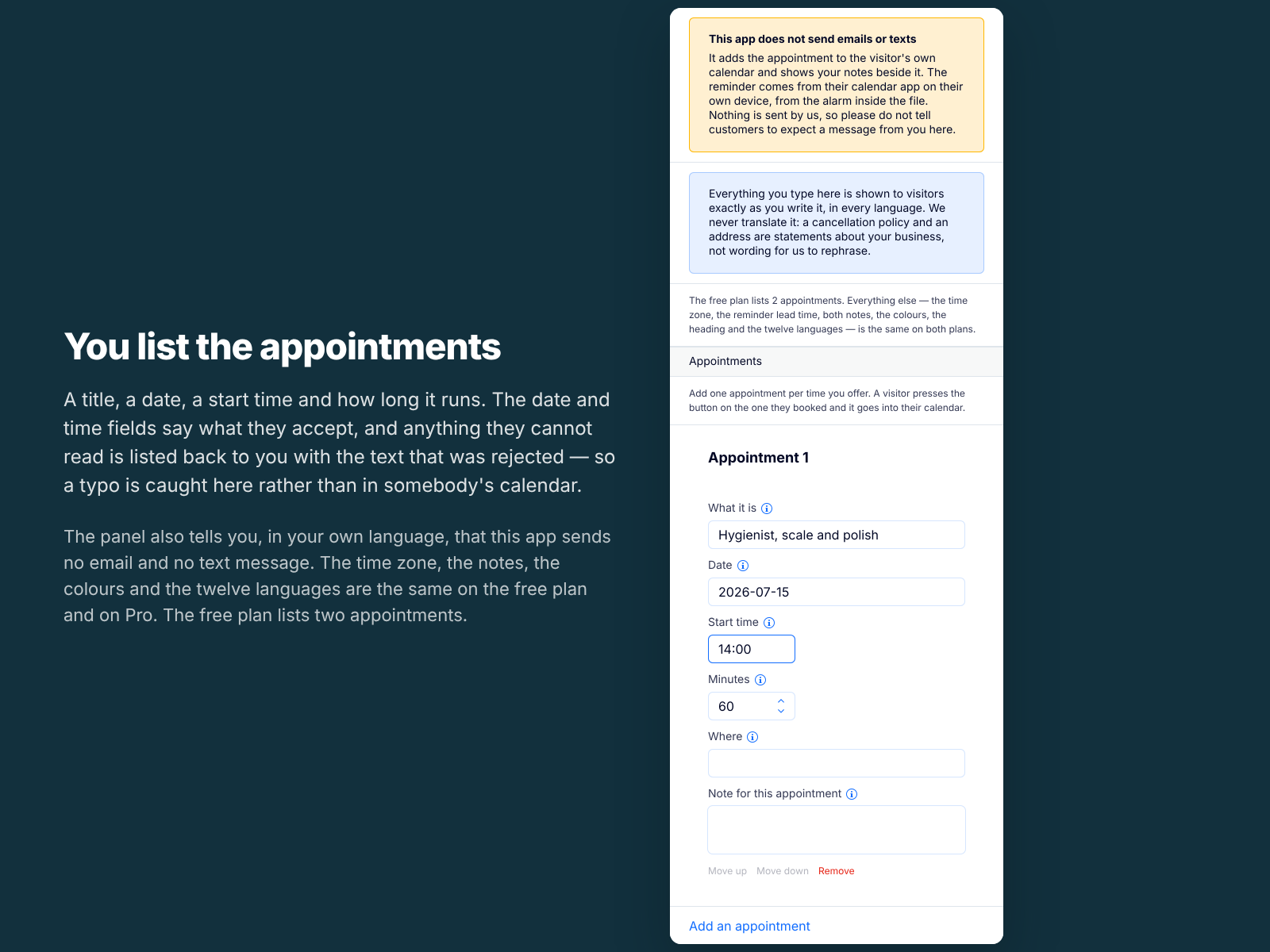
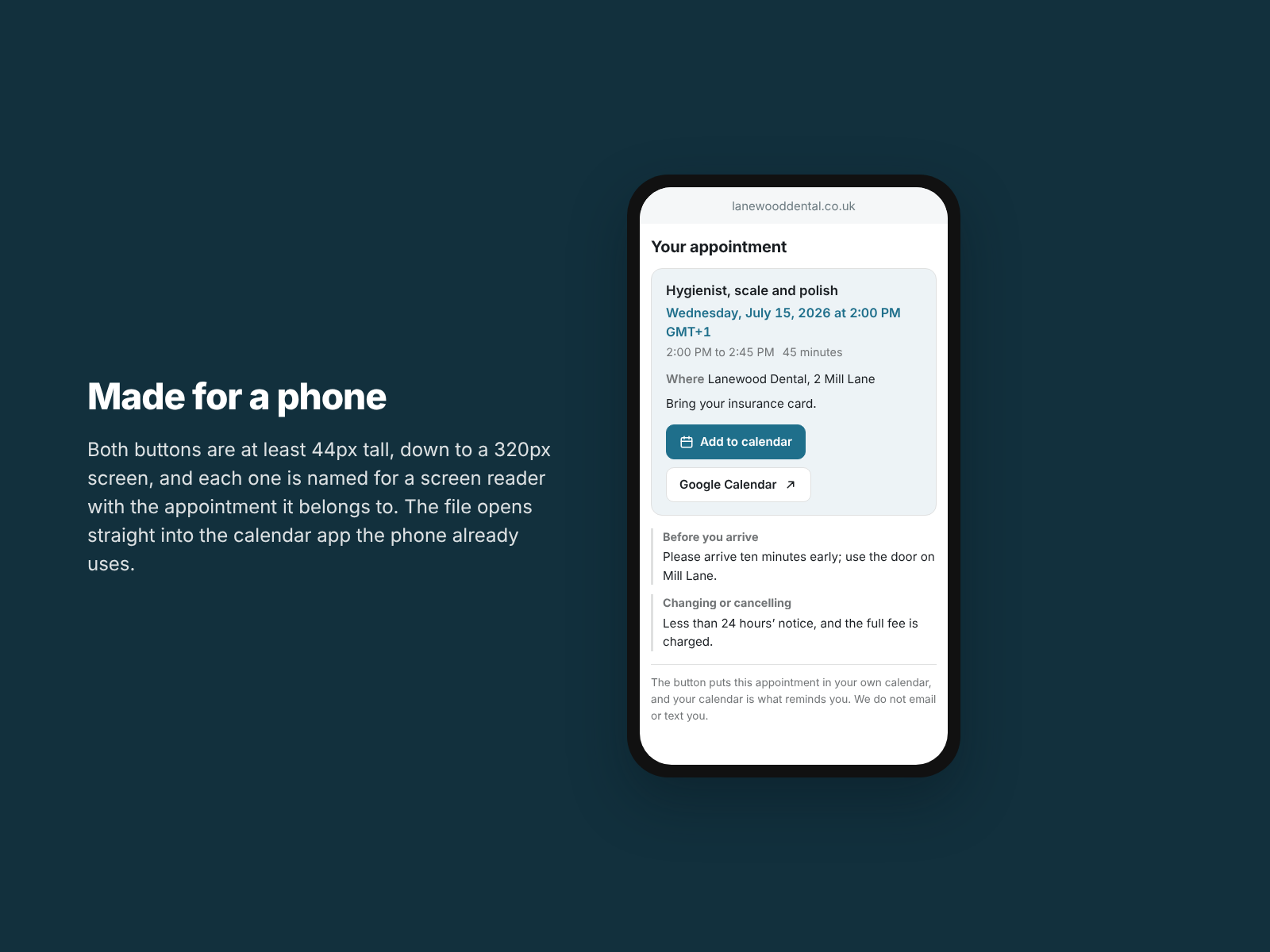
A visitor who has just booked sees their appointment and one button that puts it into their own calendar. Their calendar then reminds them, the way it reminds them of everything else. Your cancellation policy and arrival instructions sit beside it and travel into the calendar entry, so they are still there on the day, long after the confirmation email is buried. You list your appointments in the settings panel: a title, a date, a start time and a length. You set your time zone by name, so the clocks changing is handled for you. The file follows the iCalendar standard and opens in Apple Calendar, Google Calendar, Outlook and anything else that reads one. Downloading it twice updates the entry rather than making a second one. What it does not do: it sends no email, text message or notification of any kind, and it never will, because there is nothing behind it that could. The reminder is an alarm inside the file, fired by your customer's own calendar. It also cannot read your site's bookings calendar, so it does not know which slot a visitor booked; you list the times and they pick theirs. Nothing a visitor does is collected, sent or stored.
What the listing highlights
- One button adds the appointment to the visitor's own calendar
- Your cancellation and arrival notes travel into the calendar entry
- Your own time zone, set by name, so daylight saving is handled
- Works in Apple Calendar, Google Calendar and Outlook
Reviews
Official Wix marketplace summary
Wix Marketplace feedback
No reviews yet.
Plan comparison
Pricing & Plans
Basic
Free
Free
- The first two appointments you list
- Time zone, lead time and cancellation notes
- Calendar link and twelve languages
Pro
$0 / year
Save 18% yearly$0 / month
- Every appointment you list, not just the first two
- Time zone, lead time and cancellation notes, same as free
- Calendar link and twelve languages on both plans