
Wix Smart Chat
By Wix
- Wix Trending
Product media
Screenshots
1 of 7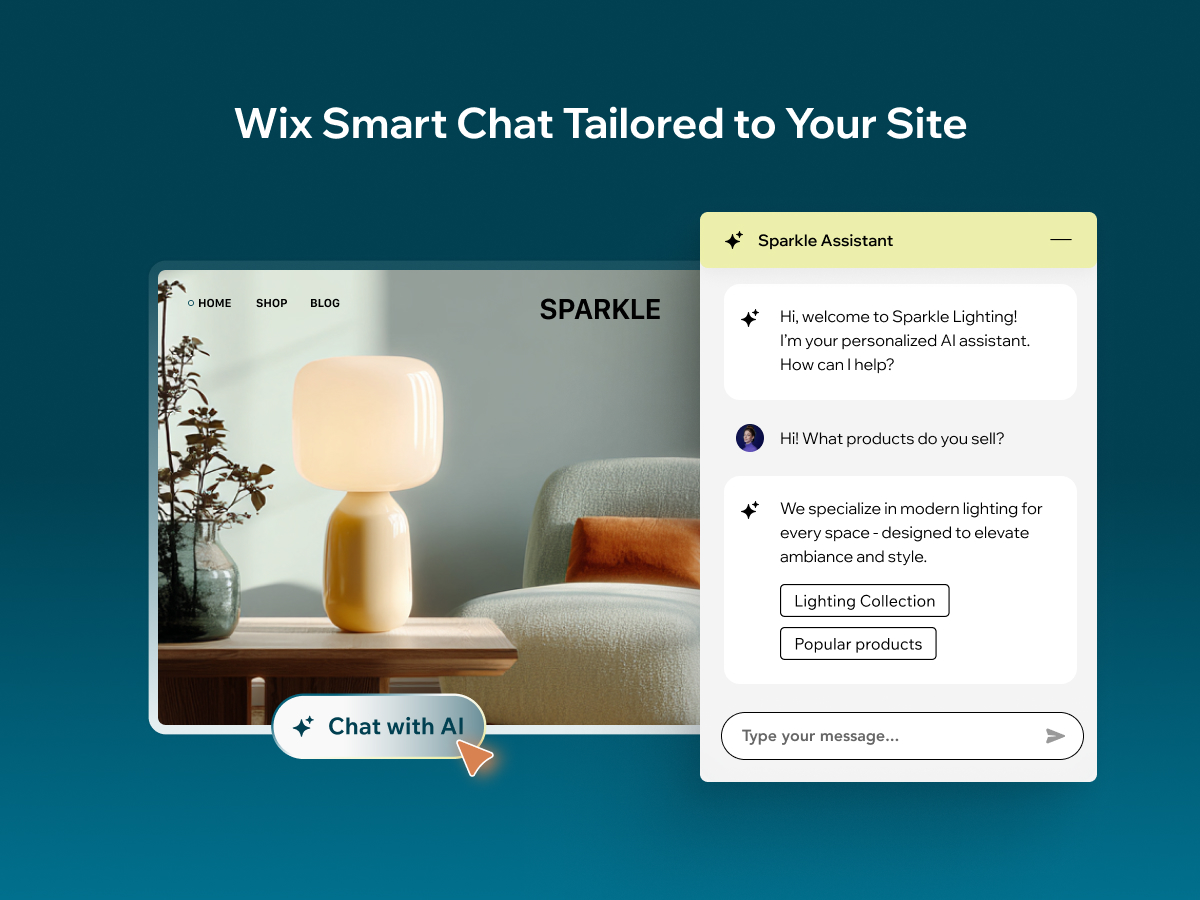
Overview
About this App
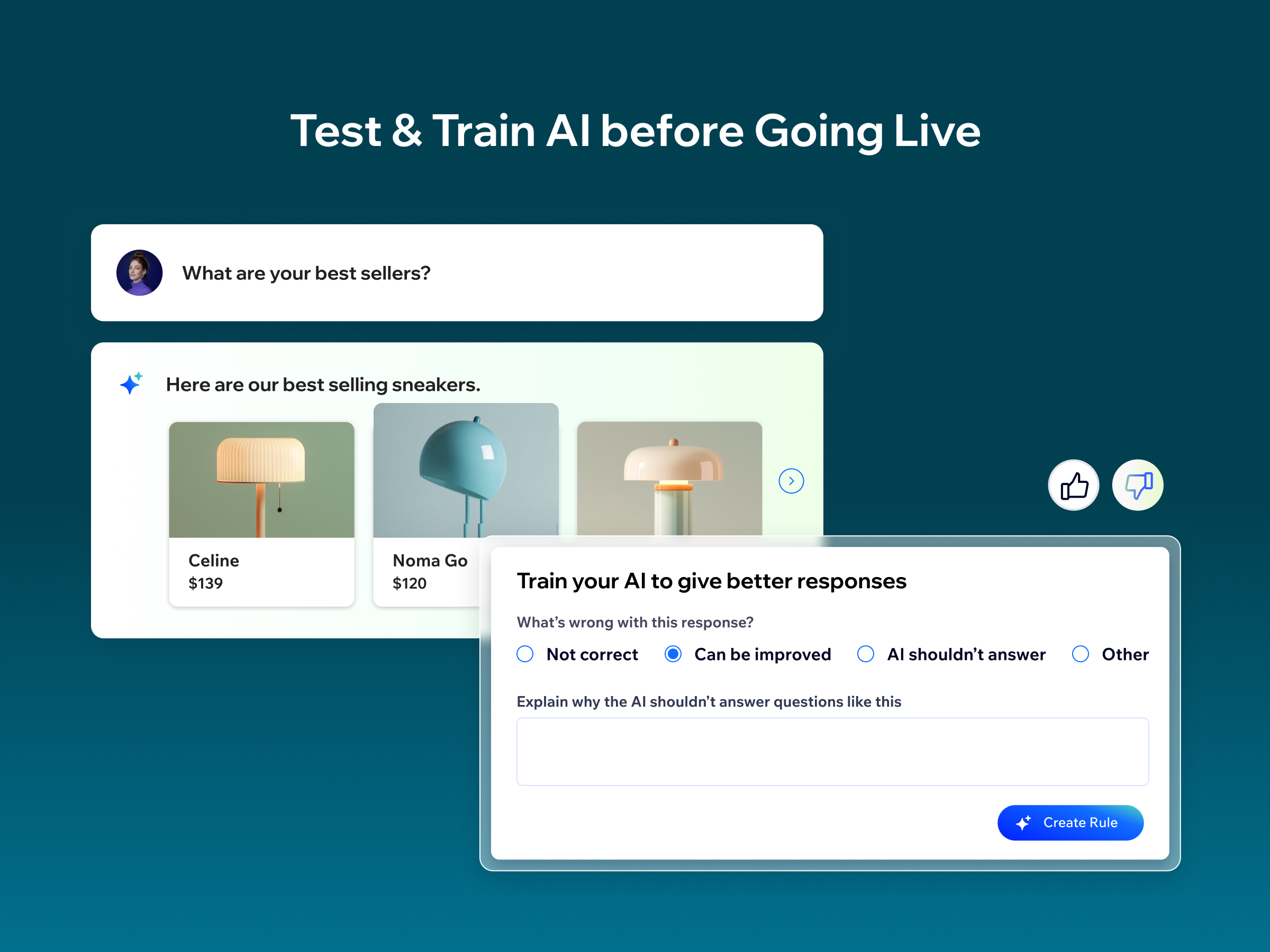
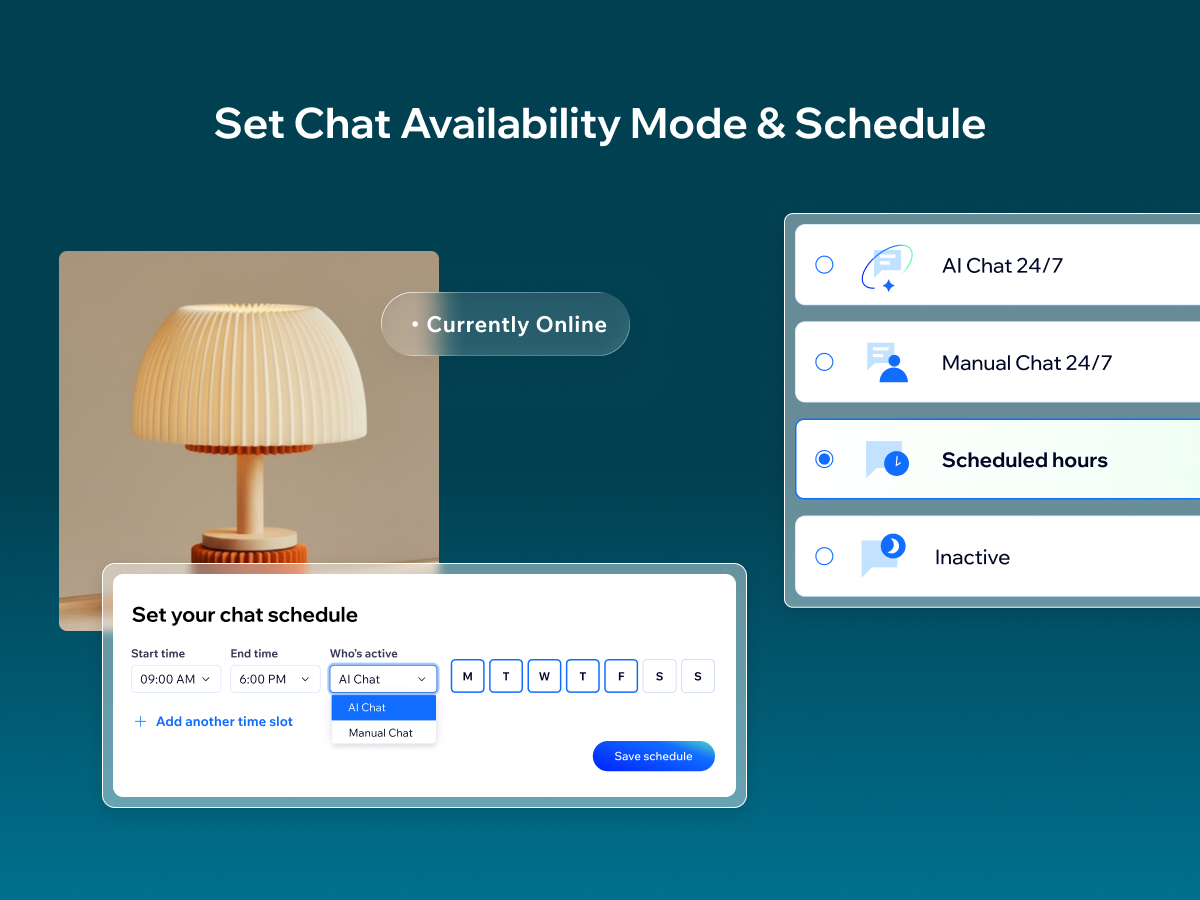
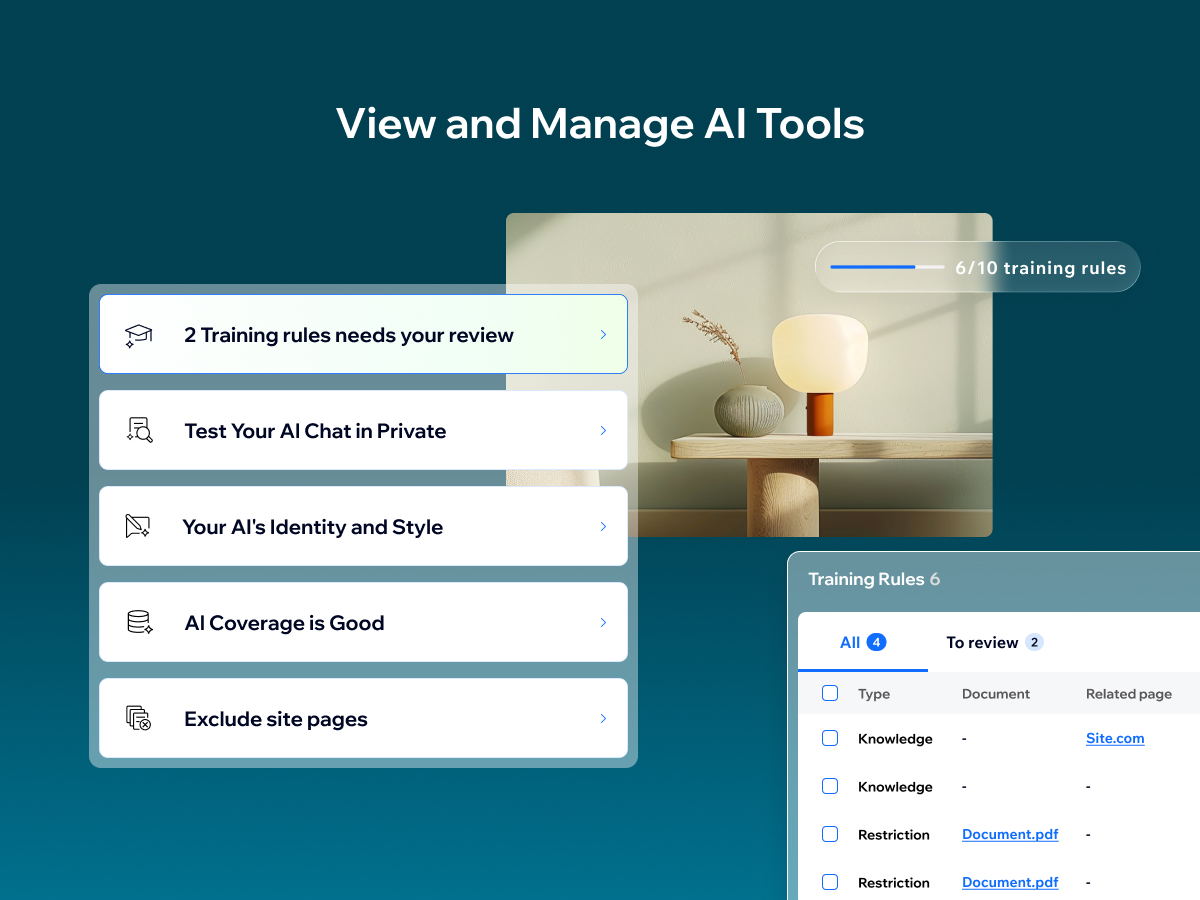
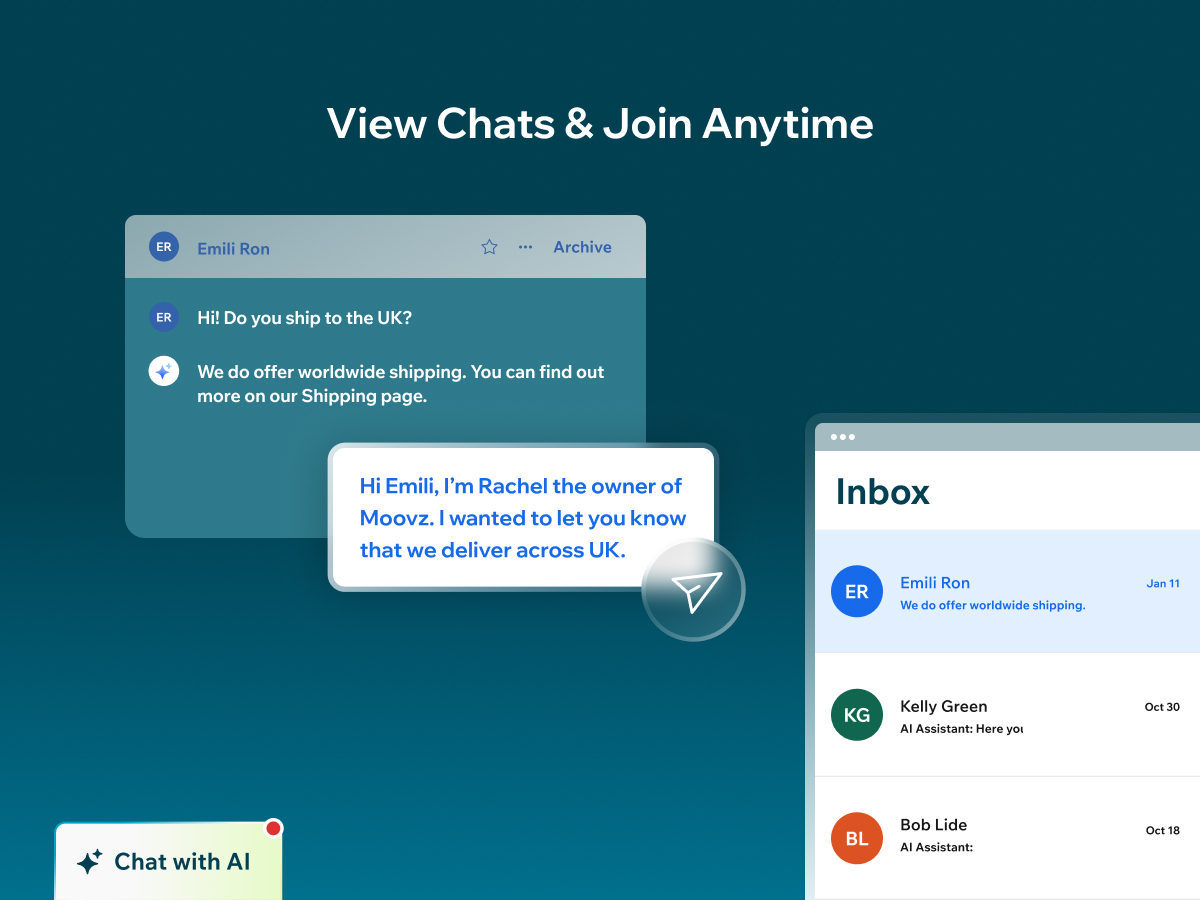
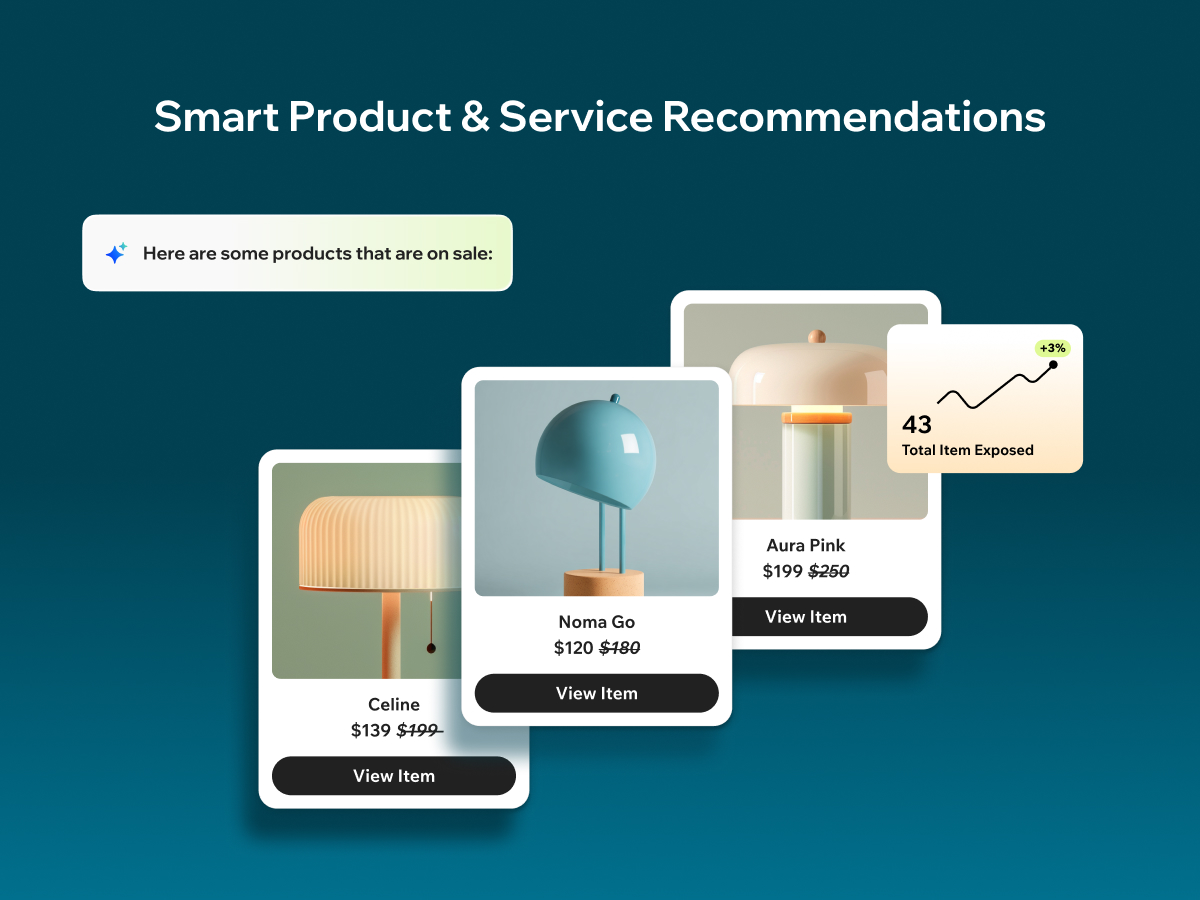
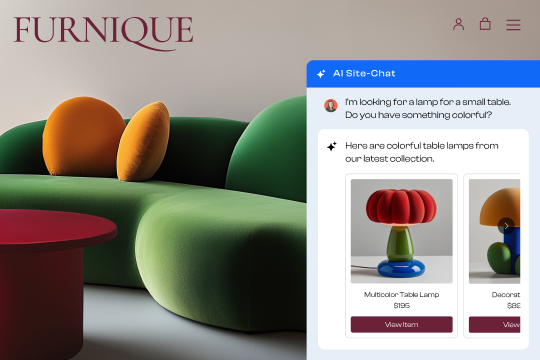
Wix Smart Chat combines AI chat and manual chat in one place, so you can support visitors in the way that fits your business—automated answers, real human replies, or a flexible mix of both. Stay responsive during peak hours and after hours with flexible availability modes: AI 24/7, manual 24/7, scheduled hours, or inactive (with offline options to keep collecting leads). From your dashboard, you can test and improve the AI, add knowledge and restrictions, adjust the AI’s identity and style, and review conversations in your Inbox—so Smart Chat becomes more accurate and helpful over time. Get easy access to key chat analytics that help you learn more about your site visitors and improve how you engage with them to boost conversions. Smart Chat also analyzes your conversations to give you key insights into what your customers are looking for and how you can improve your business. Previously known as Wix AI Site Chat, Smart Chat is now upgraded to include live (manual) chat—and it’s designed to replace the old Wix Chat with one unified solution.
What the listing highlights
- Choose how you’re available: AI chat 24/7, manual chat from your Inbox, or a mix on a schedule
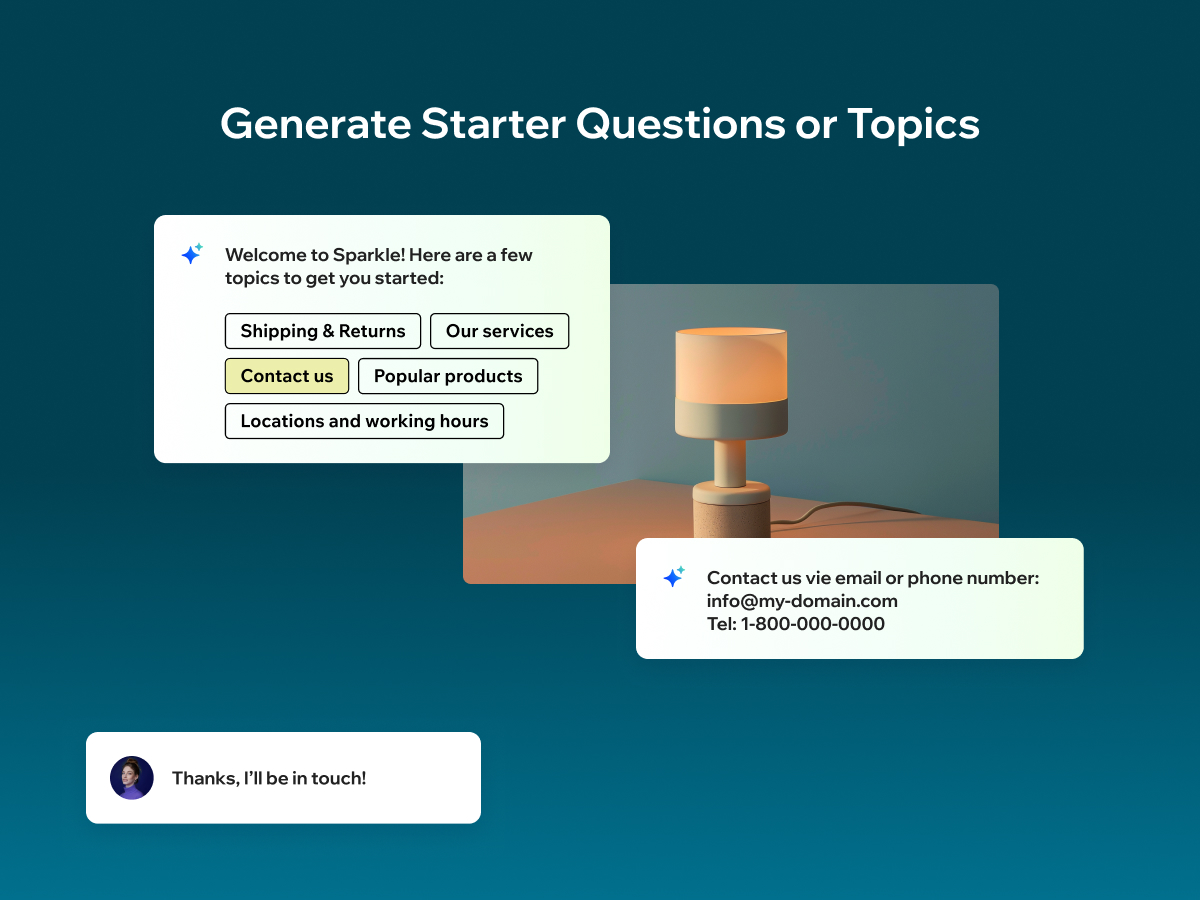
- Capture leads and guide visitors with contact forms, welcome messages, and quick topics
- Track key chat analytics like conversations, visitors, response times, and items shown in chat
- Get smart recommendations and actionable insights based on your chat conversations
Additional product media
Promotional media
Reviews
Official Wix marketplace summary
Wix Marketplace feedback
Review intelligence
App Market Index summaries derived from currently preserved Wix Review rows. The selected period affects only Review activity and Ratings; replies, publication state, and Review patterns describe the overall preserved dataset.Review activity, rating distribution, stored replies, publication state, and App Market Index review-pattern signals.
Calculated as of
Review activity
Reviews whose original Wix Review date falls in the selected elapsed-day period, compared with the immediately preceding equal period. Each paired bar represents the same relative part of both periods.Reviews in selected period
0 −10 (−100%) vs previous 30 days0 Reviews in the selected 30 days and 10 in the previous 30 days.
Stored replies
Reply coverage is the percentage of 216 preserved Reviews with at least one stored reply. Median and P75 use 190 Reviews with valid dated stored replies. Reply authorship is not inferred.Stored publication state
Current stored state across 216 preserved Reviews. A Review may remain preserved after it is no longer published by Wix.- Published
- 146 67.59%
- Unpublished
- 70 32.41%
- Unknown
- 0 0%
Review pattern signals
Automated App Market Index classifications, not proof of manipulation. Ordinary strength uses published 5-star Reviews. Suspicious unpublished is a separate signal for stored unpublished 5-star Reviews; an App can carry both kinds of evidence.Analysis pending coverage
Review timeline
Visualize Review volume and rating mix over time, plus Review-pattern activity.
- Active months
- 25
- Peak Review month
- Mar 2025 · 30
Review volume
Reviews are grouped by original Wix Review month. Rating colors use each Review's currently stored rating. Hover a column for exact monthly counts.Review intelligence over time
Each lane has its own scale so low-volume evidence remains visible. Hover a mark for the exact monthly count. Pattern classifications describe current stored analysis grouped by original Review month.Ratings describe currently preserved Reviews grouped by their original Review dates. Unpublished activity uses surviving Wix-supplied unpublication dates. Switch to Table for exact numbers.
Timeline data table
| Month | Reviews | Rating | Unpublished | ||||
|---|---|---|---|---|---|---|---|
| 5 stars | 4 stars | 3 stars | 2 stars | 1 star | |||
| Jul 2024 | 3 | 1 | 2 | 0 | 0 | 0 | 0 |
| Aug 2024 | 3 | 3 | 0 | 0 | 0 | 0 | 0 |
| Sep 2024 | 8 | 2 | 3 | 1 | 1 | 1 | 0 |
| Oct 2024 | 2 | 1 | 0 | 1 | 0 | 0 | 0 |
| Nov 2024 | 5 | 1 | 2 | 1 | 1 | 0 | 0 |
| Dec 2024 | 3 | 1 | 0 | 1 | 0 | 1 | 0 |
| Jan 2025 | 8 | 3 | 0 | 1 | 2 | 2 | 0 |
| Feb 2025 | 11 | 3 | 1 | 3 | 2 | 2 | 0 |
| Mar 2025 | 30 | 5 | 1 | 4 | 5 | 15 | 3 |
| Apr 2025 | 14 | 5 | 2 | 0 | 4 | 3 | 0 |
| May 2025 | 6 | 1 | 0 | 0 | 1 | 4 | 0 |
| Jun 2025 | 10 | 3 | 0 | 1 | 3 | 3 | 0 |
| Jul 2025 | 4 | 0 | 1 | 1 | 0 | 2 | 2 |
| Aug 2025 | 11 | 1 | 1 | 1 | 4 | 4 | 0 |
| Sep 2025 | 5 | 1 | 1 | 0 | 1 | 2 | 0 |
| Oct 2025 | 7 | 2 | 0 | 2 | 1 | 2 | 0 |
| Nov 2025 | 4 | 2 | 0 | 0 | 0 | 2 | 0 |
| Dec 2025 | 5 | 2 | 0 | 0 | 0 | 3 | 0 |
| Jan 2026 | 2 | 0 | 0 | 0 | 0 | 2 | 0 |
| Feb 2026 | 0 | 0 | 0 | 0 | 0 | 0 | 0 |
| Mar 2026 | 10 | 2 | 1 | 0 | 0 | 7 | 65 |
| Apr 2026 | 16 | 1 | 1 | 1 | 3 | 10 | 0 |
| May 2026 | 14 | 0 | 0 | 0 | 1 | 13 | 0 |
| Jun 2026 | 16 | 3 | 0 | 1 | 1 | 11 | 0 |
| Jul 2026 | 10 | 1 | 0 | 0 | 0 | 9 | 0 |
| Aug 2026 | 9 | 1 | 0 | 0 | 1 | 7 | 0 |
Review-pattern Timeline data is pending complete coverage.
App Market Index archive
Review list
Browse preserved published and unpublished Reviews.These are preserved App Market Index Review rows. They are separate from the current official Wix marketplace summary shown above, and publication labels describe the state currently stored by App Market Index. About this archive
- floristeriavalencia
Necesita mejorar mucho aun.
Una lastima, la instale pensando que podría ayudar pero no a sido así, intente enseñar indicándole que no diese precios, que no gestionara pedidos, tampoco presupuestos, que solo diera información basada en la web y en las ordenes establecidas grabadas, pero no hacia caso. El fallo es que aun con esas directrices seguía sacando presupuestos, gestionado pedidos y lo peor que los precios los sacaba de otros artículos o incluso ofrecía artículos que ni siquiera estaban en el catalogo dando la posibilidad de venderlos, si relacionados con la web pero no en el catalogo (Ejemplo, nosotros no tenemos rosas naturales de color azul y la IA ofrecía que si teníamos sacando los precios de otros artículos, incluso ofrecía entregar en fechas donde ponía claramente en la web que estaba cerrado y aun así daba fechas de entrega y eso que tenia la directiva de no gestionase pedidos. Seguramente en un futuro mejore pero hasta que eso no ocurra no puedo exponerme a tener una IA sin ese control.
- khcareintl
terrible
1. the old Wix chat app stopped collecting email - which was an actual requirement that I couldn't turn off... How frustrating when a client reaches out and you have no way of replying. 2. so I switched to the "new" version Wix Smart Chat and that will not show on my mobile version! even though it is set to show on mobile and desktop. Can't go back to the old version as it is not working anyway. Loose loose situation with the wix chat. Frustrated! On top of everything, every single tiny thing is now paid feature or app. Been with wix since 2014 but I am going to switch the second my subscriptions run out.
- education483
No live notifications any more for visitors
This is awful App the old one was better. You dont get live notifications about visitors and the automated messaged have stopped when visitors vist your site
Thanks for the feedback, and sorry for the frustration. We're currently working on improving visitor notifications and expect updates soon. If you can share a bit more about your use case, it would really help us understand what's missing and improve the experience.
- dizzyman00
Please fix the following bugs
Bugs: 1. I updated the chat box text through the editor and published it, but it's still showing the default text on my live site. 2. The old Wix Chat allowed me to show my logo icon on the header of the chat box, this new one doesn't. 3. This new Wix Smart Chat does not show up at all on the mobile web version of my site. My overall comments: 1. The Manual Chat functionality in the new Wix Smart Chat is not any better than the old Wix Chat. 2. The new AI Chat functionality in the Wix Smart Chat does not do auto translate, so for example, if a customer asks a question in English, the AI Chat will reply in Chinese because my site is in Chinese. 3. The whole point of the new Wix Smart Chat is to have another way for Wix to charge site owners more money for their AI credits, which is not something I am crazy about.
Thank you for your feedback — we really appreciate it. 1 - We checked your live site, and the text now looks updated. It may have taken some time after publishing your site, and we’re still checking this behavior. 2 - You’re right — this specific option is not currently available in Smart Chat, but it’s something we’re planning to add. 3 - For mobile visibility, the chat appears via the Quick Action Bar (QAB). Please open your site in the Editor, switch to Mobile mode (mobile icon in the header), and add the QAB. From there, you can enable Smart Chat for mobile. Regarding your overall comments: 1 - Could you share a bit more about what you feel is missing compared to the old Wix Chat? It would really help us improve. 2 - This should work now — we found an issue and fixed it. Please check again. 3 - AI credits are actually a big improvement for Premium users, since they’re included in your Wix Premium plan without any extra charge. Thanks again for helping us improve Smart Chat.
- simonelopresti
Non è utilizzabile
Hanno rimosso tutte le funzionalità di Wix Chat ora non arrivano più le notifiche, non è possibile far comparire le chat ed inserire il pulsante per avviare la chat su whatsapp direttamente dalla Chat, spero che al più presto venga aggiornata perchè così non è utilizzabile.
Grazie per il tuo feedback — capiamo quanto queste funzionalità siano importanti. Notifiche live — arriveranno presto, stiamo già lavorando per reintrodurle. Integrazione/pulsante WhatsApp — è una funzionalità che stiamo considerando di riportare. Puoi vedere maggiori dettagli sulle differenze tra le funzionalità qui: https://support.wix.com/en/article/wix-smart-chat-moving-from-wix-chat-to-wix-smart-chat La chat non appare — di solito è legato alla pubblicazione del sito. Assicurati di pubblicare il sito dopo aver installato Smart Chat, così il widget sarà visibile online. Apprezziamo il tuo feedback — ci aiuta a migliorare il prodotto.
- nanamegamail
High Cost came with Low Efficiency
Thank you for your feedback. We’d be happy to learn more about what you experienced regarding the efficiency, so we can better understand the issue and continue improving the product.
- musclorsuplementosUnpublished
Esta com um problema grave no funciomaneto para mobile.
O funcionamento para desktop esta perfeito, porém no mobile, quando clico no icone, ele não abre o chat com a IA e desaparece o icone.
Thanks for your feedback! We checked your mobile site and confirmed that the AI Site Chat is correctly installed and accessible through the Quick Action Bar (icon with 3 dots, we were able to open the chat successfully. One thing to consider: we noticed you also have a WhatsApp widget on your mobile site. In some screen resolutions, this widget may overlap or partially block the Quick Action Bar, making it harder to access the AI chat. You might want to adjust its placement to avoid this issue. Let us know if you need help making these changes - we’re happy to assist!
- andrewmason007Unpublished
doesn't appear on mobile app
works on pc but no show on a mobile website
Thanks for your feedback! Wix AI Site Chat does work on mobile as well as desktop. If it’s not appearing on your mobile site, please try the following: Go to your Editor → Mobile Editor (click the mobile icon in the top left) → Add the Quick Action Bar – this will place the AI Chat on your mobile site. Once added, publish your site again so visitors can see and use the chat. If it’s still not showing up, feel free to send us a screenshot, we’re happy to help!
- kusumoto0Unpublished
トレーニングをしても追加されません
いまいちの回答をしたときに、その詳細をレビューにして送るのですが、その内容が追加されません。「技術的な問題がおこりレビューが追加されなかった」と毎回なります。トレーニングの意味がありません。
ご意見ありがとうございます。そして、AIトレーニング機能のご利用中に問題が発生したこと、お詫び申し上げます。 これは一時的な不具合であった可能性があります。現在、「AIをトレーニング」機能は正常に動作していることを確認しておりますので、もう一度お試しいただければと思います。 もし再度問題が発生するようであれば、スクリーンショットをお送りいただければ、こちらで詳細を確認し、解決のお手伝いをさせていただきます。 Wix AI Site Chat の改善にご協力いただき、ありがとうございます。
- krpquality
Won't show up in or on site
The app appears to be very good. Setup is not too difficult. It tells me to "complete setup" by publishing my website. I have published the site multiple times over and the chatbot still will not show up on my site. It really sucks because it seems like it will really save time for our business. Ive had this website for over 4 years and it would really be great if this bug can get fixed.
Thanks for your feedback, and we're sorry for the trouble. If the chatbot still doesn’t appear on your site even after publishing, please try the following steps in the Wix Editor: Open your site in the Editor On the left sidebar, click the icon with four squares (App Market) At the bottom of the list, click "Manage Apps" (gear icon) Look for Wix AI Site Chat If it says “Complete Installation”, click it and follow the prompts If it's already installed and you don’t see the widget, check if it's placed on your site (bottom right or left corner) After adding the widget, make sure to publish your site again. If none of this works, please reach out with a screenshot, we’d be happy to help resolve this.
- TheEventsConsultantUnpublished
Its very rigid and inflexible
Why I can see this could be a fantastic option and it is something that we really want on our website. However this model is currently very rigid and inflexible and does not allow for any real customisation which makes it unusable. If you are running a really basic site this could be an option, but for anything more complicated, it is just not up to the job sadly.
Thanks for your feedback, we hear you. Wix AI Site Chat is designed to work out-of-the-box for most websites by learning your site content automatically. However, we know that more advanced customization options are important, especially for complex businesses. This is something we're actively working on improving. If there are specific areas where you'd like to see more flexibility, we'd love to hear them. Your input helps us shape the next updates.
- alessandroloja
Has potential but very limited layout options
It seems a good potential app but the layout limits are too strict. the icon can only be place bottom right or left without any possibility to adjust it, reposition, move it up and so on
Thanks for the feedback, you're absolutely right. Currently, the AI Site Chat widget can only be positioned at the bottom-left or bottom-right of the site. We’re actively collecting feedback about layout flexibility, and your input helps prioritize improvements.
- lena160
Bra utgangspunkt
Appen har bra potensiale, men når den er utviklet av wix, burde den inneha alle funksjoner som f.eks wix stores har. Skal den fungere som en kundeservice må den være intuitiv og kunne svare på ordrestatus i realtime, kunne gi raske råd og tips ut fra innholdet på nettsiden etc. Selv med opplæring kan den ikke svare på enkle spørsmål og den henger ikke med i samtalen om man blir borte noen minutter, da starten den på nytt med spørsmål.
Tusen takk for tilbakemeldingen din! Vi jobber aktivt med å støtte alle funksjonene til Wix Stores – inkludert sanntids informasjon om ordrestatus – og mer. Når det er sagt, kan AI-en allerede lese og svare nøyaktig basert på innholdet og produktene på nettstedet ditt. Dersom du har oppdaget problemer, setter vi stor pris på om du deler konkrete eksempler med oss, så vi kan hjelpe og forbedre. Trening vs. Live-svar Forskjeller mellom test- og live-svar skyldes som oftest samtalekontekst. AI-en bruker alltid nettstedets innhold, men svarene kan variere litt avhengig av hvordan samtalen utvikler seg. Samtalens varighet Dersom en besøkende er inaktiv i over 10 minutter, tilbakestilles samtalen for å spare på kvoten. Hvis du har opplevd noe uvanlig, vil vi gjerne høre mer slik at vi kan undersøke det nærmere. Gi beskjed om du ønsker å bli kontaktet for et kort videomøte – vi setter stor pris på alle innspill!
- tetsuhiro555Unpublished
アプリがアンインストールできなくなりました
こんにちは、 アプリのアンインストールができなくなったとのこと、ご不便をおかけして申し訳ありません。 以下の手順でアンインストールが可能です: Wixのサイト管理画面にアクセスしてください。 左側のナビゲーションメニューから「アプリ」または「アプリを管理」をクリックします。 一覧の中から「Wix AI Site Chat」を探してください。 アプリ名の横にある「︙(3つの点)」をクリックし、「アプリを削除」を選択してください。 それでも削除できない場合は、サイトエディタを開き、チャットウィジェットを右クリックして「削除」を選ぶことで、アプリの削除が可能です。 ご不明点があれば、いつでもご連絡ください。 よろしくお願いします。
- ogawa8018Unpublished
モバイルサイトになると利用できない。
pcサイトだと利用可能だが、モバイルサイトだと利用できない。
こんにちは、 モバイル環境でのご利用についてご連絡ありがとうございます。 Wix AI Site Chat はモバイルウェブでも正常に動作するよう設計されています。ただ、特定のケースで問題が発生している可能性がありますので、もしよろしければスクリーンショットや具体的な例をお送りいただけますか? こちらで確認し、できる限り早く対応させていただきます。 ご協力ありがとうございます! Wix チームより
- tonyscholl36Unpublished
AI app made mobile website inoperable
The App made all the links, menus, and other interactions on my mobile website unclickable, despite working in the editor preview. Once I deactivated Wix AI Site Chat, the mobile website worked again as intended.
Hi, and thank you for bringing this to our attention. This is actually the first time we've heard about the AI Site Chat affecting mobile site interactions in this way, so we’re definitely looking into it. To help us investigate further, it would be really helpful if you could share more details — such as the device and browser you used, or a short screen recording if possible. We really appreciate your feedback — and we’re here to get this resolved.
- gabrielsknightUnpublished
Not As Good As JotForm
I would highly recommend the development team look at how the Jotfrom AI assistant works as its 10 times better and can be trained without limitations of how many knowledge pieces you feed it , can customise the Avatar and it feels more customizable .
Hi, and thanks for your feedback! JotForm is a great tool — and we appreciate the comparison. The key difference with Wix AI Site Chat is that it’s designed to work out of the box, without needing training, as long as your site has updated content. For example, the AI automatically learns your products, prices, and services directly from your site — no need to upload files. The “Train AI” feature inside the AI Site Chat is there to add extra info not already on your site — and we’re working on expanding it with many more capabilities soon. Thanks again for sharing your thoughts!
- serahjenningsUnpublished
Needs work
Cool feature except prompts and programming is very limited. You can not get it to change the way it talks, or make it stop using emojis. It would be good if you could personalise it much more.
Hi, and thank you for your feedback! We're glad to hear you find the feature cool, and we agree — personalization is an important next step to make the AI feel even more aligned with your brand. Right now, we're focusing on giving users control over accuracy, which you can do through the “Train AI” feature in the app settings. That lets you define how the AI should respond to specific topics or questions. As for tone of voice and style — including things like removing emojis or changing how the AI speaks — that's something we're actively working on. You can also vote for this feature here to help us prioritize it: 👉 Customize AI Chat’s interaction style (vote): https://support.wix.com/en/article/wix-ai-site-chat-request-customizing-the-ai-site-chats-interaction-style Thanks again for sharing your thoughts — they really help us improve.
- suzannebarber1Unpublished
Customise AI chat to exclude emoji's
It frustrates me I cannot train the AI responses to stop using baby bottle emoji's when responding to breast feeding issues. It goes against the Code of International of Milk Marketing and puts me professionally in a very difficult position. Worst still it is difficult to contact support except through chat bot! Ironic eh?
Hi, and thank you for your thoughtful feedback. We completely understand your concern, especially given the importance of staying aligned with the International Code of Marketing of Breast-milk Substitutes. You're absolutely right — the use of emojis like the baby bottle in this context can be inappropriate and professionally sensitive. We can help with that: we’ll go ahead and remove emoji usage from your AI Chat so that responses remain neutral and aligned with your tone. Also, you can vote for a dedicated feature request to control the AI’s interaction style — including turning off emojis — on this page: 👉 Vote here https://support.wix.com/en/article/wix-ai-site-chat-request-customizing-the-ai-site-chats-interaction-style We appreciate your honesty and care in raising this issue — and you're right, the irony of chatbot-only support isn't lost on us. We're working to make direct support more accessible as well. Thanks again for your feedback. We're here to support you.
- kaijamarketingUnpublished
Please fix Wix Ai Sitechat Bugs 🐞, I want to use it!
Hi I have just installed successfully Wix AI Site-Chat on another website and its working without any issues. On my own site (same Wix produkt, another Domain and Login) I've installed it a couple of days before as well. There I am facing the fact, that it's installed and after clicking "open" in Editor it happens nothing. Pretty strange, also that I can not deinstall the App and reinstall it to fix it that way. @WIX: Please resolve this bug asap, so I can implent this pretty good home grown App from your side also on my Site. Thank you. Best regards
Hi, and thank you for your message — and for your kind words about the app! We’re happy to hear it’s working well on one of your websites! Regarding the issue on your other site: Wix AI Site Chat is fully supported on sites built with Wix Studio, so it should work there as well. Here’s what you can try to resolve the issue: 1. Open your site in the Editor 2. In the left navigation, click the icon with four squares — that’s the App Market 3. Click the gear icon labeled “Manage Apps” 4. Look for Wix AI Site Chat in the list - If it’s there and shows “Complete installation”, click that to finish the setup - If it’s not listed, please try installing the app again from the App Market That should get things working. If not, feel free to reach out and we’ll be happy to assist further. Thanks again for your support — we’re excited to see you using the app!
- enfiity
Its a good starting point
I’d say I already have it integrated on my website, but for some reason, it doesn’t retrieve data from my Articles, Programs, or Booking sections—it only gives general answers. I understand I could potentially train the AI manually, but that’s extra work that should ideally be automated by the AI itself. I can definitely see the potential of this AI on Wix, and I believe it’s worth waiting for further improvements, especially since Wix has never disappointed me.
Hi, and thank you so much for your thoughtful feedback! We’re really glad to hear that you see the potential in the AI and already have it integrated on your website. Just to let you know — last week, we experienced an issue with how the AI was indexing and retrieving certain types of site content, including sections like Articles, Programs, and Booking. That issue has now been fixed, and everything should be working properly again. We’d really appreciate it if you could give it another try and let us know if the AI now responds better to content from those sections. Your feedback helps us continue to improve, and we’re grateful for your patience and support.
- filmmakertubebrUnpublished
iA não demostra interesse
Hi! The AI has improved, but there's a key issue: it always prioritizes website content, even when the custom training says otherwise. For example, when a customer asks about a video, it skips the conversation and immediately pushes them to a website link or contact, without exploring their needs. The problem is that it jumps to the final step too early, making the interaction feel rushed. Even with custom training to avoid this, it keeps happening. Suggestion: There should be training options like: Use site content automatically Use manual/custom training It would be ideal if the AI could follow custom instructions first, and only refer to the site when no relevant criteria are found. That would give users confidence and control. I used my free credits testing a real case, and it failed due to this behavior. Improving this would increase trust and app ratings. Thanks!
- annettekobelUnpublished
funktioniert leider nicht
lasst sich nicht öffnen
Hallo, vielen Dank für Ihr Feedback. Es tut uns leid zu hören, dass die App bei Ihnen nicht funktioniert hat. Wir hatten kürzlich ein technisches Problem, das inzwischen behoben wurde. Die App sollte sich jetzt wie erwartet öffnen lassen. Könnten Sie es bitte noch einmal versuchen? Wenn das Problem weiterhin besteht, würden wir uns freuen, wenn Sie uns kurz mitteilen könnten, auf welcher Website Sie es verwenden – so können wir das Problem gezielt untersuchen und schnell lösen. Vielen Dank, dass Sie die App ausprobiert haben!
- christiangauthier0Unpublished
interrogation
je pose des questions ex : pratiquez vous l'arret du tabac reponse je ne comprends pas qu'est ce que je dois faire pour utuliser cette application?
Bonjour, et merci pour votre message. Nous sommes désolés pour cette expérience frustrante. La semaine dernière, nous avons rencontré un problème technique lié à l’indexation du contenu du site, ce qui a empêché l’IA de bien comprendre certaines questions — comme celle que vous avez mentionnée. Bonne nouvelle : ce problème a été corrigé. Nous vous invitons à essayer à nouveau l’application, et à poser les mêmes questions — elle devrait maintenant être plus précise et répondre en fonction du contenu de votre site. Si vous avez besoin d’aide pour optimiser les réponses ou les paramètres, n’hésitez pas à nous contacter — nous serons ravis de vous aider. Merci encore d’avoir essayé notre application !
- closerlives
Significant performance overhead & missing page-level controls
I wanted to love this app, but the current build severely impacts overall site performance and lacks basic display settings. Failing Connections & Main-Thread Lag: The background script continuously throws WebSocket connection errors (net::ERR_NAME_NOT_RESOLVED), constantly trying to reconnect. This consumes CPU resources and slows down the page. Heavy Payload: The script loads over 600 KB of JavaScript (with ~90 KB flagged as unused code on page load), contributing heavily to Total Blocking Time (TBT) on PageSpeed tests. Feature Request / Missing Functionality: Currently, there is no option to enable the widget on specific pages... it’s strictly an all-or-nothing (site-wide) toggle. Since homepage performance is critical for core web vitals and SEO, being unable to hide the widget on the homepage while keeping it on secondary/support pages is a major limitation. If these issues can be resolved, the app would be fantastic. Until then, it's difficult to keep active on a live site.
- makoto0083Unpublished
Is it working?
Saving and editing are not working for me at the moment. I'm hoping they'll be back up and running soon.
Hi, and thanks for your feedback. You're right — there was a temporary issue affecting saving and editing, and we're really sorry for the inconvenience. The good news is: this issue has now been fixed, and everything should be working properly again. We’d love for you to give it another try and let us know if you run into anything else. Thanks again for your patience and for using the app!
- careeraccelerateUnpublished
Chat Form Feature for New Contacts & Integration with Automations
The app needs a feature to send a contact form when the chat is opened to new visitors so it can integrate with contacts, workflows, and automations. Currently, the AI version lacks this feature. In addition, the app doesn't integrate with automations.
Hi, and thank you for the thoughtful feedback — it’s really appreciated! You’re absolutely right that capturing leads and integrating with workflows is essential. Just to clarify, the AI Site Chat already includes a contact form feature in two key situations: When the chat is offline, you can choose to display a contact form to collect lead info. During an active AI conversation, if the AI doesn’t know the answer, it will automatically offer a contact form so the visitor can leave their details and the site owner can follow up later. As for deeper integration with Wix Automations — we completely agree it's important, and it's definitely on our radar for future updates. Thanks again for your input — it helps us keep improving in the right direction!
- mejlzarad23
no answer
it does not answer on any question. i only get notifications
Thank you for your feedback We are sorry to hear about your experience. Have you tried testing in the Test the AI environment first and running questions?
- signalsavvybotUnpublished
Does not work as intended.
The AI chatbot on my website does not switch to the leads contact form when it runs out of quota. Instead, it merely collects user messages without providing answers, which is frustrating. Additionally, the offline message does not appear for the user.
Hello Thank you for your feedback. In the app settings (inside the dashboard) you have under 'Settings' tab an option: When the AI Site-Chat is offline: 1 - Show the AI chat on my site 2 - Hide the AI chat on my site Please check if option 1 is selected, and under it you will see sub-options that you you to choose from it: 1A - Collect leads with a contact form and let visitors write chat messages. 1B - Hide the contact form but let visitors write chat messages. 1C - Collect leads with a contact form but don’t allow visitors to write chat messages. Please let us know if it's solved the issue
- mrianreedok6Unpublished
Always provides wrong answers
I tried this after finding other bots a little pricy. However when testing it provided wrong or irrelevant answers. After offering the correct answers at testing it still reverted to its original wrong answer. The only way to make this work is to spoon feed the answers which is NOT AI.
Thanks for the feedback. The AI Chat Assistant is currently in beta and we are collecting feedback to improve the product. When you use the 'Test the AI' option in the App Settings, you can give negative or positive feedback to the AI's answers. We collect all such feedback and learn where the system did not answer correctly. From time to time, we update the AI engine and thus improve it accordingly. The main goal is to allow the AI to learn from every feedback as if it were a new employee in your business, you do not have to teach it everything, but it is advisable that you tell it what needs improvement. Very soon the 'Test the AI' option will receive a significant update, so that every feedback, the AI will automatically learn and it will create information from every such feedback for future use in every conversation, thus making it possible to train the AI effectively and very easily.
- marie9439Unpublished
BUG: Can't train chat
When you go to add knowledge, it looks like it does, but after hitting "Save" it turns it into a restriction. Will change when it's fixed.
Hello, Thank you very much for the feedback We checked and found the problem, and it was fixed 👍
Plan comparison
Pricing & Plans
Detailed plan information is not available for this App.