
Guest Sheets: Event Guest List
By Prometheus
Product media
Screenshots
1 of 4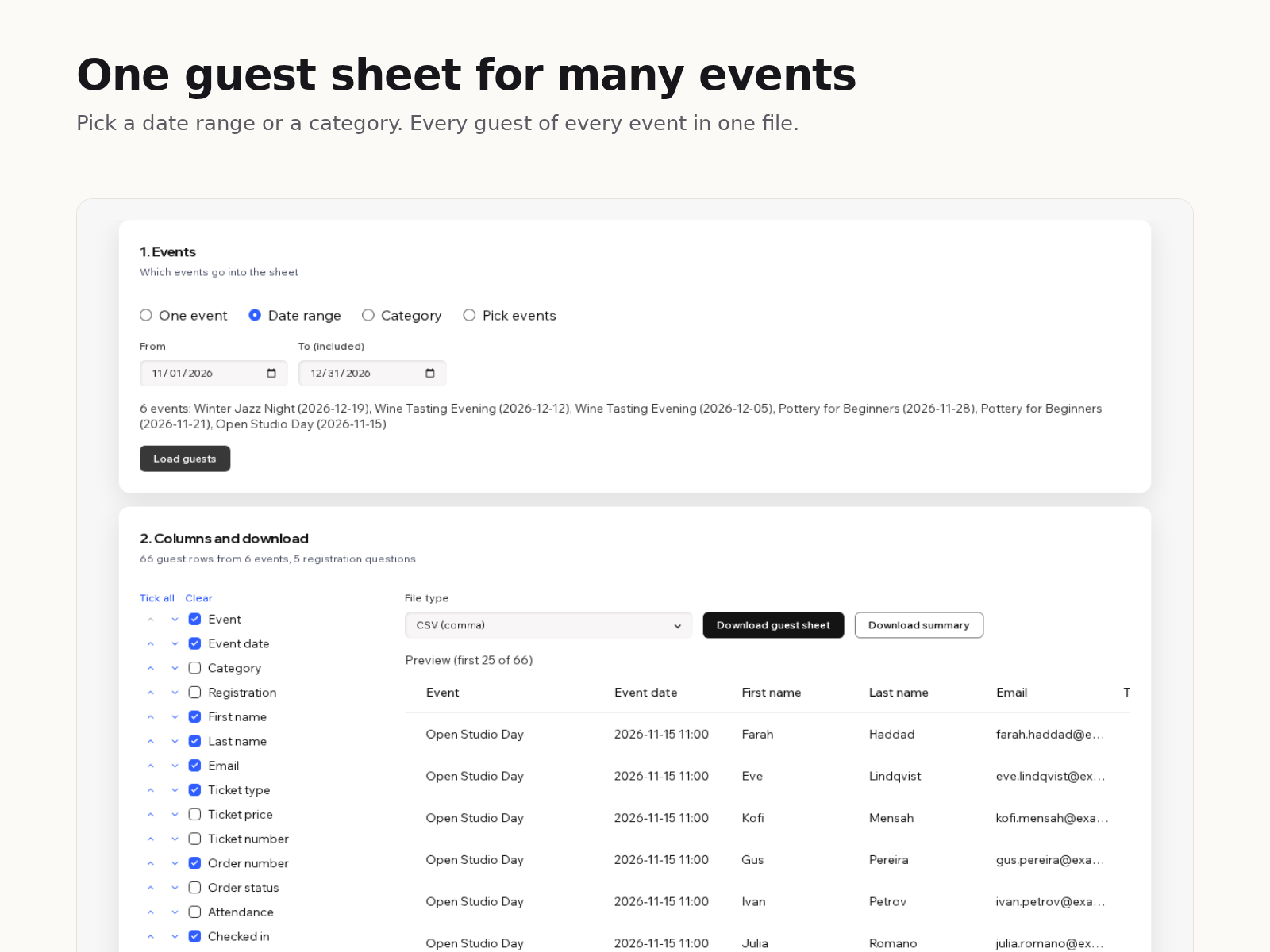
Overview
About this App
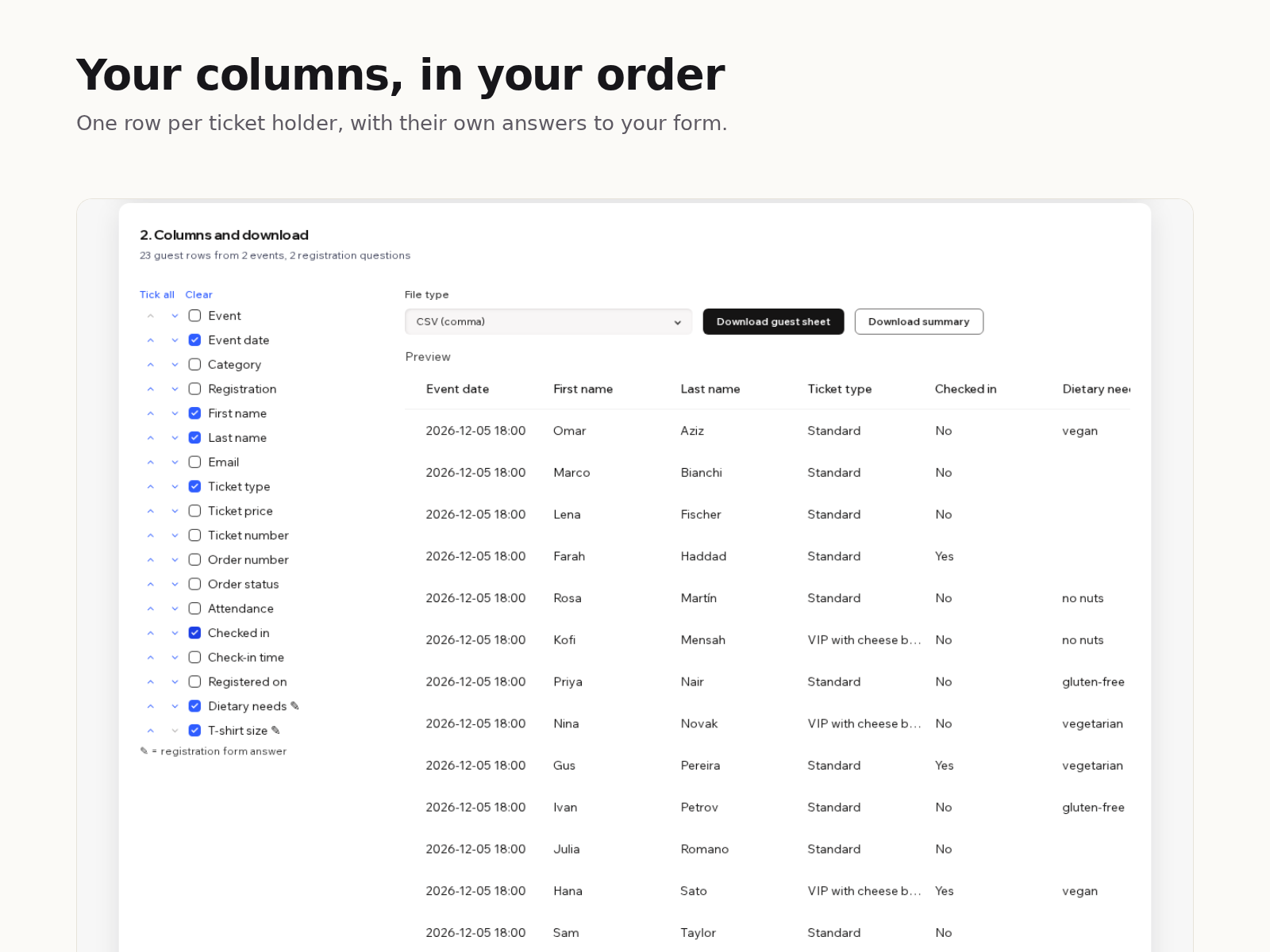
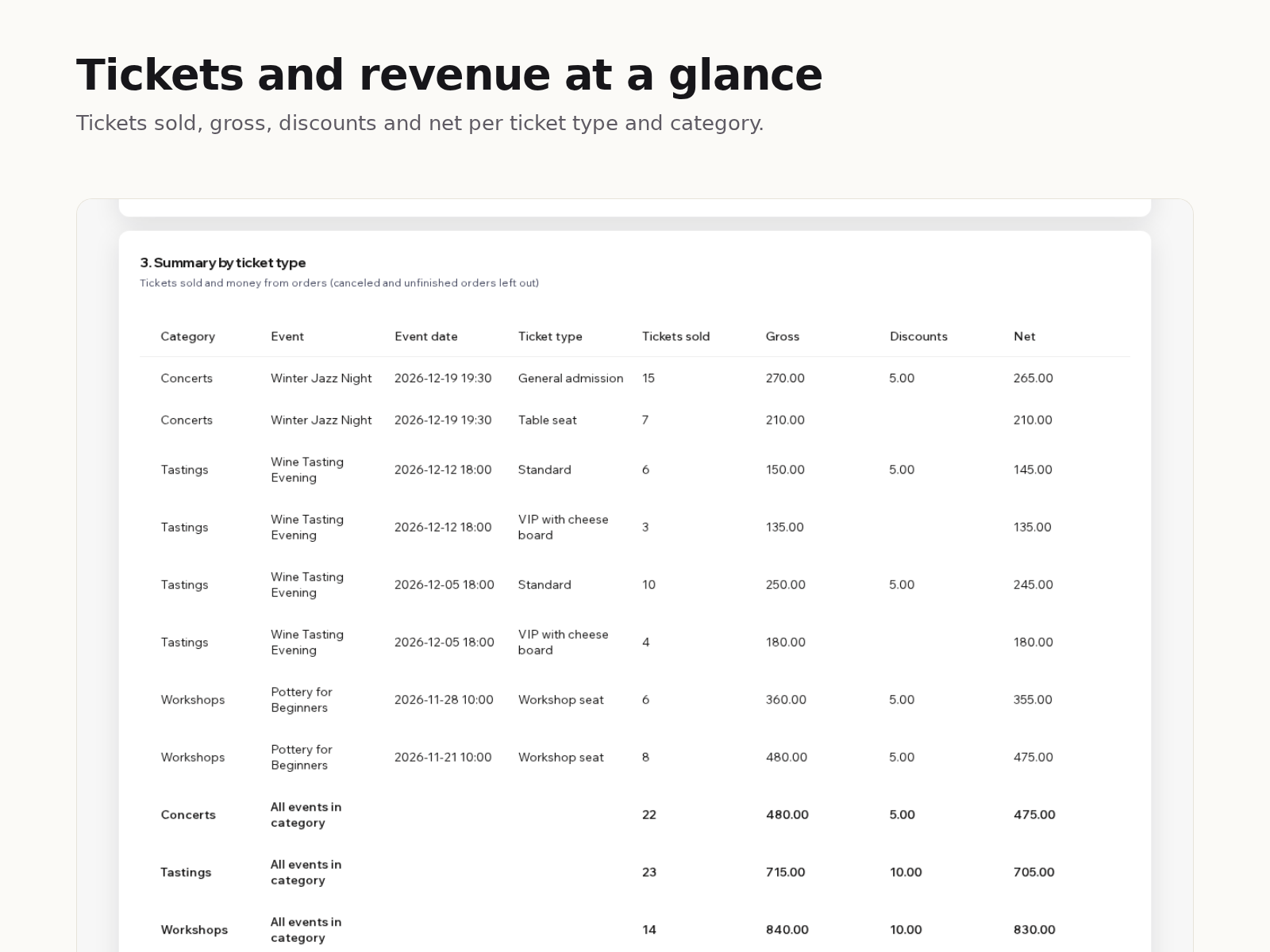
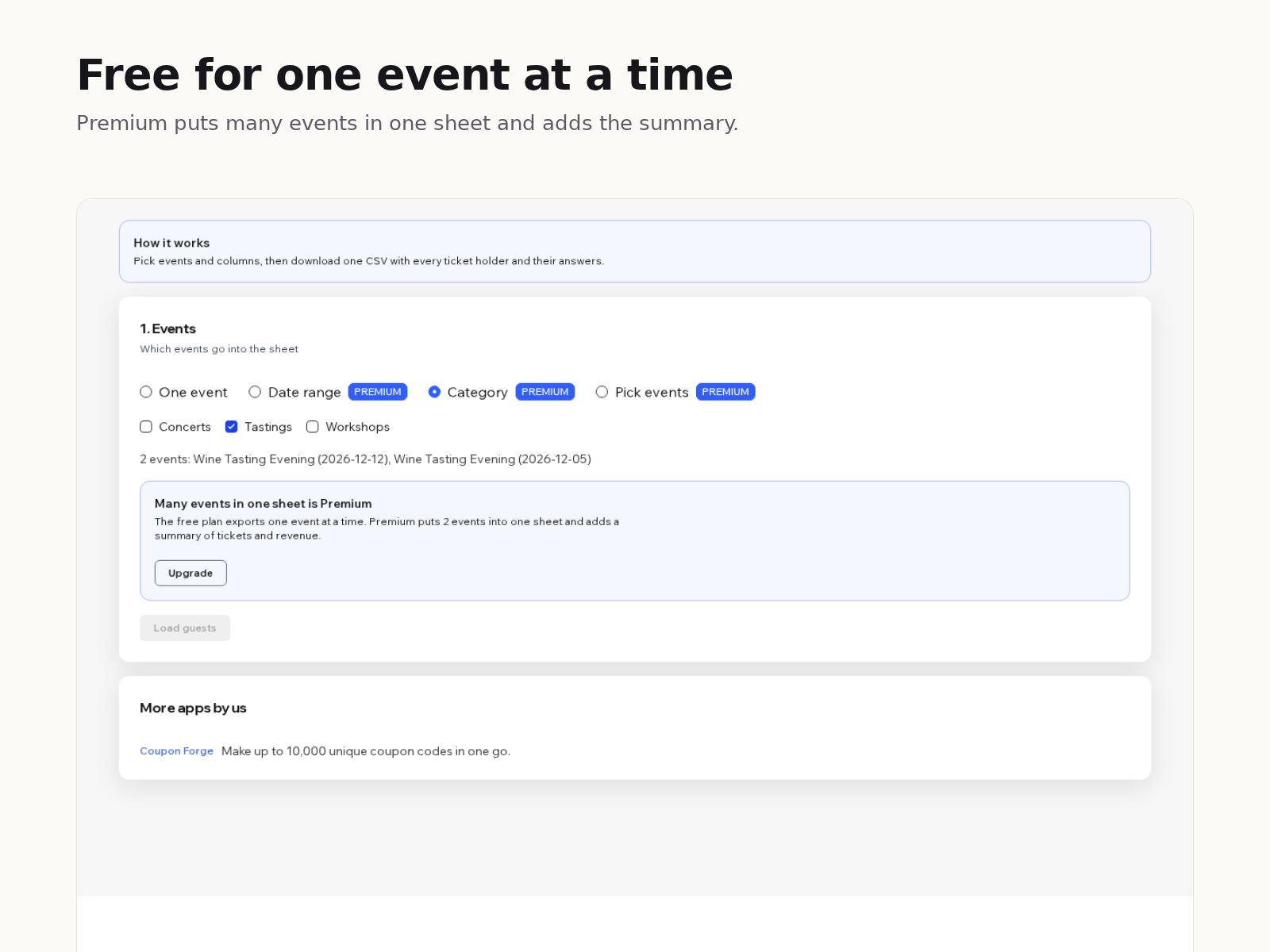
Your events can export a guest list one event at a time, with every column and no choice. If you run a series of classes, tastings or concerts, that means one file per date and an hour of copying and deleting columns. Guest Sheets puts the guests of many events into one spreadsheet. Pick events by date range, by category, or one by one. Choose the columns you need and put them in your order: event and date, name and email, ticket type and price, ticket and order number, check-in, and every question from your registration form as its own column. Each ticket holder gets their own row with their own answers, so a group order of four T-shirts shows four sizes. If tickets were not assigned to separate guests, the buyer's name and answers fill in. RSVP guests are included too. Download as CSV, as semicolon CSV for Excel in Europe, or as a tab-separated file to paste into Google Sheets. Canceled orders are left out, and values that would run as spreadsheet formulas are made safe. The free plan exports one event at a time. Premium puts many events in one sheet and adds a summary of tickets sold, gross, discounts and net per ticket type and category.
What the listing highlights
- Guests from many events in one spreadsheet
- Pick and order columns, incl. form answers
- One row per ticket holder with their answers
- Tickets and revenue summary per ticket type
Reviews
Official Wix marketplace summary
Wix Marketplace feedback
No reviews yet.
Plan comparison
Pricing & Plans
Basic
Free
Free
- One event per sheet
- Choose and order your columns
- Every registration answer per guest
Premium
$5 / month
$60 billed yearly Save 17% yearly$6 / month