
Block Time for All Staff
By Hullspark
Product media
Screenshots
1 of 3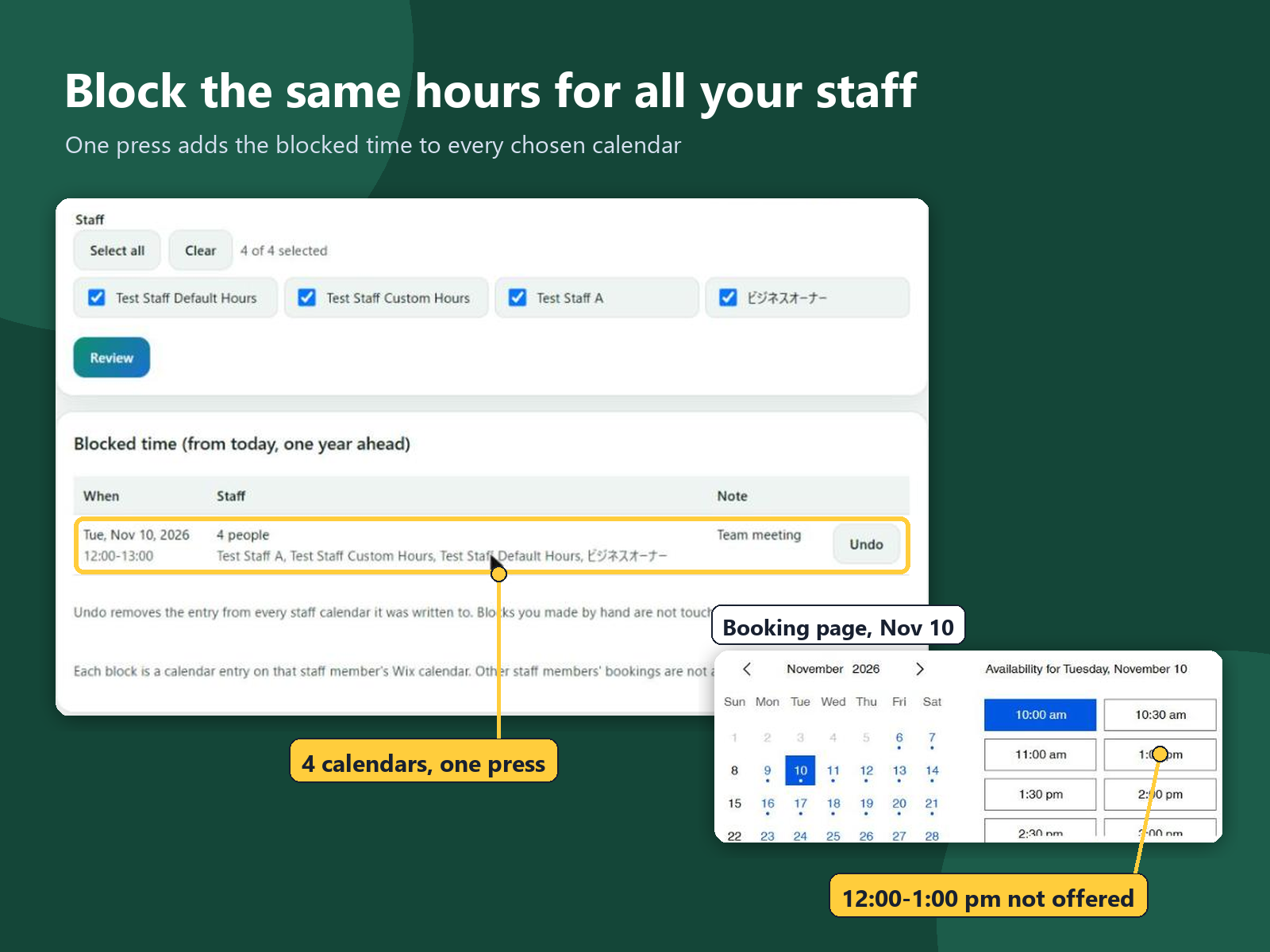
Overview
About this App
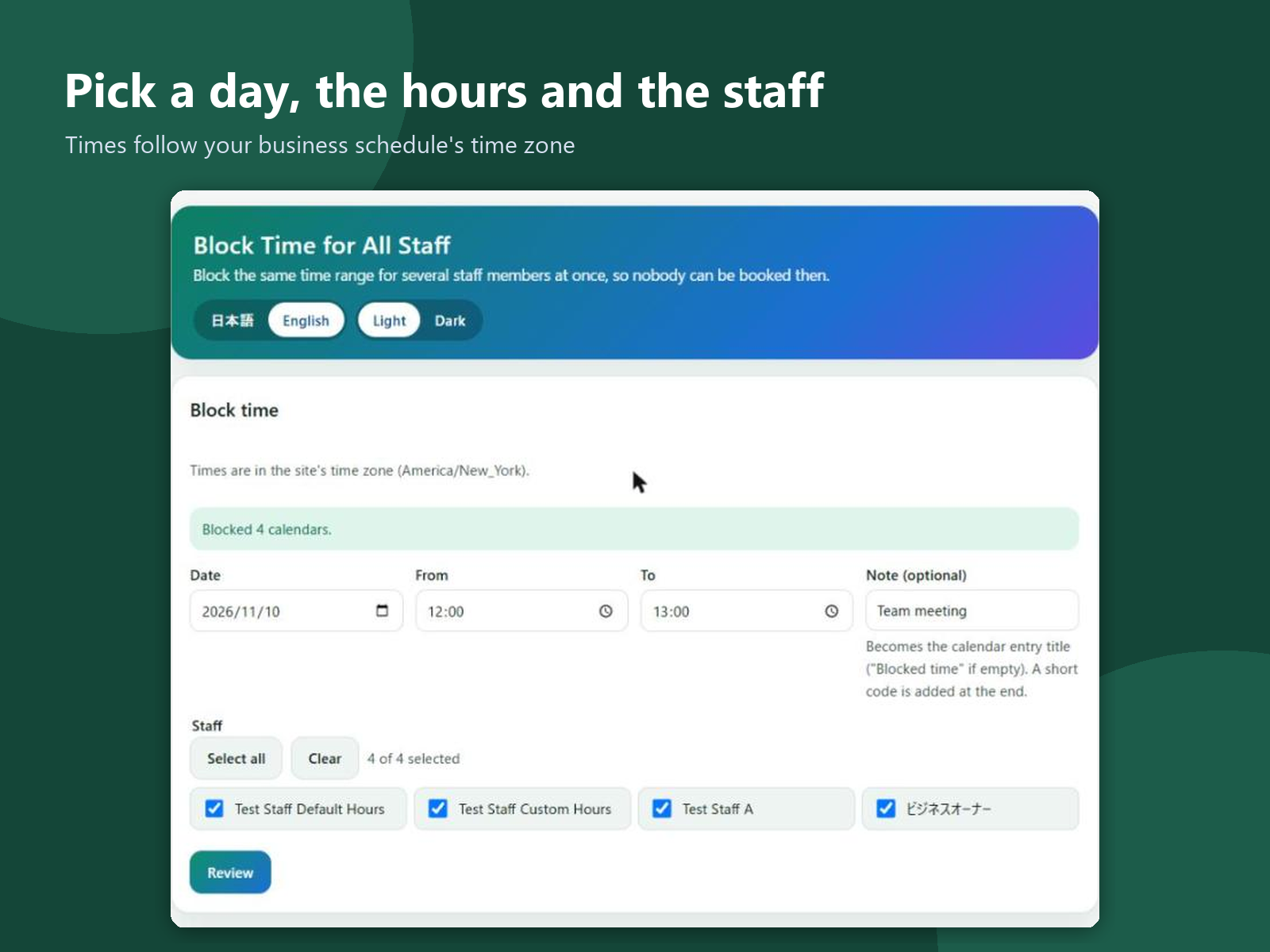
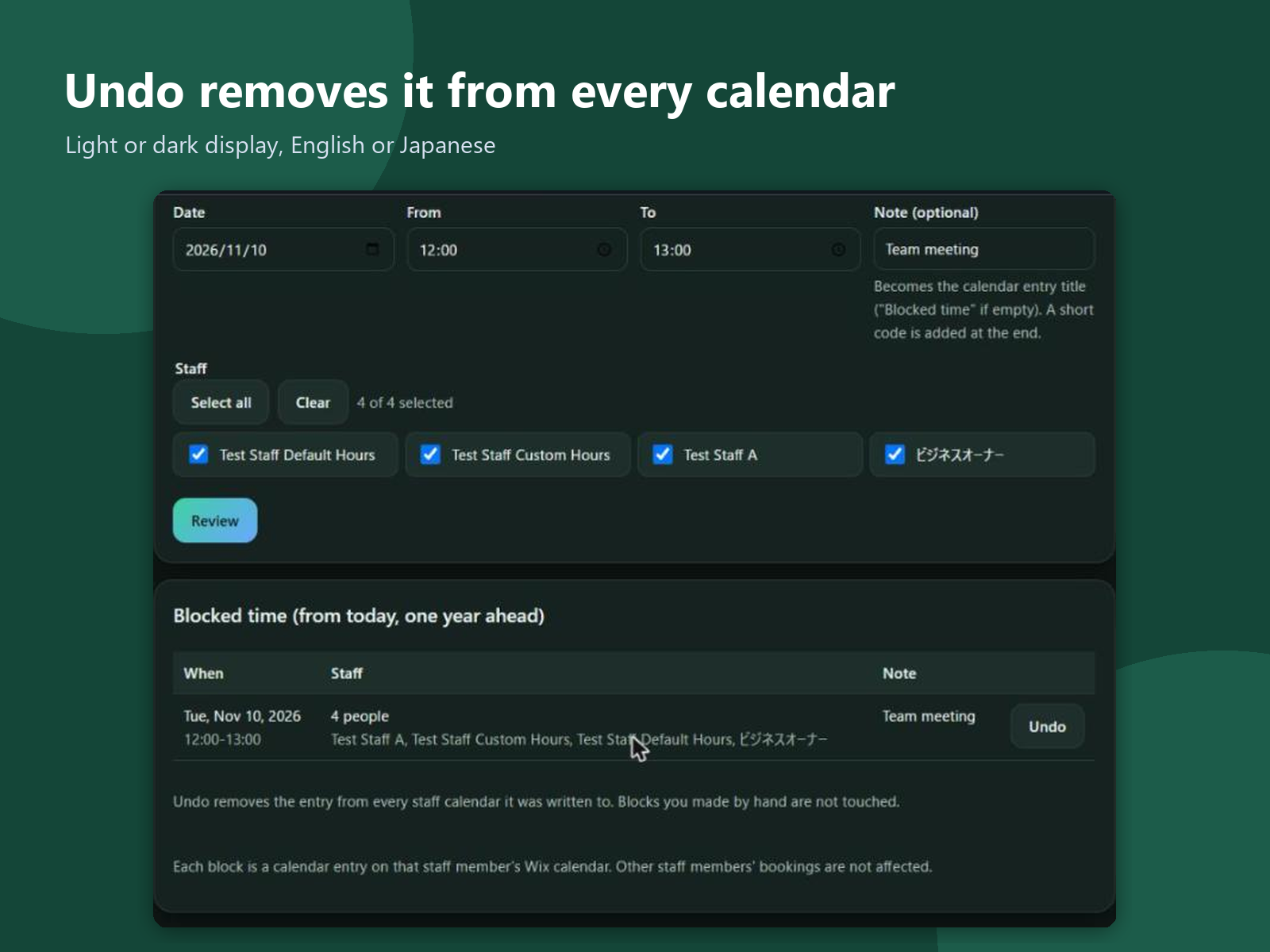
A team meeting, a training hour or a shared lunch break means nobody can take bookings. Blocking that time usually means opening each staff member's calendar one by one, and one missed calendar lets a customer book a slot that nobody can serve. This app adds a page to your dashboard. Pick a day, a start and an end time, and tick the staff it applies to, or all of them. Before anything is written, a review shows each person and the bookings already in that time, so you can move them first. One press then adds the blocked time to every chosen calendar, and the booking page stops offering those slots. Each block is listed with its day, hours and people, and Undo removes it from every calendar at once. Times follow your business schedule's time zone. A short note you type becomes the title of the calendar entry your staff see. The app reads staff names and calendar events and writes only the blocked-time entries it creates, through the Manage Calendars permission. It does not change or cancel customers' bookings and reads no customer details. Nothing is kept on a server; the calendar entries are the record. The screens are in English and Japanese, light or dark.
What the listing highlights
- Block one time range for many staff at once
- See bookings already in that time first
- Undo removes the block from every calendar
- Times follow your business time zone
Additional product media
Promotional media

Reviews
Official Wix marketplace summary
Wix Marketplace feedback
No reviews yet.
Plan comparison
Pricing & Plans
Detailed plan information is not available for this App.