
Class Quorum: Minimum Bookings
By Prometheus
Product media
Screenshots
1 of 5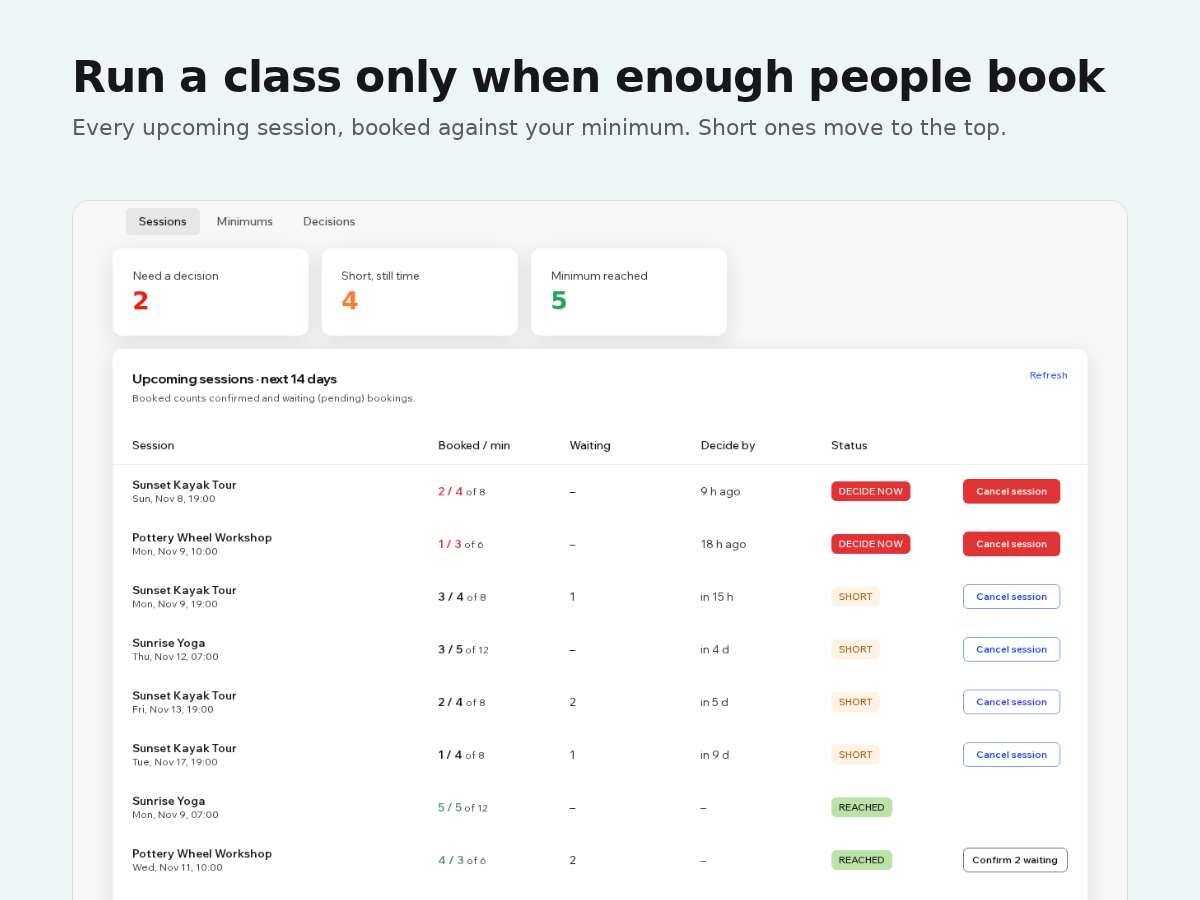
Overview
About this App
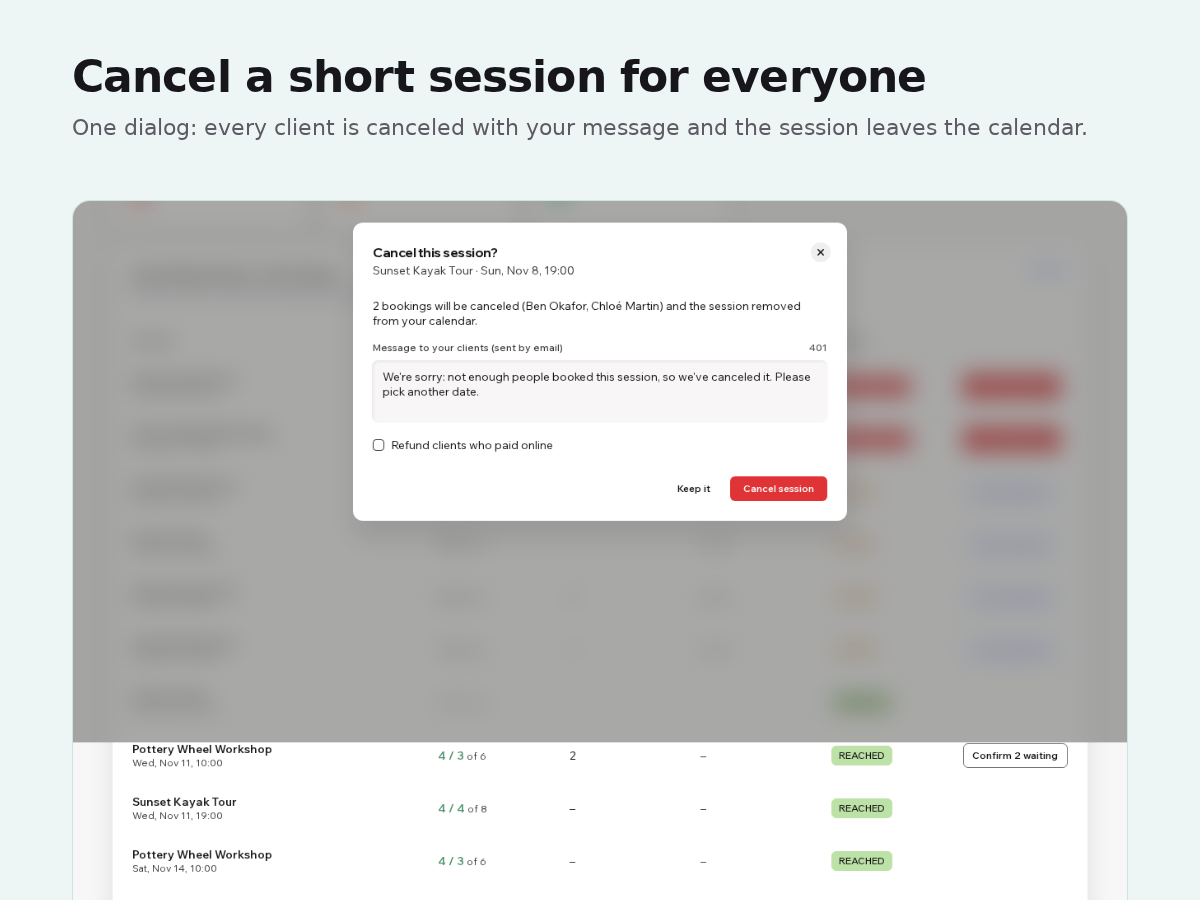
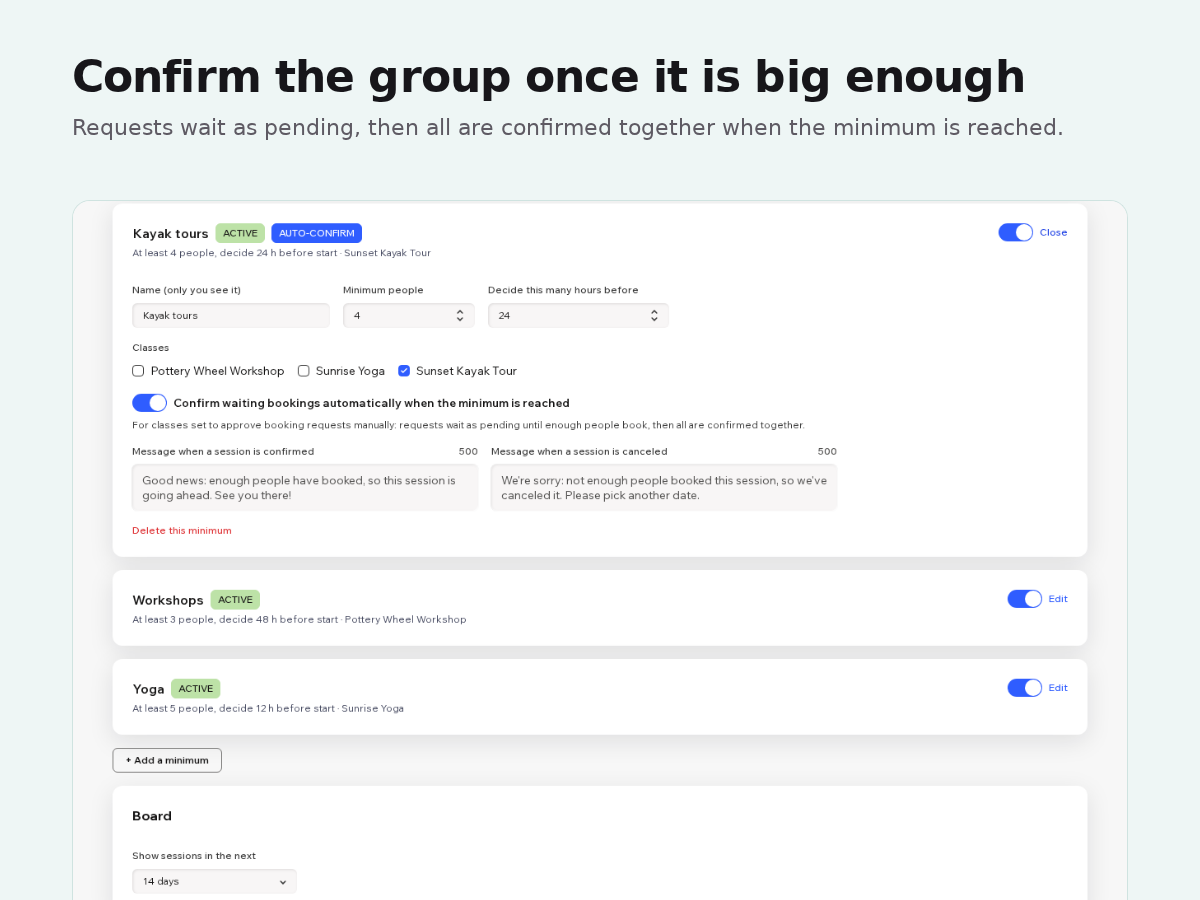
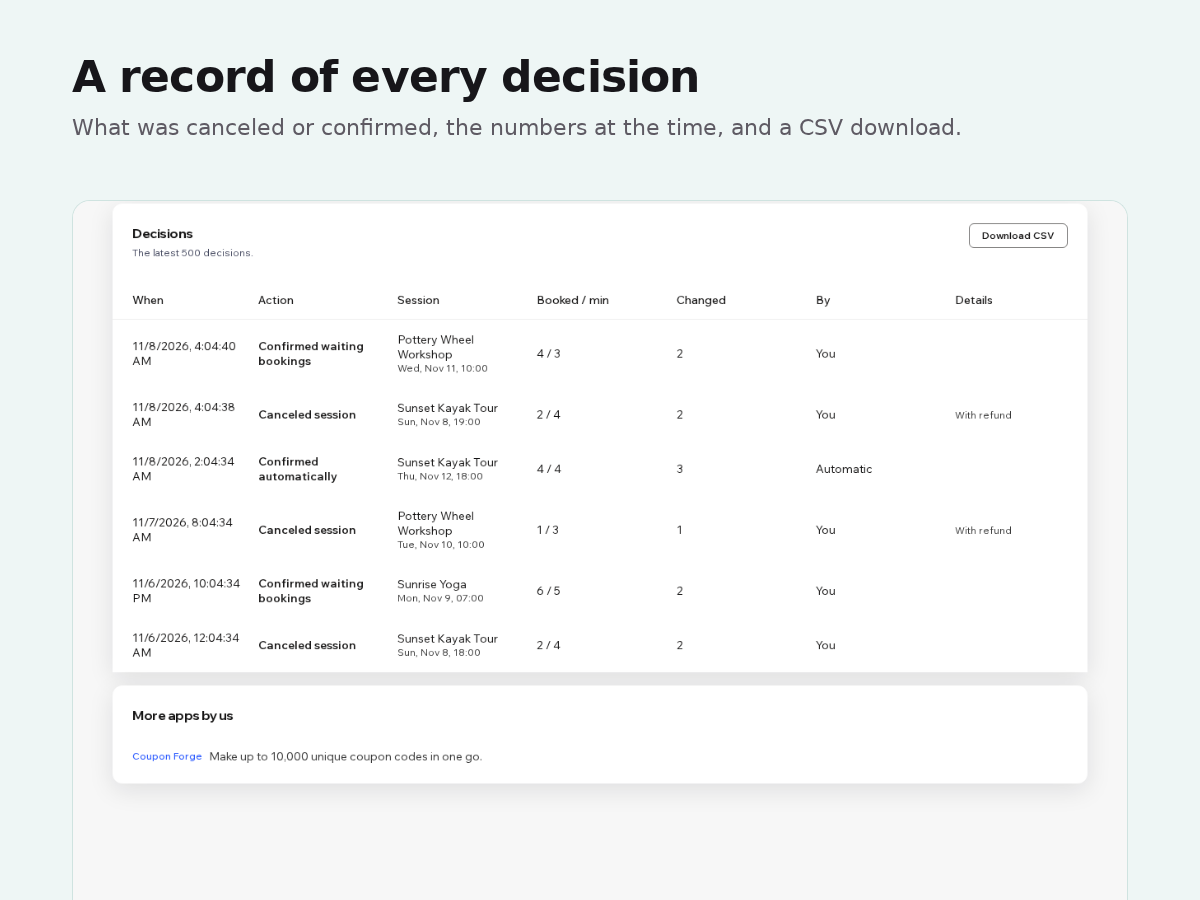
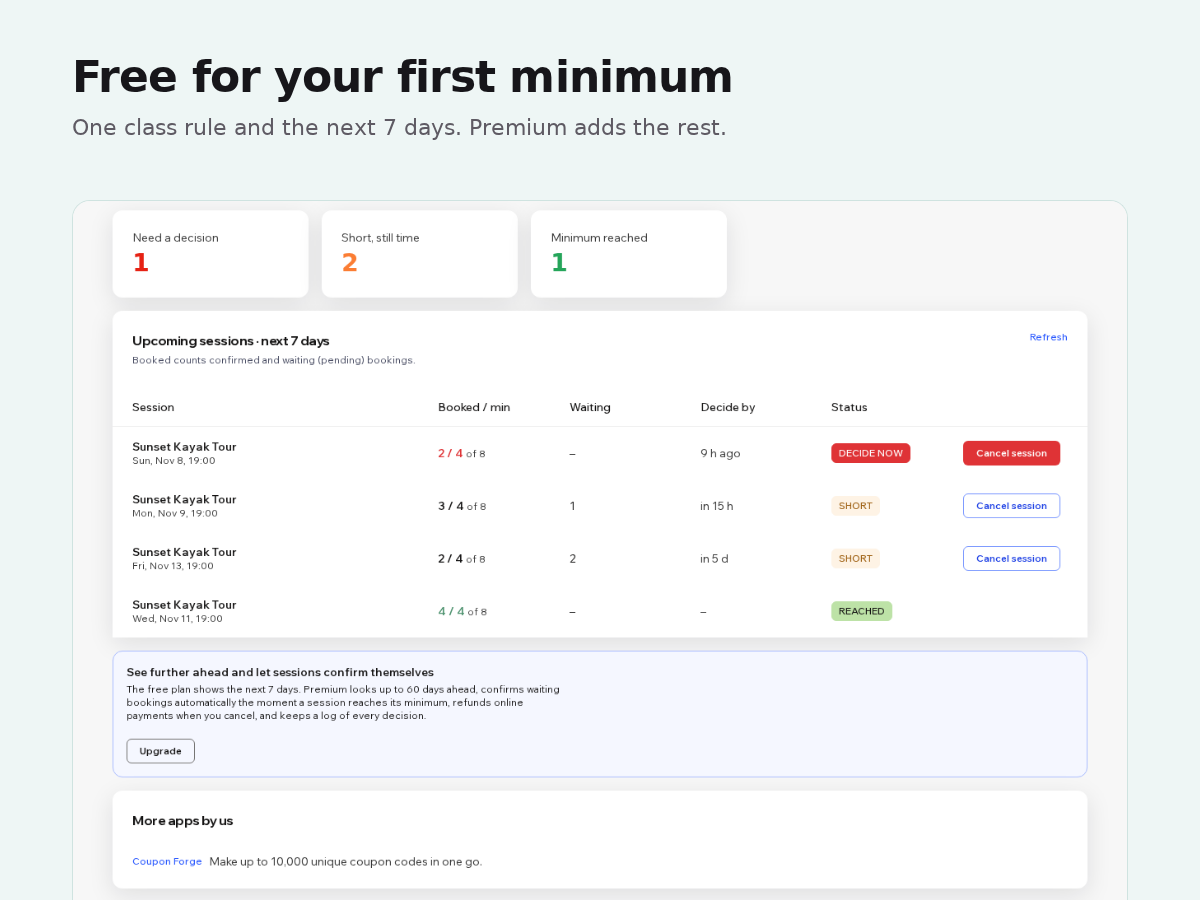
A sunset tour that needs four paddlers, a workshop that only pays off with three people: your booking calendar has a maximum per class, but no minimum. Class Quorum adds one. Pick your classes, set the minimum number of people and how many hours before the start you want to decide. The Sessions board lists every upcoming session with the number booked next to the minimum and the capacity. Sessions still short when the decision time comes move to the top, marked Decide now. Cancel session handles the whole class in one go: waiting requests are declined, confirmed bookings are canceled, each client gets your message by email and the session leaves your calendar. A booking for three people counts as three. For classes that need your approval, Premium can wait for the group. Requests stay pending until enough people book, then all of them are confirmed together with your message, a few seconds after the booking that completes the group. The free plan covers one minimum and the next 7 days. Premium adds unlimited minimums, up to 60 days ahead, auto-confirm, refunds for online payments when you cancel, and a log of every decision you can download as a spreadsheet.
What the listing highlights
- Set a minimum number of people per class and a decision time
- See every upcoming session that is short of its minimum
- Cancel a short session for all clients at once, with your message
- Confirm waiting bookings automatically when the minimum is reached
Reviews
Official Wix marketplace summary
Wix Marketplace feedback
No reviews yet.
Plan comparison
Pricing & Plans
Basic
Free
Free
- One minimum for your classes
- Sessions in the next 7 days
- Cancel a session for everyone
Premium
$0 / year
Save 17% yearly$0 / month
- Unlimited minimums, 60 days ahead
- Auto-confirm at the minimum
- Refunds when you cancel