
Payday: Staff Pay & Payroll
By Prometheus
Product media
Screenshots
1 of 5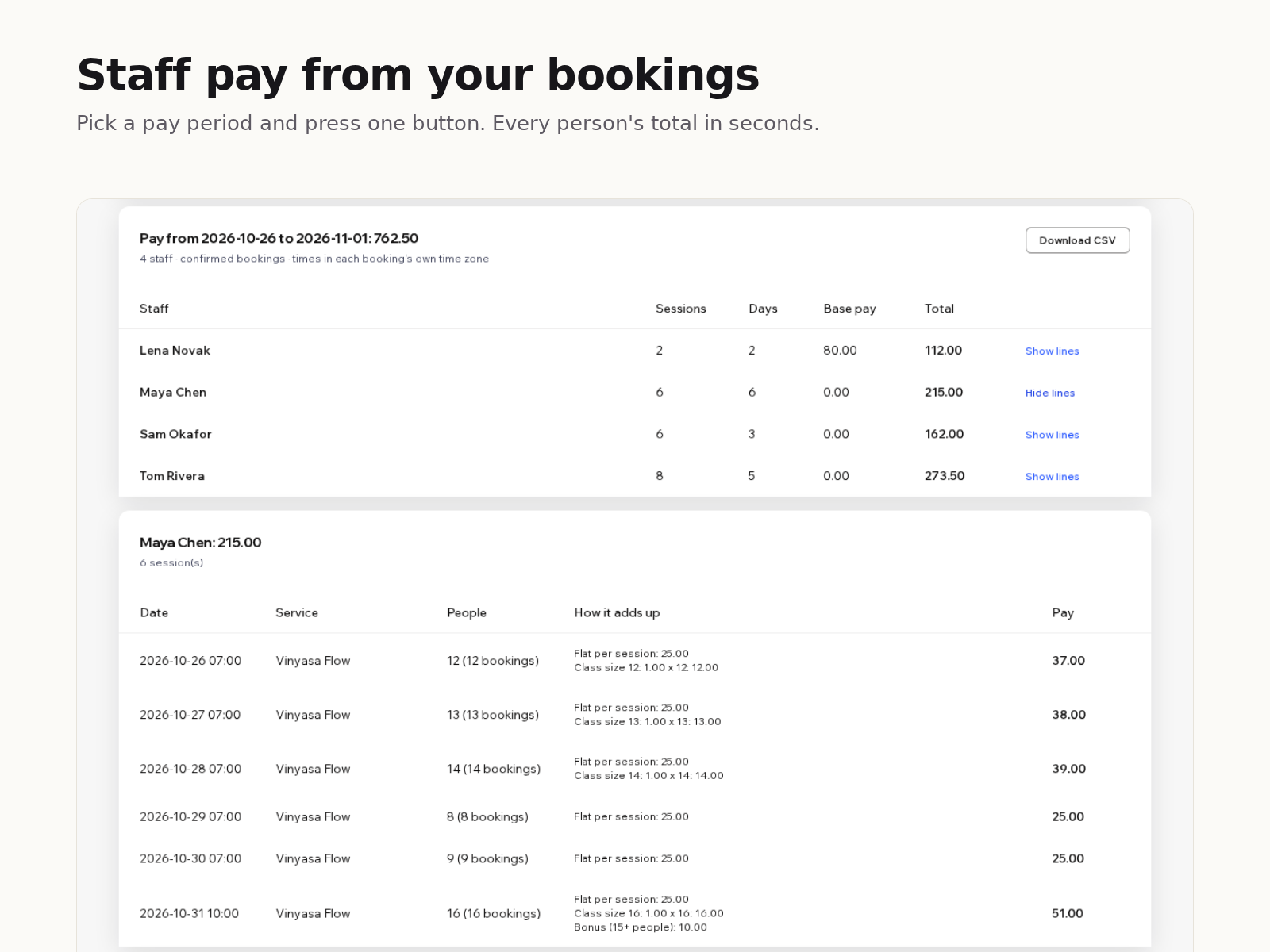
Overview
About this App
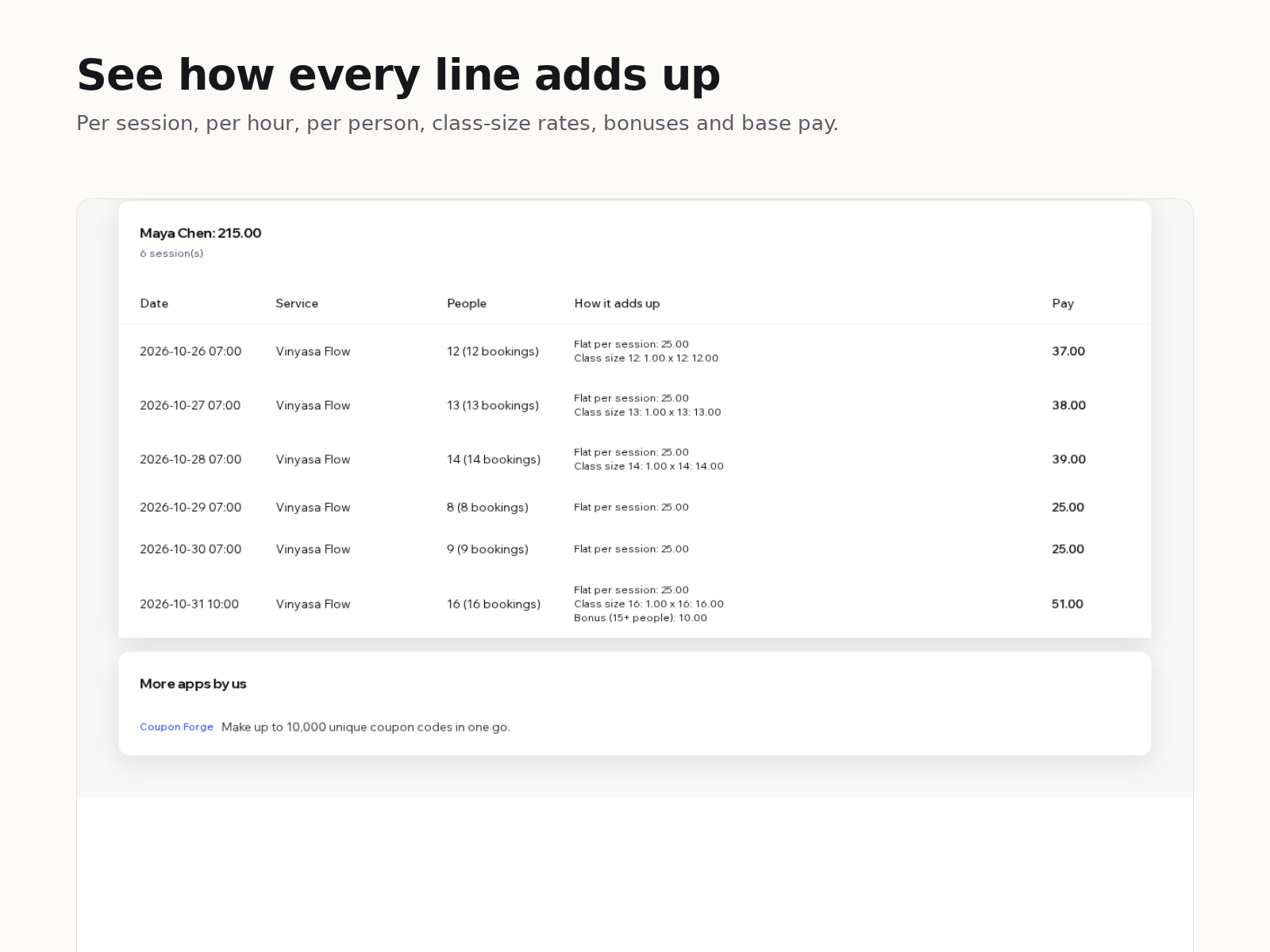
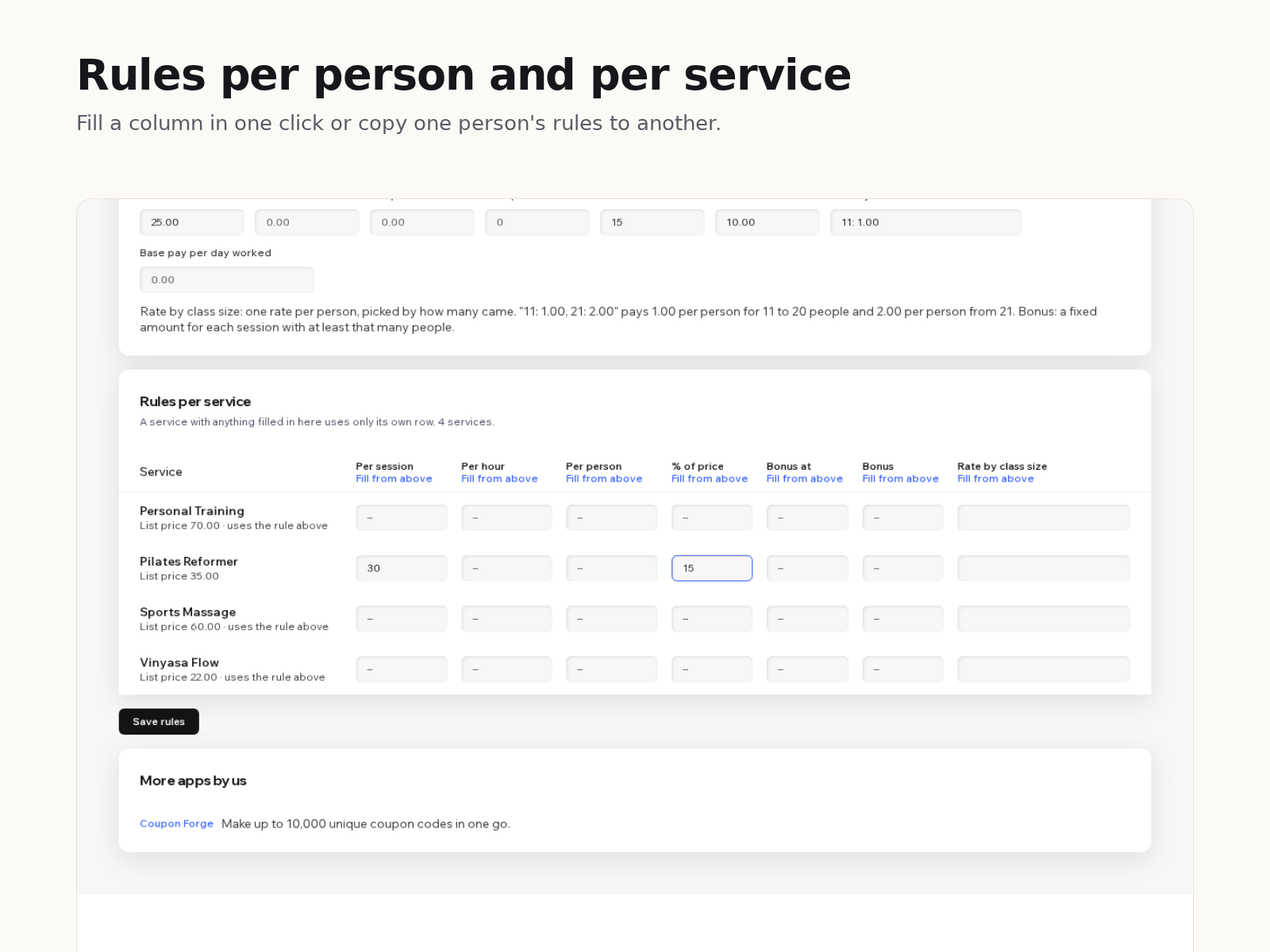
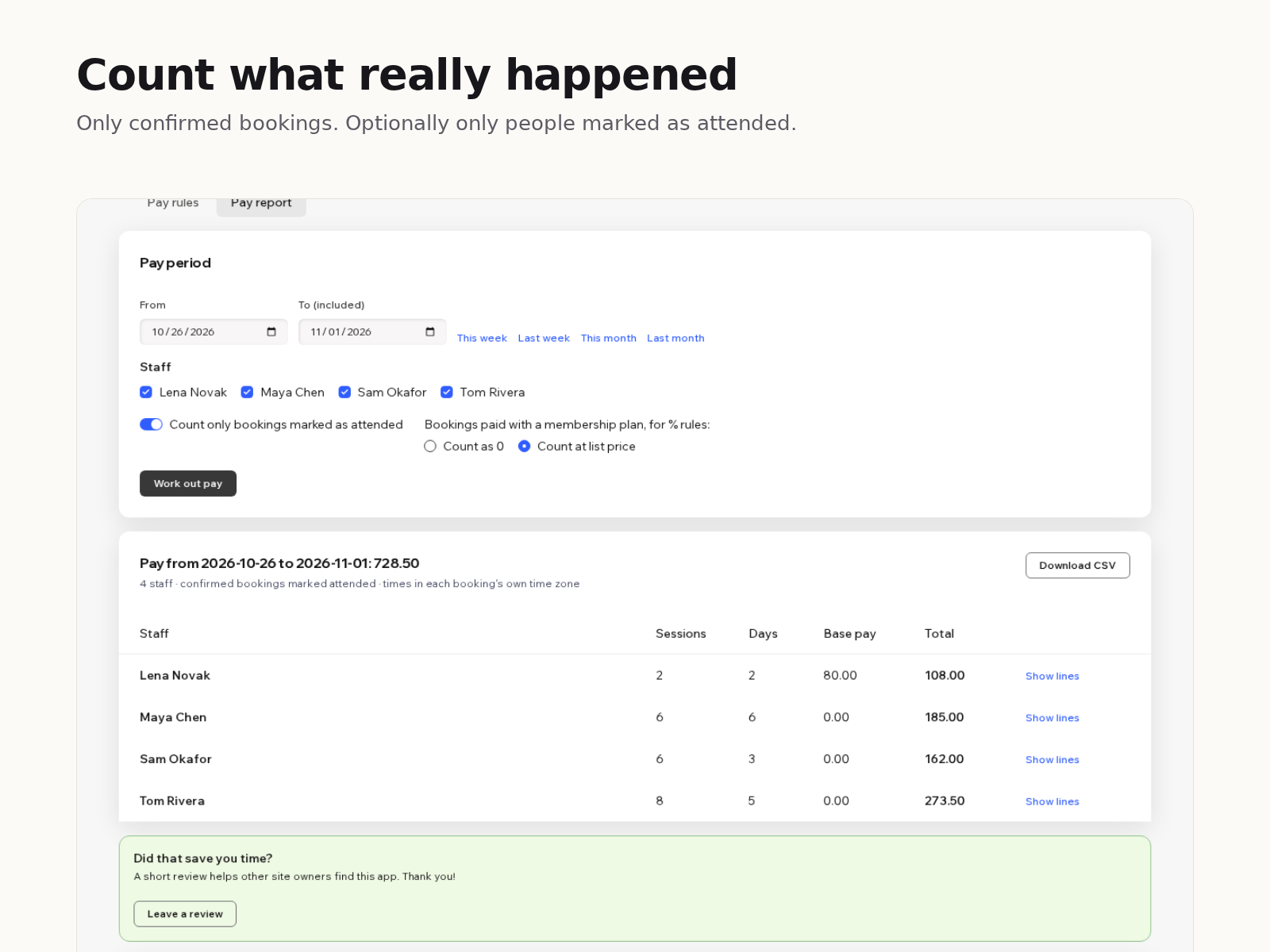
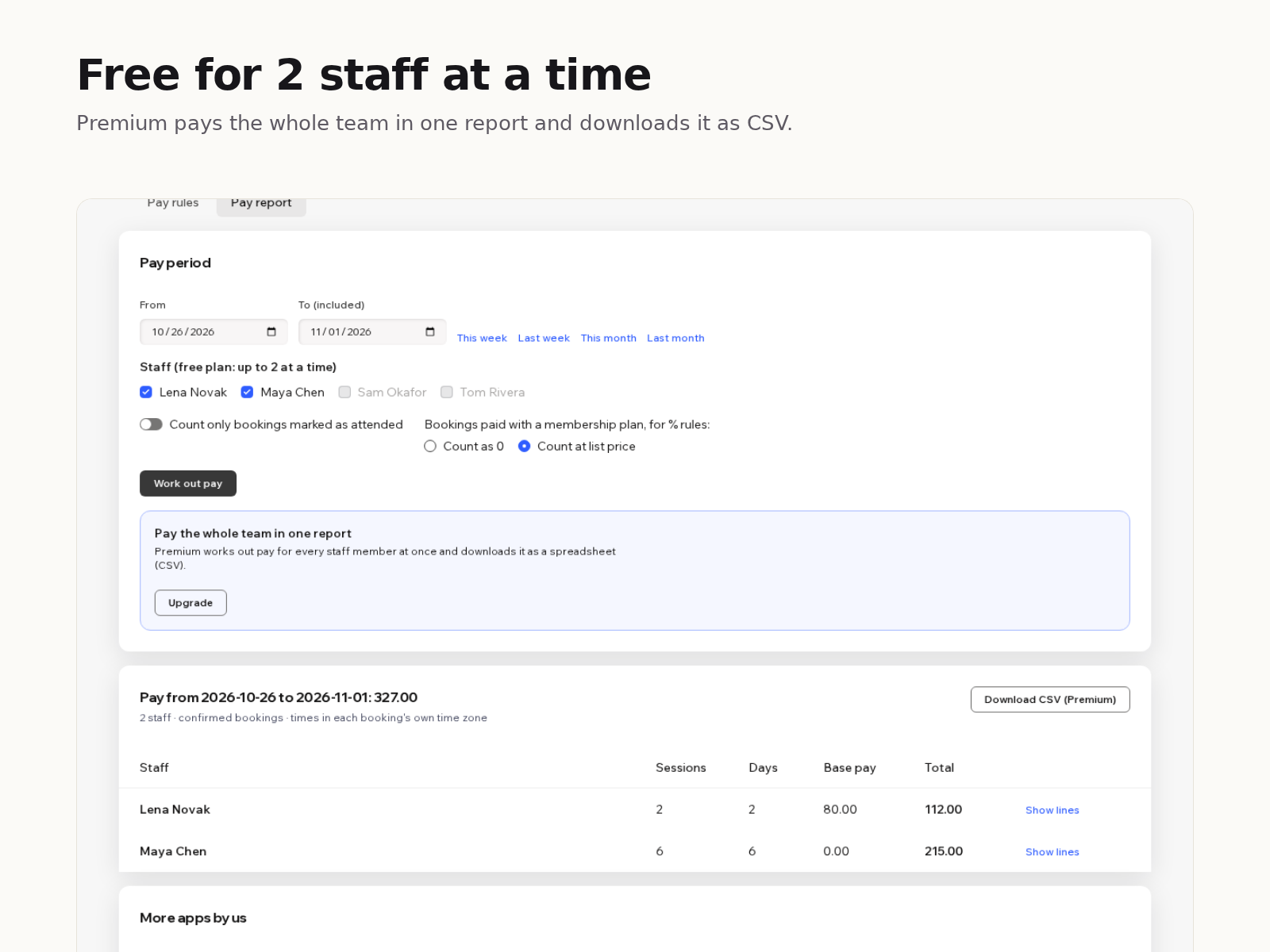
Working out what each instructor or therapist earns usually means exporting bookings and fixing a spreadsheet every pay period. Payday does the sums from your bookings, using the pay rules you set. Set rules per staff member, and per service where they differ: an amount per session, per hour of session length, per person, a rate that changes with class size, a share of the price, a bonus for full sessions, and a base amount for each day worked. Rules add up, so a fixed fee plus commission is easy. Fill a whole column in one click or copy one person's rules to another. Pick a pay period and press one button. Payday reads confirmed bookings, groups every class session into one line, and shows each person's total with a breakdown of how every line adds up. You can count only bookings marked as attended, and choose how membership bookings count toward a share of the price. The free plan has every pay rule and shows up to 2 staff members at a time. Premium shows the whole team in one report and downloads it as a CSV file.
What the listing highlights
- Pay per session, hour, person or % of price
- Class-size rates, bonuses and daily base pay
- Different rules per staff member and service
- Line-by-line breakdown and CSV export
Reviews
Official Wix marketplace summary
Wix Marketplace feedback
No reviews yet.
Plan comparison
Pricing & Plans
Basic
Free
Free
- Every pay rule
- Pay report for 2 staff at a time
- Line-by-line breakdown
Premium
$0 / year
Save 17% yearly$0 / month
- Whole team in one report
- Download the report as CSV
- Everything in the free plan