Multipack: Bundle Discounts
By Glimm Tech
Product media
Screenshots
1 of 5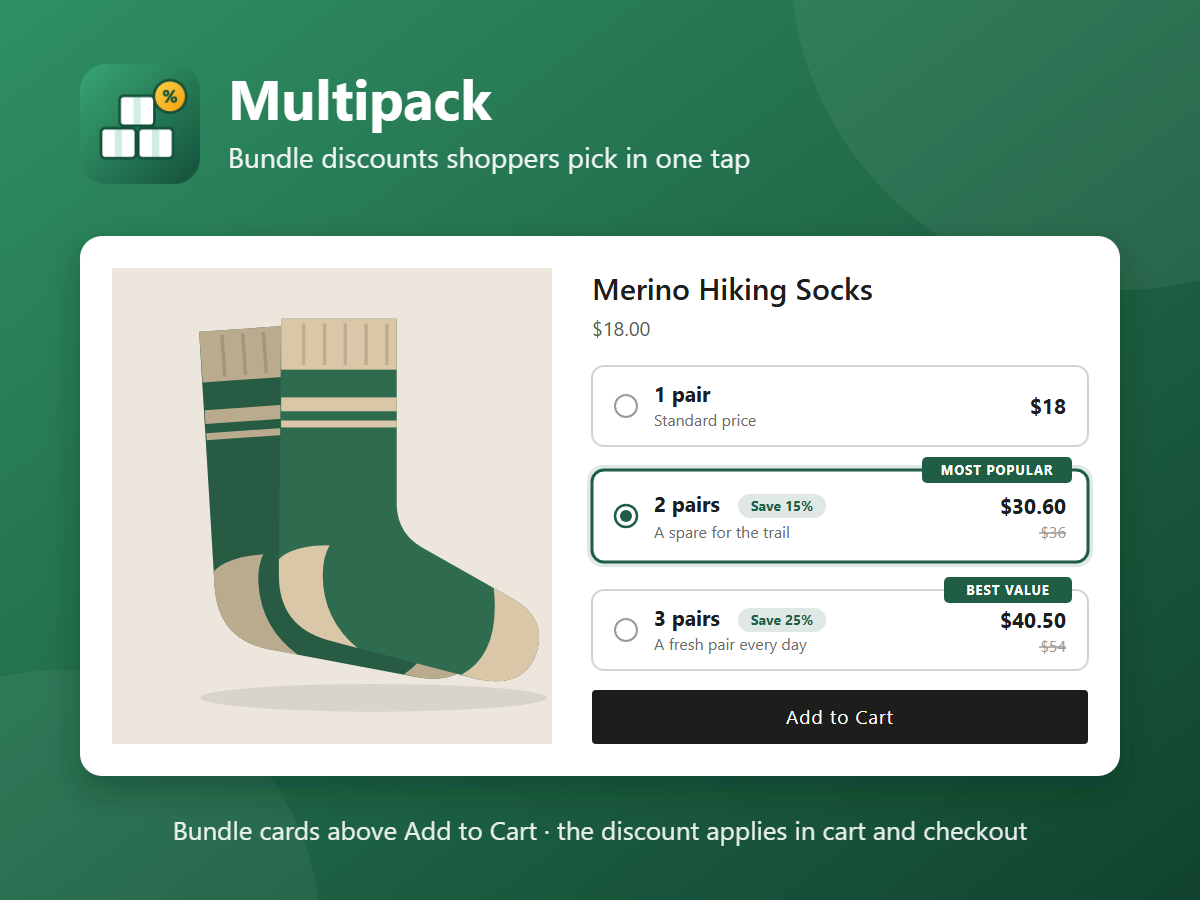
Overview
About this App
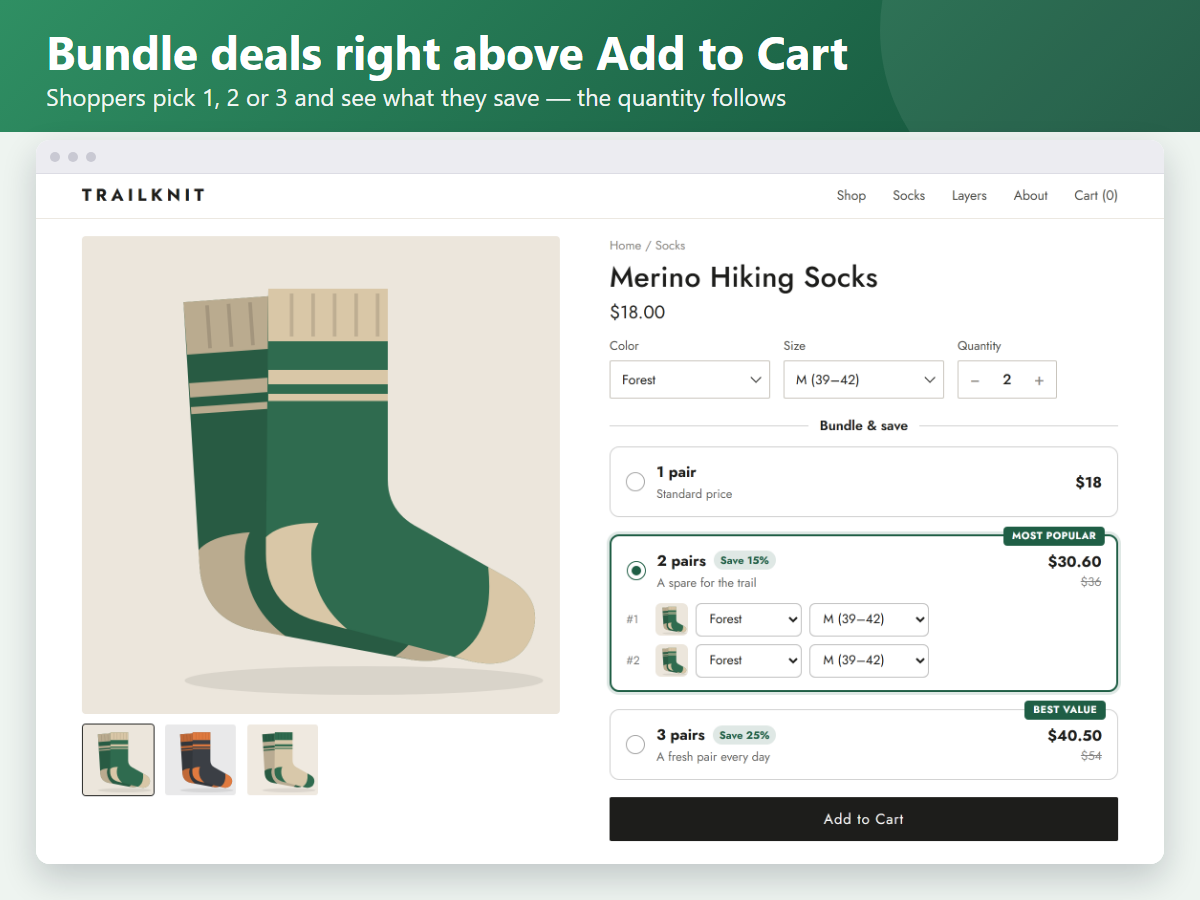
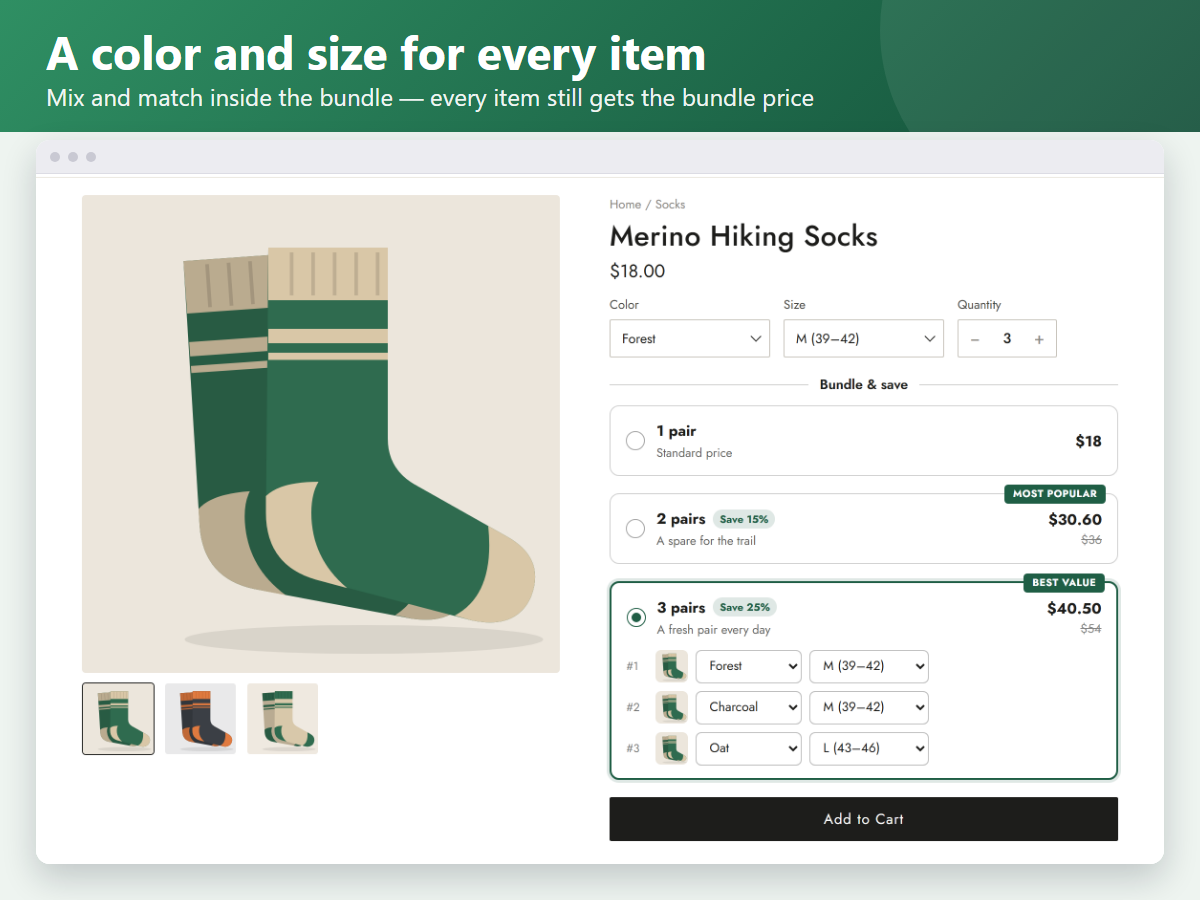
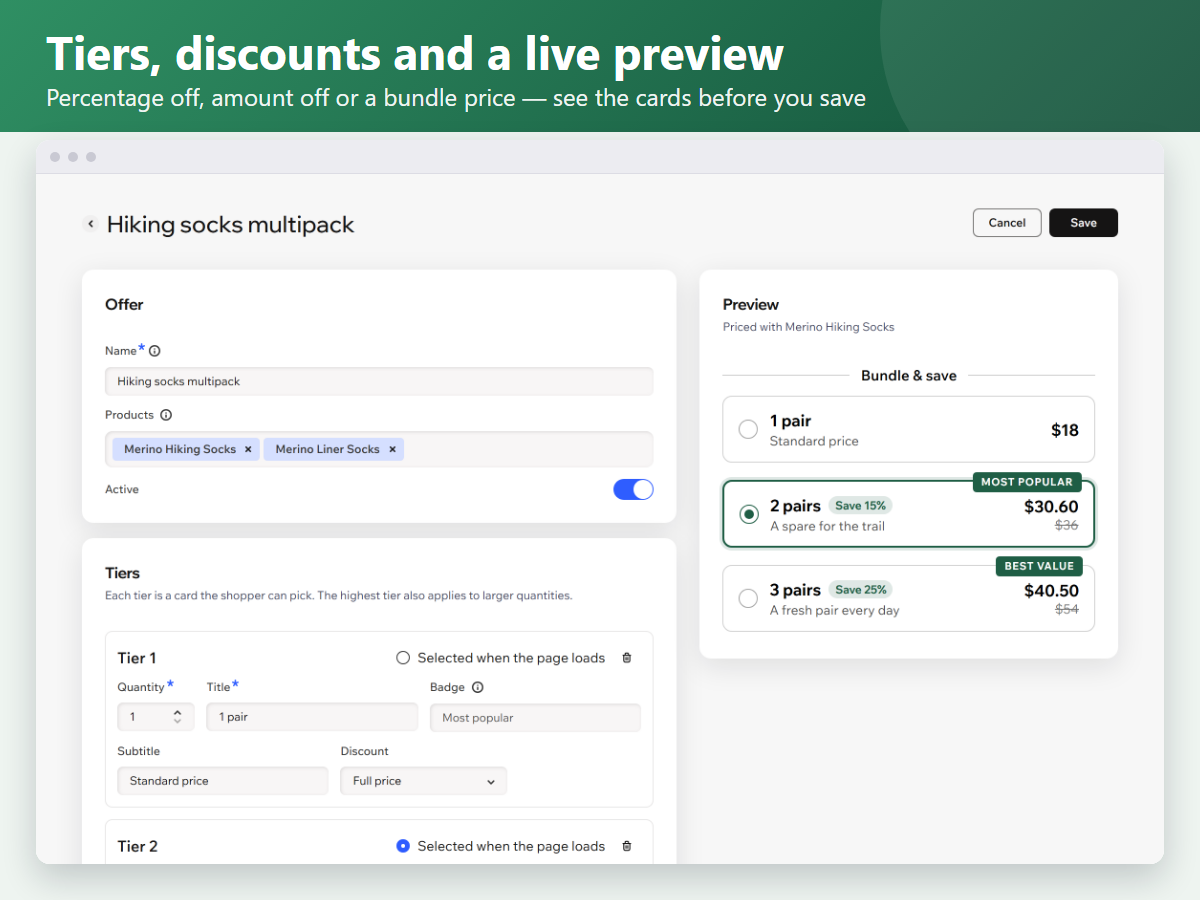
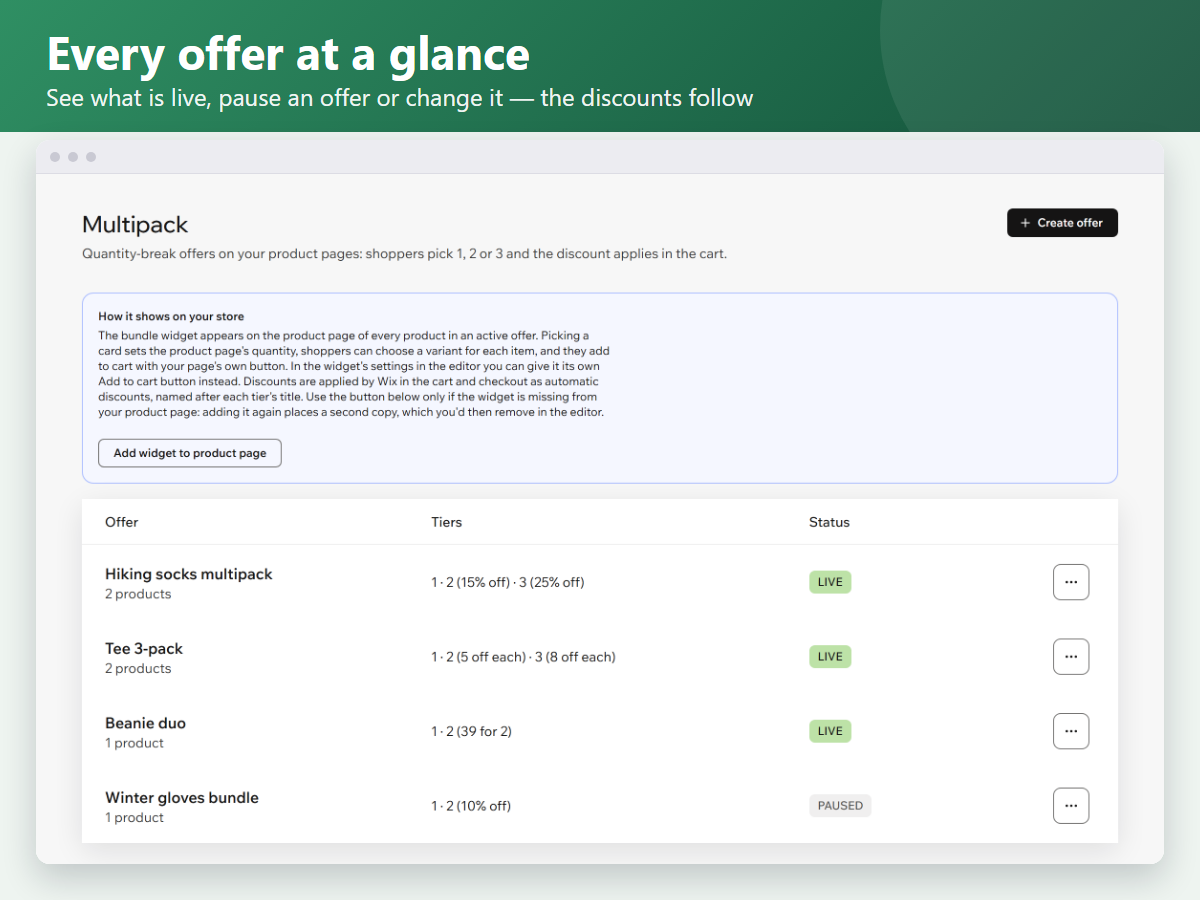
Most shoppers buy one of something even when they would happily take two. Multipack puts multi-pack deals right next to your Add to Cart, so choosing more feels like the obvious, better deal. Set up an offer once: pick the products, then add tiers such as 1 item at full price, 2 items at 20% off and 3 items for a fixed bundle price. Each tier becomes a card on the product page with its own title, subtitle and badge like "Most popular", the bundle price and the regular price struck through. Shoppers pick a card, choose a size or color for each item, and add the bundle with your product page's own Add to Cart button. The discount is applied automatically in the cart and at checkout, named after the tier, with no codes to type. Choose percentage off, an amount off each item or a fixed bundle price. Match the cards to your brand color and write every text in your own words, preview each offer before it goes live, and pause or edit offers at any time.
What the listing highlights
- Bundle cards for 1, 2 or 3 items right above your Add to Cart
- Percentage off, amount off or a fixed bundle price per tier
- Shoppers choose a size or color for each item in the bundle
- Discounts applied automatically in cart and checkout
Additional product media
Promotional media
Reviews
Official Wix marketplace summary
Wix Marketplace feedback
No reviews yet.
Plan comparison
Pricing & Plans
Pro
$5.99 / month
$71.88 billed yearly Save 14% yearly$6.99 / month
- Unlimited bundle offers
- Percentage, amount off or bundle price
- A size or color for each item