
FlipFolio
By Paper Temple
- Wix Campaign
- Suspicious unpublished review pattern
Product media
Screenshots
1 of 5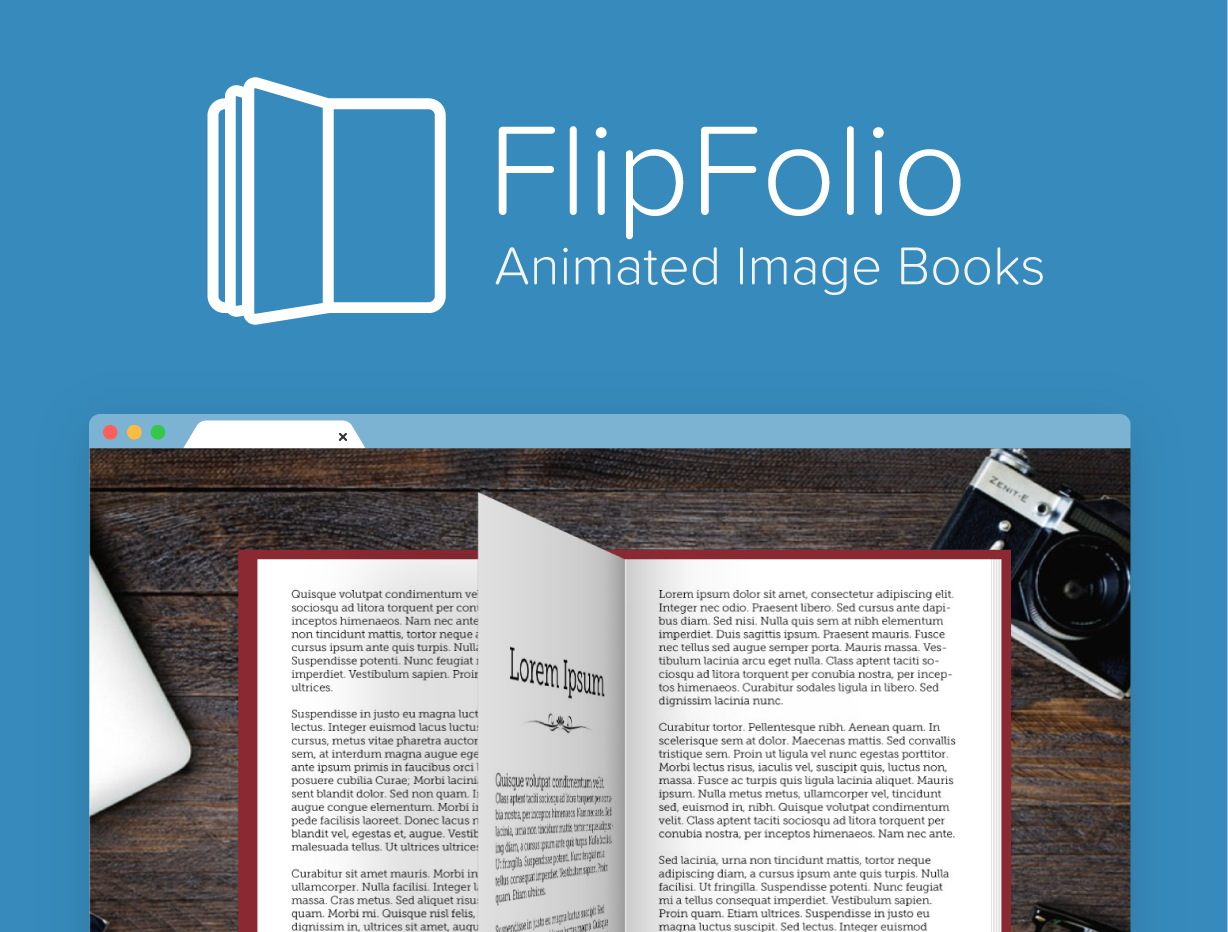
Overview
About this App
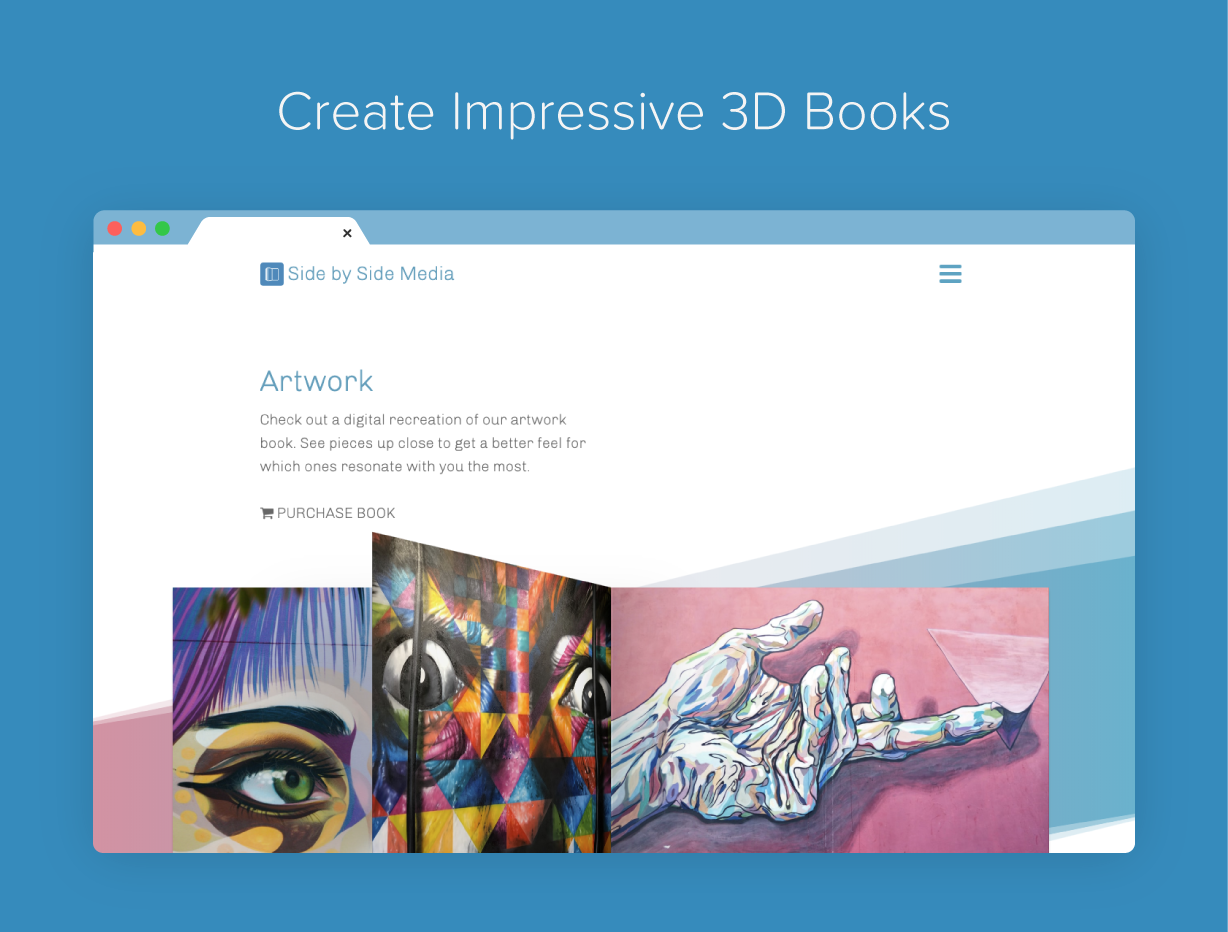
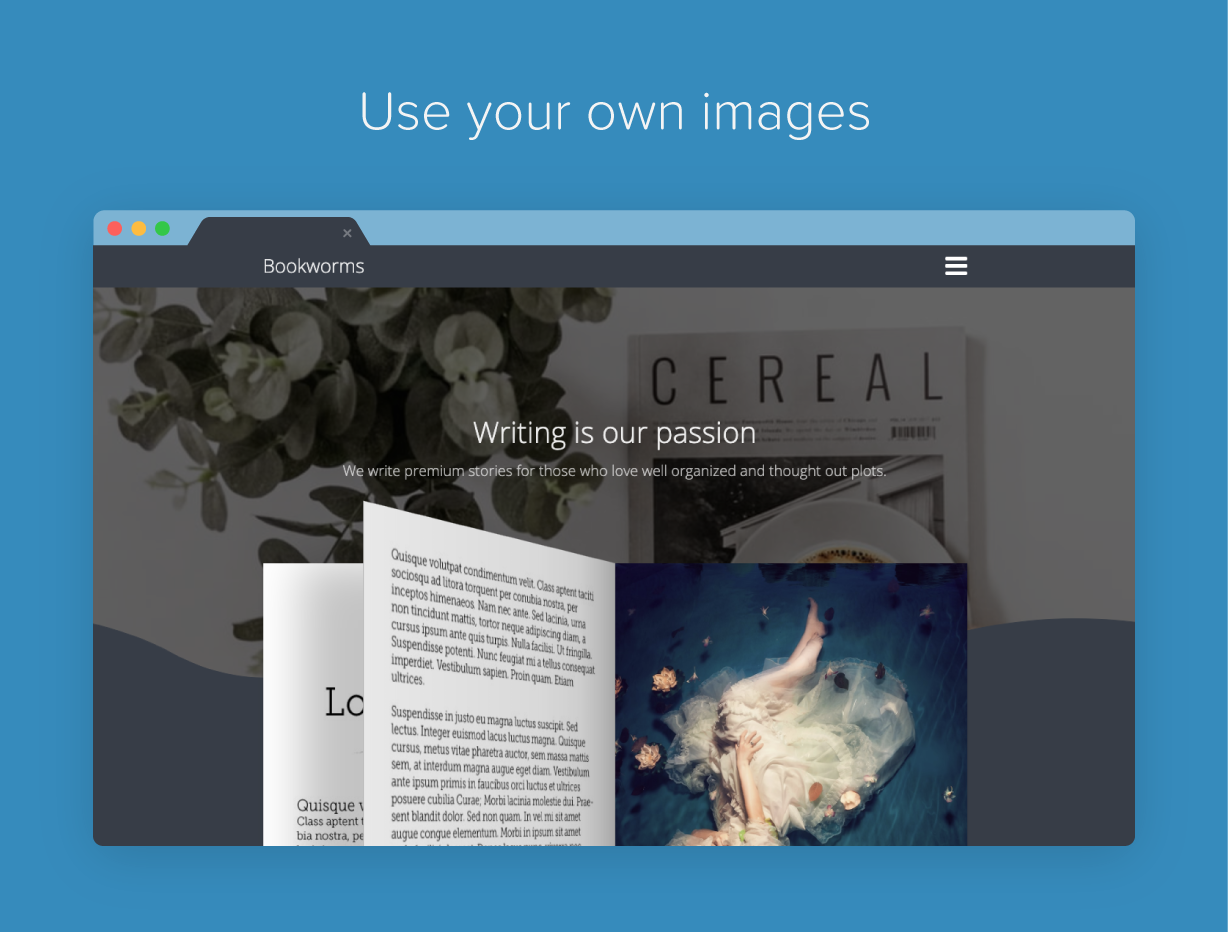
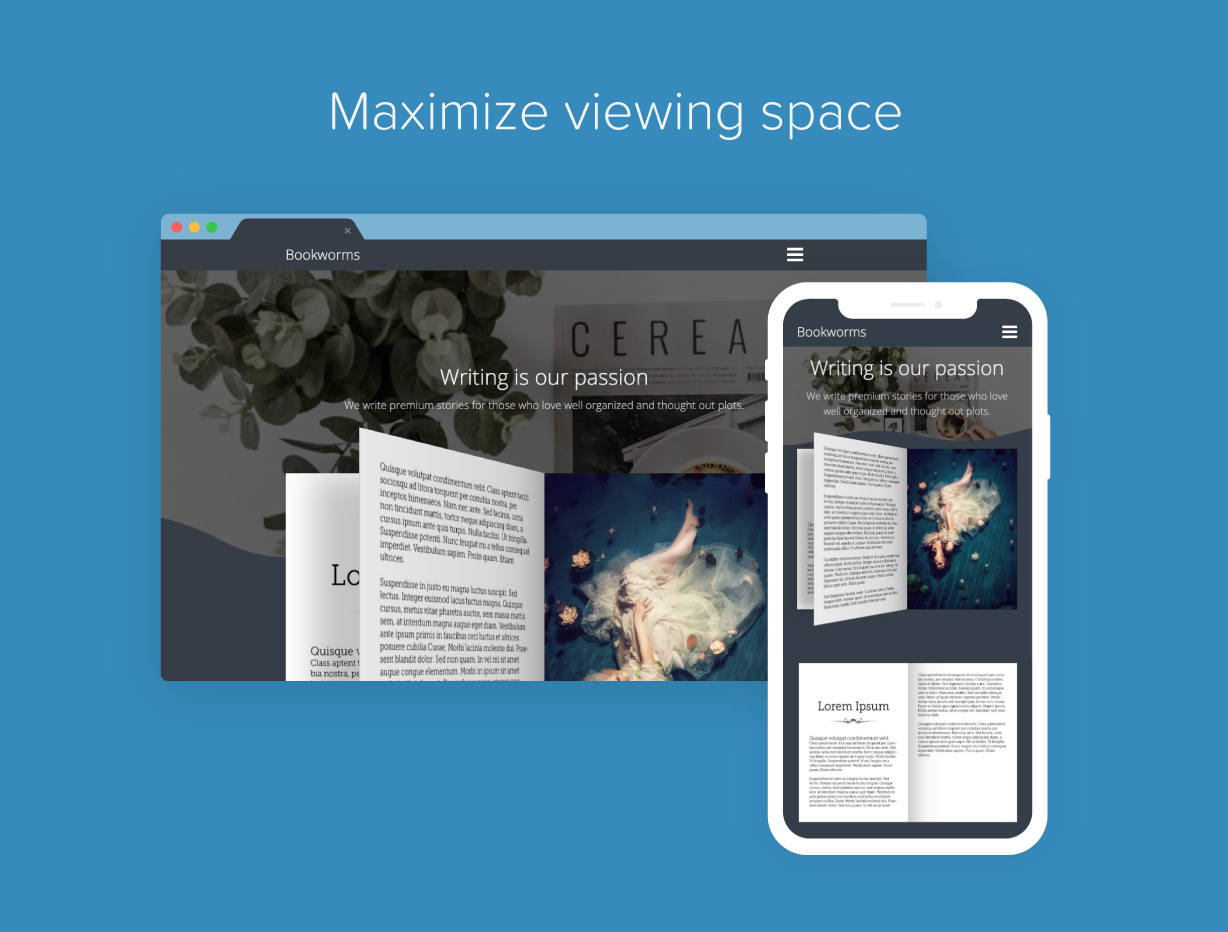
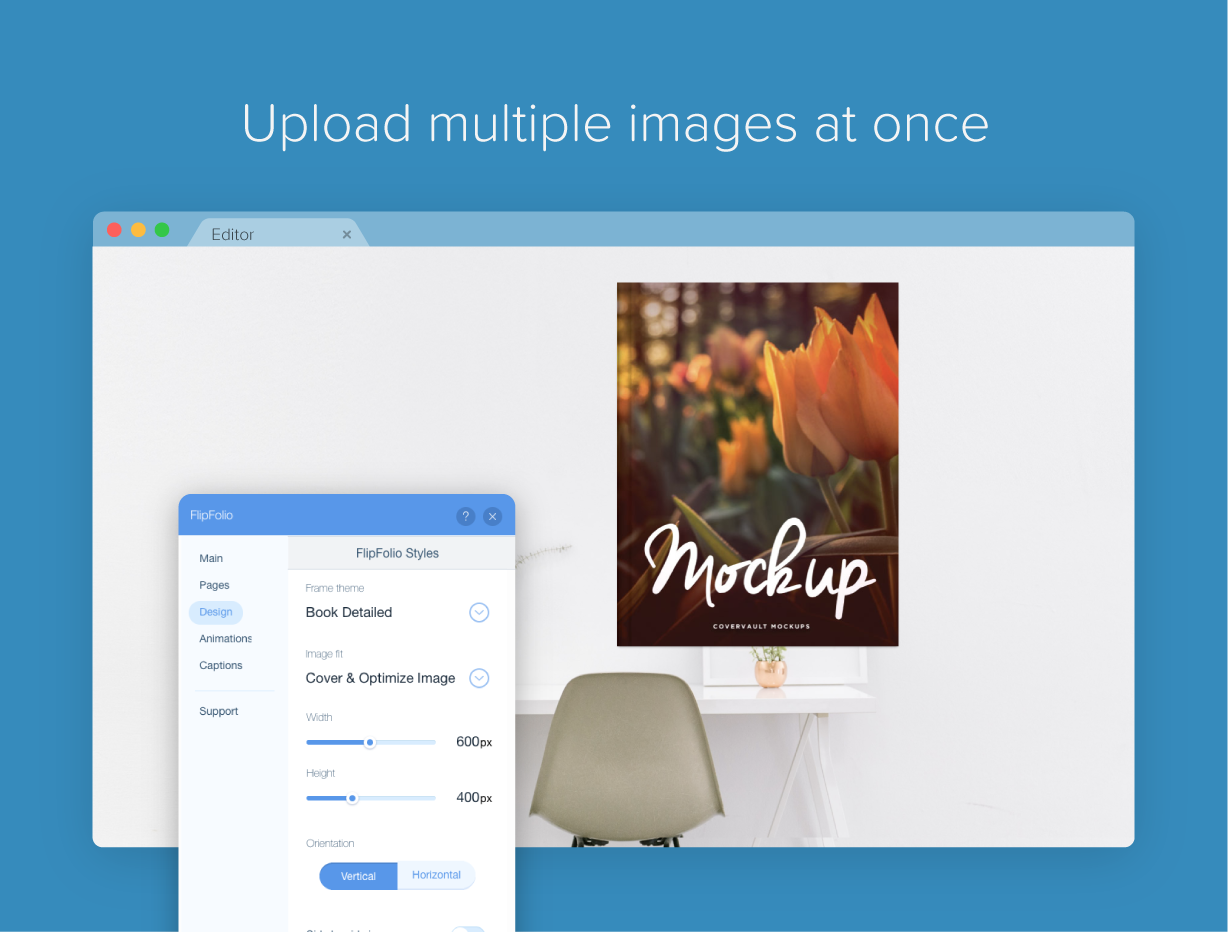
Wow site visitors with a beautiful book-style image gallery. FlipFolio lets you add images to showcase your photos, art, restaurant menu, calendar, brochure, magazine and anything else you can think up.
What the listing highlights
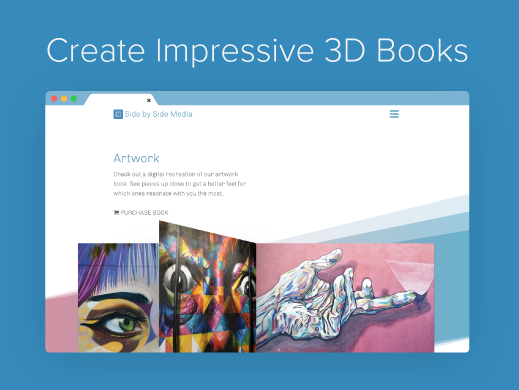
- 3D page animations
- Customizable book frames
- Interactive page navigation
- Fullscreen toggle to fill the entire window
Additional product media
Promotional media
Reviews
Official Wix marketplace summary
Wix Marketplace feedback
Review intelligence
App Market Index summaries derived from currently preserved Wix Review rows. The selected period affects only Review activity and Ratings; replies, publication state, and Review patterns describe the overall preserved dataset.Review activity, rating distribution, stored replies, publication state, and App Market Index review-pattern signals.
Calculated as of
Review activity
Reviews whose original Wix Review date falls in the selected elapsed-day period, compared with the immediately preceding equal period. Each paired bar represents the same relative part of both periods.Reviews in selected period
0 0 (percentage unavailable) vs previous 30 days0 Reviews in the selected 30 days and 0 in the previous 30 days.
Stored replies
Reply coverage is the percentage of 59 preserved Reviews with at least one stored reply. Median and P75 use 37 Reviews with valid dated stored replies. Reply authorship is not inferred.Stored publication state
Current stored state across 59 preserved Reviews. A Review may remain preserved after it is no longer published by Wix.- Published
- 56 94.92%
- Unpublished
- 3 5.08%
- Unknown
- 0 0%
Review pattern signals
Automated App Market Index classifications, not proof of manipulation. Ordinary strength uses published 5-star Reviews. Suspicious unpublished is a separate signal for stored unpublished 5-star Reviews; an App can carry both kinds of evidence.- Suspicious 0 of 13 stored published 5★ Reviews.
- 0 0%
- Very suspicious 0 of 13 stored published 5★ Reviews.
- 0 0%
- Extremely suspicious 0 of 13 stored published 5★ Reviews.
- 0 0%
- Suspicious unpublished 1 of 59 preserved Reviews. Any stored unpublished 5-star Review qualifies independently; no cross-App relationship is required. The reason for unpublication is unknown.
- 1 1.69%
Review timeline
Visualize Review volume and rating mix over time, plus Review-pattern activity.
- Active months
- 39
- Peak Review month
- Jun 2015 · 5
Review volume
Reviews are grouped by original Wix Review month. Rating colors use each Review's currently stored rating. Hover a column for exact monthly counts.Review intelligence over time
Each lane has its own scale so low-volume evidence remains visible. Hover a mark for the exact monthly count. Pattern classifications describe current stored analysis grouped by original Review month.Ratings describe currently preserved Reviews grouped by their original Review dates. Unpublished activity uses surviving Wix-supplied unpublication dates. Switch to Table for exact numbers.
Timeline data table
| Month | Reviews | Rating | Suspicious | Unpublished | |||||||
|---|---|---|---|---|---|---|---|---|---|---|---|
| 5 stars | 4 stars | 3 stars | 2 stars | 1 star | Suspicious | Very | Extremely | Unpublished | |||
| Jun 2015 | 5 | 2 | 1 | 0 | 1 | 1 | 0 | 0 | 0 | 0 | 1 |
| Jul 2015 | 3 | 0 | 1 | 1 | 0 | 1 | 0 | 0 | 0 | 0 | 1 |
| Aug 2015 | 5 | 2 | 0 | 1 | 2 | 0 | 0 | 0 | 0 | 0 | 0 |
| Sep 2015 | 3 | 3 | 0 | 0 | 0 | 0 | 0 | 0 | 0 | 0 | 0 |
| Oct 2015 | 0 | 0 | 0 | 0 | 0 | 0 | 0 | 0 | 0 | 0 | 0 |
| Nov 2015 | 0 | 0 | 0 | 0 | 0 | 0 | 0 | 0 | 0 | 0 | 0 |
| Dec 2015 | 0 | 0 | 0 | 0 | 0 | 0 | 0 | 0 | 0 | 0 | 0 |
| Jan 2016 | 1 | 0 | 0 | 0 | 0 | 1 | 0 | 0 | 0 | 0 | 0 |
| Feb 2016 | 2 | 0 | 1 | 1 | 0 | 0 | 0 | 0 | 0 | 0 | 0 |
| Mar 2016 | 1 | 0 | 1 | 0 | 0 | 0 | 0 | 0 | 0 | 0 | 0 |
| Apr 2016 | 1 | 0 | 0 | 0 | 0 | 1 | 0 | 0 | 0 | 0 | 0 |
| May 2016 | 1 | 0 | 0 | 1 | 0 | 0 | 0 | 0 | 0 | 0 | 0 |
| Jun 2016 | 0 | 0 | 0 | 0 | 0 | 0 | 0 | 0 | 0 | 0 | 0 |
| Jul 2016 | 0 | 0 | 0 | 0 | 0 | 0 | 0 | 0 | 0 | 0 | 0 |
| Aug 2016 | 2 | 1 | 1 | 0 | 0 | 0 | 0 | 0 | 0 | 0 | 0 |
| Sep 2016 | 2 | 2 | 0 | 0 | 0 | 0 | 0 | 0 | 0 | 0 | 0 |
| Oct 2016 | 1 | 0 | 0 | 1 | 0 | 0 | 0 | 0 | 0 | 0 | 0 |
| Nov 2016 | 0 | 0 | 0 | 0 | 0 | 0 | 0 | 0 | 0 | 0 | 0 |
| Dec 2016 | 0 | 0 | 0 | 0 | 0 | 0 | 0 | 0 | 0 | 0 | 0 |
| Jan 2017 | 0 | 0 | 0 | 0 | 0 | 0 | 0 | 0 | 0 | 0 | 0 |
| Feb 2017 | 0 | 0 | 0 | 0 | 0 | 0 | 0 | 0 | 0 | 0 | 0 |
| Mar 2017 | 1 | 0 | 0 | 1 | 0 | 0 | 0 | 0 | 0 | 0 | 0 |
| Apr 2017 | 2 | 0 | 1 | 0 | 0 | 1 | 0 | 0 | 0 | 0 | 0 |
| May 2017 | 1 | 0 | 1 | 0 | 0 | 0 | 0 | 0 | 0 | 0 | 0 |
| Jun 2017 | 0 | 0 | 0 | 0 | 0 | 0 | 0 | 0 | 0 | 0 | 0 |
| Jul 2017 | 2 | 0 | 0 | 1 | 0 | 1 | 0 | 0 | 0 | 0 | 0 |
| Aug 2017 | 0 | 0 | 0 | 0 | 0 | 0 | 0 | 0 | 0 | 0 | 0 |
| Sep 2017 | 0 | 0 | 0 | 0 | 0 | 0 | 0 | 0 | 0 | 0 | 0 |
| Oct 2017 | 0 | 0 | 0 | 0 | 0 | 0 | 0 | 0 | 0 | 0 | 0 |
| Nov 2017 | 0 | 0 | 0 | 0 | 0 | 0 | 0 | 0 | 0 | 0 | 0 |
| Dec 2017 | 0 | 0 | 0 | 0 | 0 | 0 | 0 | 0 | 0 | 0 | 0 |
| Jan 2018 | 0 | 0 | 0 | 0 | 0 | 0 | 0 | 0 | 0 | 0 | 0 |
| Feb 2018 | 0 | 0 | 0 | 0 | 0 | 0 | 0 | 0 | 0 | 0 | 0 |
| Mar 2018 | 0 | 0 | 0 | 0 | 0 | 0 | 0 | 0 | 0 | 0 | 0 |
| Apr 2018 | 1 | 0 | 0 | 1 | 0 | 0 | 0 | 0 | 0 | 0 | 0 |
| May 2018 | 0 | 0 | 0 | 0 | 0 | 0 | 0 | 0 | 0 | 0 | 0 |
| Jun 2018 | 0 | 0 | 0 | 0 | 0 | 0 | 0 | 0 | 0 | 0 | 0 |
| Jul 2018 | 0 | 0 | 0 | 0 | 0 | 0 | 0 | 0 | 0 | 0 | 0 |
| Aug 2018 | 0 | 0 | 0 | 0 | 0 | 0 | 0 | 0 | 0 | 0 | 0 |
| Sep 2018 | 0 | 0 | 0 | 0 | 0 | 0 | 0 | 0 | 0 | 0 | 0 |
| Oct 2018 | 1 | 0 | 0 | 0 | 1 | 0 | 0 | 0 | 0 | 0 | 0 |
| Nov 2018 | 1 | 0 | 0 | 0 | 1 | 0 | 0 | 0 | 0 | 0 | 0 |
| Dec 2018 | 0 | 0 | 0 | 0 | 0 | 0 | 0 | 0 | 0 | 0 | 0 |
| Jan 2019 | 0 | 0 | 0 | 0 | 0 | 0 | 0 | 0 | 0 | 0 | 0 |
| Feb 2019 | 1 | 0 | 0 | 1 | 0 | 0 | 0 | 0 | 0 | 0 | 0 |
| Mar 2019 | 0 | 0 | 0 | 0 | 0 | 0 | 0 | 0 | 0 | 0 | 0 |
| Apr 2019 | 0 | 0 | 0 | 0 | 0 | 0 | 0 | 0 | 0 | 0 | 0 |
| May 2019 | 0 | 0 | 0 | 0 | 0 | 0 | 0 | 0 | 0 | 0 | 0 |
| Jun 2019 | 0 | 0 | 0 | 0 | 0 | 0 | 0 | 0 | 0 | 0 | 0 |
| Jul 2019 | 0 | 0 | 0 | 0 | 0 | 0 | 0 | 0 | 0 | 0 | 0 |
| Aug 2019 | 1 | 0 | 1 | 0 | 0 | 0 | 0 | 0 | 0 | 0 | 0 |
| Sep 2019 | 0 | 0 | 0 | 0 | 0 | 0 | 0 | 0 | 0 | 0 | 0 |
| Oct 2019 | 1 | 1 | 0 | 0 | 0 | 0 | 0 | 0 | 0 | 0 | 0 |
| Nov 2019 | 0 | 0 | 0 | 0 | 0 | 0 | 0 | 0 | 0 | 0 | 0 |
| Dec 2019 | 0 | 0 | 0 | 0 | 0 | 0 | 0 | 0 | 0 | 0 | 0 |
| Jan 2020 | 0 | 0 | 0 | 0 | 0 | 0 | 0 | 0 | 0 | 0 | 0 |
| Feb 2020 | 0 | 0 | 0 | 0 | 0 | 0 | 0 | 0 | 0 | 0 | 0 |
| Mar 2020 | 1 | 0 | 0 | 0 | 0 | 1 | 0 | 0 | 0 | 0 | 0 |
| Apr 2020 | 1 | 0 | 0 | 0 | 0 | 1 | 0 | 0 | 0 | 0 | 0 |
| May 2020 | 1 | 0 | 0 | 0 | 0 | 1 | 0 | 0 | 0 | 0 | 0 |
| Jun 2020 | 1 | 0 | 0 | 0 | 0 | 1 | 0 | 0 | 0 | 0 | 0 |
| Jul 2020 | 0 | 0 | 0 | 0 | 0 | 0 | 0 | 0 | 0 | 0 | 0 |
| Aug 2020 | 3 | 0 | 0 | 0 | 0 | 3 | 0 | 0 | 0 | 0 | 0 |
| Sep 2020 | 0 | 0 | 0 | 0 | 0 | 0 | 0 | 0 | 0 | 0 | 0 |
| Oct 2020 | 0 | 0 | 0 | 0 | 0 | 0 | 0 | 0 | 0 | 0 | 0 |
| Nov 2020 | 0 | 0 | 0 | 0 | 0 | 0 | 0 | 0 | 0 | 0 | 0 |
| Dec 2020 | 0 | 0 | 0 | 0 | 0 | 0 | 0 | 0 | 0 | 0 | 0 |
| Jan 2021 | 0 | 0 | 0 | 0 | 0 | 0 | 0 | 0 | 0 | 0 | 0 |
| Feb 2021 | 2 | 0 | 1 | 0 | 0 | 1 | 0 | 0 | 0 | 0 | 0 |
| Mar 2021 | 0 | 0 | 0 | 0 | 0 | 0 | 0 | 0 | 0 | 0 | 0 |
| Apr 2021 | 0 | 0 | 0 | 0 | 0 | 0 | 0 | 0 | 0 | 0 | 0 |
| May 2021 | 1 | 0 | 0 | 0 | 0 | 1 | 0 | 0 | 0 | 0 | 0 |
| Jun 2021 | 0 | 0 | 0 | 0 | 0 | 0 | 0 | 0 | 0 | 0 | 0 |
| Jul 2021 | 0 | 0 | 0 | 0 | 0 | 0 | 0 | 0 | 0 | 0 | 0 |
| Aug 2021 | 0 | 0 | 0 | 0 | 0 | 0 | 0 | 0 | 0 | 0 | 0 |
| Sep 2021 | 0 | 0 | 0 | 0 | 0 | 0 | 0 | 0 | 0 | 0 | 0 |
| Oct 2021 | 0 | 0 | 0 | 0 | 0 | 0 | 0 | 0 | 0 | 0 | 0 |
| Nov 2021 | 0 | 0 | 0 | 0 | 0 | 0 | 0 | 0 | 0 | 0 | 0 |
| Dec 2021 | 0 | 0 | 0 | 0 | 0 | 0 | 0 | 0 | 0 | 0 | 0 |
| Jan 2022 | 1 | 0 | 0 | 0 | 0 | 1 | 0 | 0 | 0 | 0 | 0 |
| Feb 2022 | 0 | 0 | 0 | 0 | 0 | 0 | 0 | 0 | 0 | 0 | 0 |
| Mar 2022 | 0 | 0 | 0 | 0 | 0 | 0 | 0 | 0 | 0 | 0 | 0 |
| Apr 2022 | 1 | 0 | 0 | 0 | 0 | 1 | 0 | 0 | 0 | 0 | 0 |
| May 2022 | 0 | 0 | 0 | 0 | 0 | 0 | 0 | 0 | 0 | 0 | 0 |
| Jun 2022 | 0 | 0 | 0 | 0 | 0 | 0 | 0 | 0 | 0 | 0 | 0 |
| Jul 2022 | 1 | 1 | 0 | 0 | 0 | 0 | 0 | 0 | 0 | 0 | 0 |
| Aug 2022 | 1 | 1 | 0 | 0 | 0 | 0 | 0 | 0 | 0 | 0 | 0 |
| Sep 2022 | 0 | 0 | 0 | 0 | 0 | 0 | 0 | 0 | 0 | 0 | 0 |
| Oct 2022 | 0 | 0 | 0 | 0 | 0 | 0 | 0 | 0 | 0 | 0 | 0 |
| Nov 2022 | 1 | 0 | 0 | 0 | 0 | 1 | 0 | 0 | 0 | 0 | 0 |
| Dec 2022 | 0 | 0 | 0 | 0 | 0 | 0 | 0 | 0 | 0 | 0 | 0 |
| Jan 2023 | 0 | 0 | 0 | 0 | 0 | 0 | 0 | 0 | 0 | 0 | 0 |
| Feb 2023 | 0 | 0 | 0 | 0 | 0 | 0 | 0 | 0 | 0 | 0 | 0 |
| Mar 2023 | 0 | 0 | 0 | 0 | 0 | 0 | 0 | 0 | 0 | 0 | 0 |
| Apr 2023 | 1 | 0 | 0 | 0 | 0 | 1 | 0 | 0 | 0 | 0 | 0 |
| May 2023 | 0 | 0 | 0 | 0 | 0 | 0 | 0 | 0 | 0 | 0 | 0 |
| Jun 2023 | 0 | 0 | 0 | 0 | 0 | 0 | 0 | 0 | 0 | 0 | 0 |
| Jul 2023 | 1 | 0 | 0 | 0 | 0 | 1 | 0 | 0 | 0 | 0 | 0 |
| Aug 2023 | 0 | 0 | 0 | 0 | 0 | 0 | 0 | 0 | 0 | 0 | 0 |
| Sep 2023 | 0 | 0 | 0 | 0 | 0 | 0 | 0 | 0 | 0 | 0 | 0 |
| Oct 2023 | 0 | 0 | 0 | 0 | 0 | 0 | 0 | 0 | 0 | 0 | 0 |
| Nov 2023 | 0 | 0 | 0 | 0 | 0 | 0 | 0 | 0 | 0 | 0 | 0 |
| Dec 2023 | 1 | 0 | 0 | 0 | 0 | 1 | 0 | 0 | 0 | 0 | 0 |
| Jan 2024 | 0 | 0 | 0 | 0 | 0 | 0 | 0 | 0 | 0 | 0 | 0 |
| Feb 2024 | 0 | 0 | 0 | 0 | 0 | 0 | 0 | 0 | 0 | 0 | 0 |
| Mar 2024 | 0 | 0 | 0 | 0 | 0 | 0 | 0 | 0 | 0 | 0 | 0 |
| Apr 2024 | 0 | 0 | 0 | 0 | 0 | 0 | 0 | 0 | 0 | 0 | 0 |
| May 2024 | 0 | 0 | 0 | 0 | 0 | 0 | 0 | 0 | 0 | 0 | 0 |
| Jun 2024 | 0 | 0 | 0 | 0 | 0 | 0 | 0 | 0 | 0 | 0 | 0 |
| Jul 2024 | 0 | 0 | 0 | 0 | 0 | 0 | 0 | 0 | 0 | 0 | 0 |
| Aug 2024 | 0 | 0 | 0 | 0 | 0 | 0 | 0 | 0 | 0 | 0 | 0 |
| Sep 2024 | 0 | 0 | 0 | 0 | 0 | 0 | 0 | 0 | 0 | 0 | 0 |
| Oct 2024 | 0 | 0 | 0 | 0 | 0 | 0 | 0 | 0 | 0 | 0 | 0 |
| Nov 2024 | 1 | 1 | 0 | 0 | 0 | 0 | 0 | 0 | 0 | 1 | 0 |
| Dec 2024 | 0 | 0 | 0 | 0 | 0 | 0 | 0 | 0 | 0 | 0 | 0 |
| Jan 2025 | 0 | 0 | 0 | 0 | 0 | 0 | 0 | 0 | 0 | 0 | 1 |
| Feb 2025 | 0 | 0 | 0 | 0 | 0 | 0 | 0 | 0 | 0 | 0 | 0 |
| Mar 2025 | 0 | 0 | 0 | 0 | 0 | 0 | 0 | 0 | 0 | 0 | 0 |
| Apr 2025 | 1 | 0 | 0 | 0 | 0 | 1 | 0 | 0 | 0 | 0 | 0 |
App Market Index archive
Review list
Browse preserved published and unpublished Reviews.These are preserved App Market Index Review rows. They are separate from the current official Wix marketplace summary shown above, and publication labels describe the state currently stored by App Market Index. About this archive
- chizome-serotonin
無法刪除
照說明刪除後發布網站以變更設定,但依然沒有任何作用,不但難用還很貴,還無法刪除
Very sorry to hear you ran into trouble. We have responded to your support message on how to cancel the app. We'd love a chance to take a look to see what could be going wrong, just let us know if you like us to help in your reply.
- tamirsasifvm
not recommended
Purchase the product But it doesn't meet the needs at all, you can't insert a PDF into it, and even when you upload pictures, it displays them in a very strange way. In addition, there are no options at all for the reader except to move pages and options such as zooming in or out and downloading a book are very basic and important. not recommended
PDF files are not a supported image file format for html content unfortunately. There are free online tools that can convert them to jpg format however. While the app does not have a dedicated built-in download button you can simply create a link/button for users to download the original PDF. Note that the app is built using web languages that do not function outside of a web browser so there is no way to download the book in animated form.
- roiekarpo
make an optokn to upload a full pdf file
make an optokn to upload a full pdf file
Unfortuantely PDFs will need to be converted to images in order to be used in HTML. There are some free online tools to convert pdf files into images however. After that you can upload them all at once to FlipFolio.
- sanjicg
Something from early 2000s
Absolutely no functionality. Images can't even be scaled to fit. It's so bad, it probably shouldn't even be accessible on the store.
Thank you for taking the time to leave your feedback. We're sorry to hear that your experience with our app fell short of your expectations. We appreciate your feedback and would like to offer some assistance. We recommend ensuring that the Image Fit setting is set to "Cover & Optimize Image" for optimal results. This will utilize an optimized version of your uploaded images, which may be beneficial if you're unable to or prefer not to optimize your own images.
- ligatura7
Gebuisd over de hele lijn.
Met de gratis versie kan je simpelweg NIKS. Je kan ook helemaal niks uittesten. Het is niet eens mogelijk om een cover te maken! Absoluut gebuisd meneer FlipFolio. Ik betaal niet voor iets wat ik niet kan zien. En die –ocharme– vijf opties om je boek in te stellen zullen zelfs in de professionele versie niet volstaan.
- nicolestoutjudo
It works perfectly!
Works great! I am hoping that better mobile compatibility is next, but otherwise I love this app
- trekforward
Great App!!
Despite the negative reviews this app has worked to perfection for me. I love this app and use it to create a brand Magazine that has boosted my business. Highly recommend!!
Thanks for the kind words :) and glad you found the app useful If anyone is experiencing any trouble with the app we definitely want you to contact us. There can sometimes be conflicts or other issues that we can't replicate on our end, but these issues are never something that we can't resolve with some provided details.
- deryadinc48
Doesn't work
Amazing idea. But unfortunately, it doesn't work. You upload a photo and put a text but once you are done it erases everything. It would be very cute if only it worked.
We should be able to find out what went wrong. Please feel free to contact our support if you are still running into any issues.
- danimalmonster1976
Concept is great, execution not so
I added the app as I love the concept (creating a book site so this is perfect). However, after adding several books as a trial, along with the title and blurb, saved and previewed, nothing had held. After a number of attemps, everything I add on and save doesn't hold so when you go to preview mode, you just keep seeing the lor ipsum text. Shame as this would have been really good for my site, but a complete fail if it doesn't hold data you enter.
Sorry to hear you ran into some issues. Unfortunately we haven't had any similar reports so we would like to take a look and see what could have gone wrong. Please feel free to contact our support, I do believe we can help.
- CarolFrome
Looks good. Doesn't work.
Looks good, doesn't work! No support. Zero. Zip. Can't import batches of images into the flipbook. One at a time, folks. Have to return to "manage apps", "reopen app", select and open media file, choose and add image for every single image. Also, I had to buy the upgrade twice. First one didn't recognize the upgrade, though I paid for it. Won't accept layered images. Waste of money and time. Too bad!
- brochures
Don't know why the negative scores!
I can't understand why there have been so many negative ratings on this app. I have just used it for a new e-brochure and it worked very well. It might not have all the bells & whistles of a more expensive software package but it does the job very well. Take a look at my e-brochure on www.welcometocumbrae.co.uk to see it in action. I have been creating e-brochures for the past six years.
- weltoncriacoes
Pessímo
Não funciona, não salva as paginas. Nunca que compro a versão PRO
- alexanderzangmo
AWFUL
Crude and clunky. Hopeless for editing. Slow. Ended up not loading at all on my website.
- soniaspilari1
without interest
- morenachiriano
VERY BAD
Don't pay for the upgraded version, it's real bad working. Not only is it slow, but you only have to insert jpg without the option to put a pdf directly, moreover it is not even possible to see the book with the cover closed and then open with the pages, because this option does not have any frames. Adding pages is the cumbersome process, you try to delete them and they keep appearing. Next time, before making people pay, improve the application. Really disappointed.
- reya58
Don't wast your money on this app
If you decide to update to a fresh new site like most do from time to time. forget it. It won't transfer over. You're stuck and will have to purchase another subscription. Seriously don't bother!
- oferhsig
slow
so slow.......
- austinkerrart
Really really bad.. and SLOW!
After converting my portfolio pdf's to jpegs and uploaded them to WIX they uploaded at all different speeds. This mixed the all up and it won't let you rearrange them till they are uploaded in the FlipFolio app, fine.. but when you get there it only pays page 1,2, etc with NO THUMBNAIL PICS?! How are you supposed to know what you are rearranging? If that wasn't bad enough I had to delete them one at a time and clicking "confirm" on every one. Then, I uploaded them one by one, letting each image fully upload to Wix. When It was all done it it took a whopping 7-9 seconds to turn a page with no images only text.... beyond frustrating. Hope I can save someone else 3 hrs of their life.
- demiguelmedinacris
Comes as Free but they make you pay for EVERYTHING
Only 6 pages in the free version... I would have prefered it if they didn't sell it as free in the first place so I didn't get such huge dissapointment. They make you pay for almost everything. I felt like a fool loosing my time with this "free" app.
- jmmarsh95648
Simple and easy to use!
It's the easiest to use app. You just make your digital book, and let visitors see it as they flip the pages! Highly recommended.
- Yummi01
Great app but..
I like this app but wish I could download my magazine as a finished project to resale later on my site store. If you offer this where is it located.
- thepixelwhisperer
Nice app that's missing a couple of features for me
FlipFolio is a well thought-out app that does what it promises. For my purposes, it didn't work because it is missing a couple of items. One, unlike Simplebooklet, it won't import a multipage PDF as a book. In fact, it won't import PDF at all… You need to turn each page into an image. (They do spell that out in their Help section.) Also, the book looks tiny on a mobile device, and there's no way to zoom into a page. Their tech support was quick and professional in explaining why this feature isn't there. I appreciate that.
Thanks for the feed back. We will see if we can't get PDF support added in an upcoming update.
- robbyj88
I tried it....
I was impressed with the look, but after purchasing it, i found out that there were pages I could not delete. I wanted to upload and organize in one step, adding multiple pages did not put them in the order i wanted them in. Not worth the money yet. Maybe when it has some improvements.
Sorry to hear you had trouble, If you are having any issues please contact us at http://www.papertemple.net/contact and we should be able to sort out any issue you run into. We might need more details but to reorder the pages you just need to drag and drop them into the order you need them.
- davidmpalves
I'm quite frustrated
Trying to solve a problem and not able to, my pages are always cut in the borders. I paid for a whole year and am already sorry I did.
Sounds like you may want to use the "image fit" setting or need to resize the app to fit the aspect ratio of the images you are using. If you have any trouble feel free to contact our support, we should be able to help you out.
- ayce63
access with a pin code
Is possible for only the customers who has a special pin code can view the flipfolio ?
You are able to password protect a page through Wix. See more info at the link below: https://support.wix.com/en/article/password-protecting-your-site-or-a-specific-page
- jenny2298
upload multiple pdf?
i have a pdf with 184 pages.. it was ALLOT of work uploading every single one. i noticed that i made a mistake, deleted one page and all of a sudden all continuing pages we´re gone too.. i couldn't even restore what i have done on the WIX restore page as flip folio didn't connect to that i think... please can you help me make my life easier and upload a 184 pages pdf.. ?! j
We have added a new feature that will allow you to upload hundreds of images in just a few seconds. Those images can also be automatically optimized. You can also set each image to display per page and not stretched across two. Setup has never been easier :)
- mariotrueba
Bug
Hi, I already bought the flip folio app for my wix web and it has a bug. After adding a few pages, the application has duplicated the last page many times and deleted my other pages. It is a disaster.
Hello, Sorry for the trouble, this is the first time we have heard of an issue like this. We will be looking into it to see what could have went wrong. If you are able to provide any more details about what happened please contact our support as we would like to make sure this is an isolated issue.
- terriungerphoto
add to a blog post?
Hi, i really like this feature and would like to add a flipfolio to a blog post, is that possible? thanks!
Thanks for the review! You are able to add widgets to your blog page, just open the app market while on the Blog post you wish to edit :)
- nick38516
Integration into Wix
There is no ability to integrate with Wix website on the premium version, only get error messages and no way to fix it.
Have you tried contacting our support? We are unaware of any issues and it is possible there is a conflict of some kind. Our support team should be able to help you resolve any problems you may be having.
- liszadarling
When are you adding video capability?
I'm considering buying the premium version, but need video capability. When are you adding this? Thanks!
Thanks for the review :) We will be adding this to the list for the next update, which should begin development not too far from now.
- mgfranco5
IS OK
- zeinah50
Zoom in feature
Hi is there any way images can be zoomed in? Is this a premium feature please? Thanks, Zeinah
There is a Full screen toggle option available on the free and premium version of the Stack. This will open the book at it's largest dimensions possible.
- feelfreetolearnban
SO Good
Can I embed my youtubevideo
Thanks for the positive review! FlipFolio does not currently support videos but we hope to add that as a feature in time.
- ricardoantoniostudio
Can I send the flipbook to my customers by email?
I need to send my flipbook by emil to my customers. Can I do that? If I send the flipbook to my customers, will they be able to open it in their browser?
Thanks for the review. The app was only designed to work inside of a Wix created webpage. The only workaround would be to provide a link to the page containing FlipFolio unfortunately
- gabmant
Can some pages on flip folio be open while others pages be rstricted
1. For instance, can pages 1-5 be open to visitor while perhaps page 6-12 be restricted to members who are registered. 2. how many flip folio plugin can be added to a page. can i add up to 12flipfolio plugins to a page
Thanks for the feedback :) FlipFolio does not have a built in feature to restrict content, but you can use Wix's editor to protect a page that has the full version of the widget. That being said, you can add as many FlipFolio Widgets to a page or website as you need, the only restriction is that they must be on the same website. https://www.wix.com/support/html5/article/password-protecting-your-site-or-a-specific-page
- tski9014
MENU
COULD I PRINT AND PASS OUT TO CUSTOMER
I would suggest saving the original images into a pdf file or zipping them. You can then use Wix's editor to create at text link that will allow them to download and print the contents of the book.
- TiTiRiMiusiK
Agragar Música?
Hola, Es posible agregar música y que sea a cada página de modo independiente. Gracias Joaquín
- michaelfroh
Not working
Tried several times to include it in my page but app says that an error occured.
Thanks for bringing this to our attention. We have recently been making updates to increase FlipFolio's performance and it is possible this was a rare minor hiccup as we were upgrading our server. As of now, we are not experiencing any errors. However, we will continue to closely monitor the app for any out of the ordinary activity. Please do send our support team a message if you have any trouble.
- facundoni
zoom
Can i add zoom into the images ? To read small notes.
- thedinerskaleidosc
Single blog post
Cant this be added to a single blog post?
You are able to add widget to single blog posts. If you have any trouble be sure to contact our support team :)
- picstube
good app
the only thing that bugs me about this app is that you are only allow to add one image at a time for each page, which is very time consuming when you are trying to add like 30 images in the FlipFolio. Can you guys add a feature where you are able to install multiple images in the FlipFolio and it automatically sets a page for each image.
This is now possible :) We have added a new feature that will allow you to upload hundreds of images in just a few seconds. Those images can also be automatically optimized. You can also set each image to display per page and not stretched across two.
- projectharpoon
Another freemium
Three image limit and another app that gets cut off at the knees.
We have increased the free version page limit to 6 as well as added some more features that are available both in the free and premium versions.
- meteo-mreza
Odlično!
- bedtimestoriesforyou
What happened ?
Hello, I was really pleased with this app, but today I found out that something happened to the animation, and dont tell me Settings cant fix it, cuz it is not the reason ( the way it opens is wrong, instead of opening the page up it goes like down ) cant describe it well,check that please and fix it !! I have books on my site bedtimestoriesforyou.wix.com/adventure-each-night and now it looks horrible.
Thanks for the updated score :) I believe you have contacted the support team and resolved the issue. If not feel free to contact us at papertemple.net
- sensordealers
flip folio
we have uploaded thephotos but what to further we want to send this flipfolio by email marketing pl tell how to do once set is done wewill 100 upgrade it pl advice
Hello, thank you for your review. For technical questions like this I would suggest you contact our support team at papertemple.net or by the email address: info@papertemple.net
- represvendasrs
EkoBrazil
EkoBrazilRS - Distribuidor Independente Ótimo app pena ser só 3 paginas no free...
- samwoom9
I need the contents navigation
Would you navigator for contents? I have to click every page. You say i can add unlimited pages.
It sounds like you would like a "go to page" button and we think this is a great idea! I don't have an exact date of when this will be added but it is definitely high on the list for new features :) UPDATE: This feature has been added to the Navigation settings.
- drew93725
Cant load to many photos
I would like this program, but when i load about 20 photos it bogs down and takes a long time to load and when you add 3 or 4 windows with 15- 20 picures on you page it takes forever.....if you guys fix this issue it would be a awesome program
We have added a new option (enabled by default) that will automatically use optimized versions of your images, greatly improving load speed without you having to optimize them on your own. We have tested this up to 200 images and the load speed worked flawlessly.
- thomasdhoulgate
Super
mise en page!! :)
- daemoni
3 pages?
Hi! I understand you need to monetize on this, but a free version is something that should be usable, although cut in term of features. What I mean is that you don't offer two options: a free and a premium. You offer only the premium one as these three pages are useless. And I can't test it and learn it and lastly decide on buying the app.
UPDATE: We have increased the free version page limit to 6 as well as added some more features that are available both in the free and premium versions. Original Reply: Thanks for your feedback. We understand the free version is not ideal if you would like to display a full book, magazine, or large gallery. For these applications you will indeed need to upgrade. However, there are still quite a few uses for the free version. Some examples are as a brochure, banner/slider for your website, restaurant menu, upcoming event calendar, use it to display client logos, or display a few page sample of a book. Please also keep in mind that you are not limited to using a single FlipFolio widget on your page, you can include as many as you would like and even using the free version. All of this also without a watermark :)
Plan comparison
Pricing & Plans
Free
Free
Free
- Page Click
- Page Crease Overlay
- Number of Pages: 3
FlipFolio Premium
$2.49 / month
$29.99 billed yearly Save 16% yearly$2.99 / month
- Page Click
- Page Crease Overlay
- 3D Page Turn
Detailed App featuresCompare all 12 structured features
| Feature | FreeFree | Paid planFlipFolio Premium |
|---|---|---|
| Page ClickEnable the page click option to allow visitors to turn the pages simply by clicking on them and also optionally remove the navigation buttons. | Included | Included |
| Page Crease OverlayNatural looking page creases are automatically added to your images to maintain the visual appearance of a book (magazine, brochure, etc.) or calendar. | Included | Included |
| Number of PagesAdd up to 3 or an unlimited number of pages to your FlipFolio, depending on the plan you choose. | 3 | Unlimited |
| 3D Page TurnShow off your content and/or images with a beautifully animated 3D page-turning web effect. | Included | Included |
| Number of Button ThemesAdd up to 2 or 16 button themes to your FlipFolio, depending on the plan you choose. | 2 | 16 |
| Number of Frame ThemesAdd up to 2 or 12 frame themes to your FlipFolio, depending on the plan you choose. | 2 | 12 |
| Page OrientationDisplay your content horizontally or vertically. Vertical is perfect for displaying content like you would in a book, magazine or brochure. Horizontal displaying is great for galleries and calendars. | Included | Included |
| Customize with EaseEasily customize the colors, navigation, style and animation speed | Included | Included |
| Fullscreen ToggleAdd a toggle icon so that visitors can see your book display fullscreen. | Included | Included |
| Page CaptionsAdd page captions while still maintaining all 3D animation effects. | Included | Included |
| Image Auto ScalingImages automatically fit while maintaining the aspect ratio. | Included | Included |
| Autoplay OptionSelect auto-play to turn FlipFolio into a homepage slider. | Included | Included |