
Wix Smart Chat
By Wix
- Wix Trending
Product media
Screenshots
1 of 7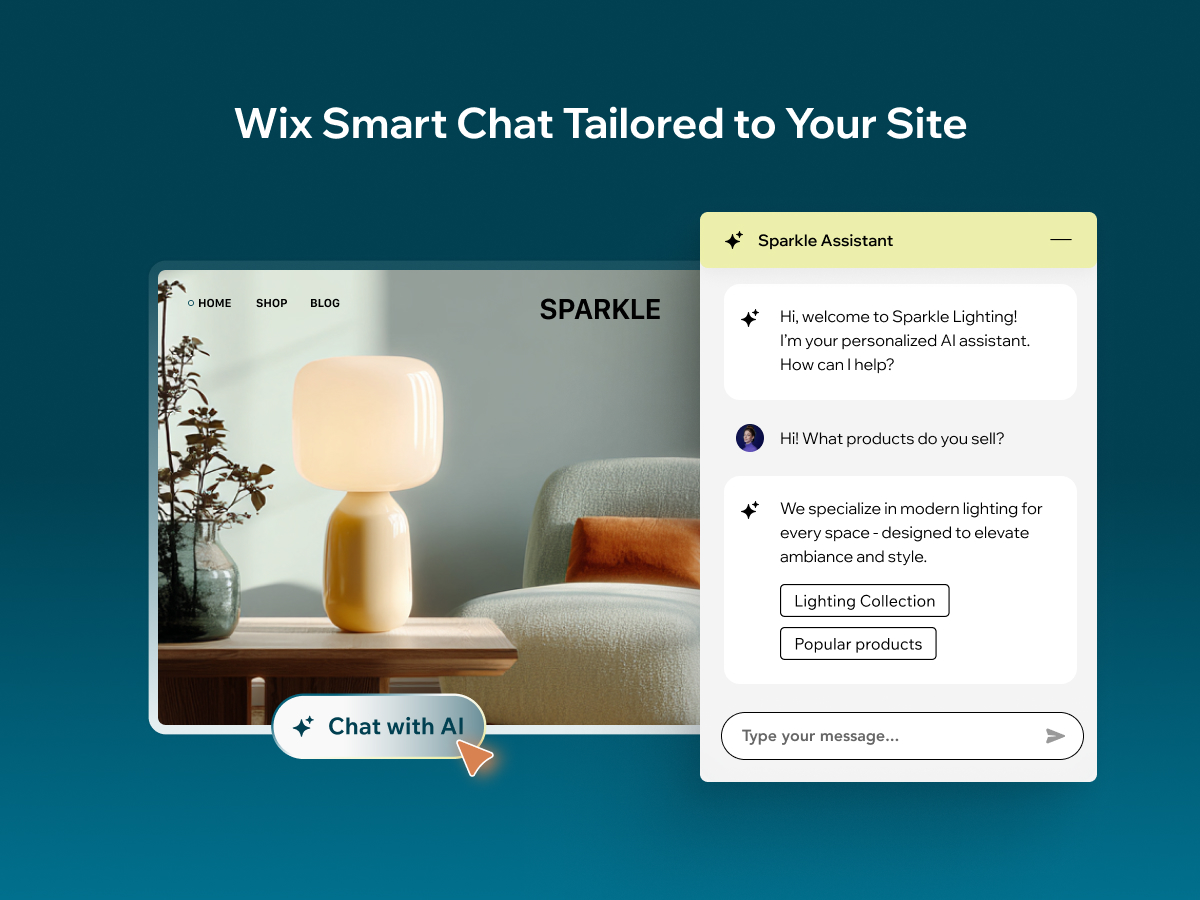
Overview
About this App
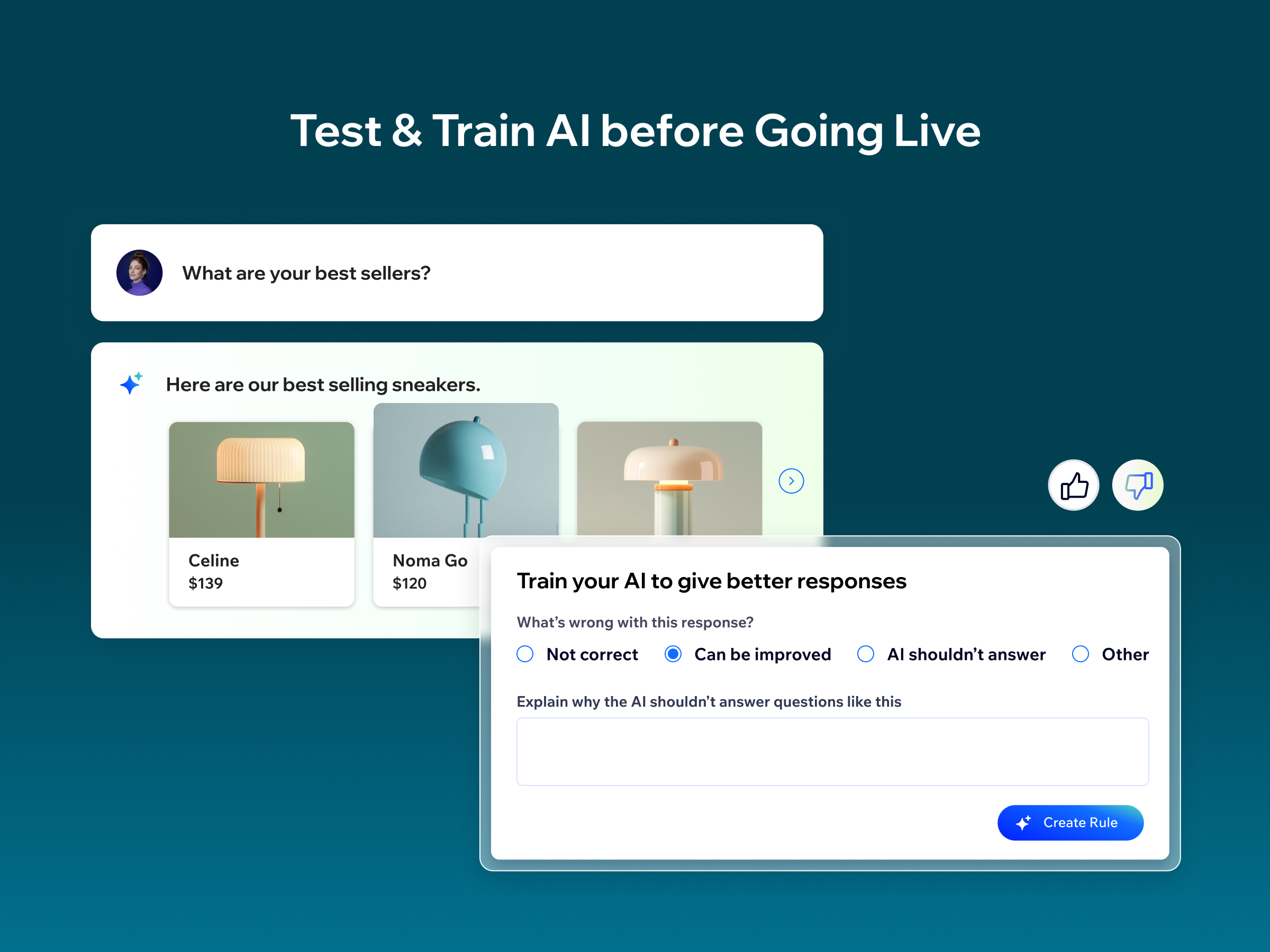
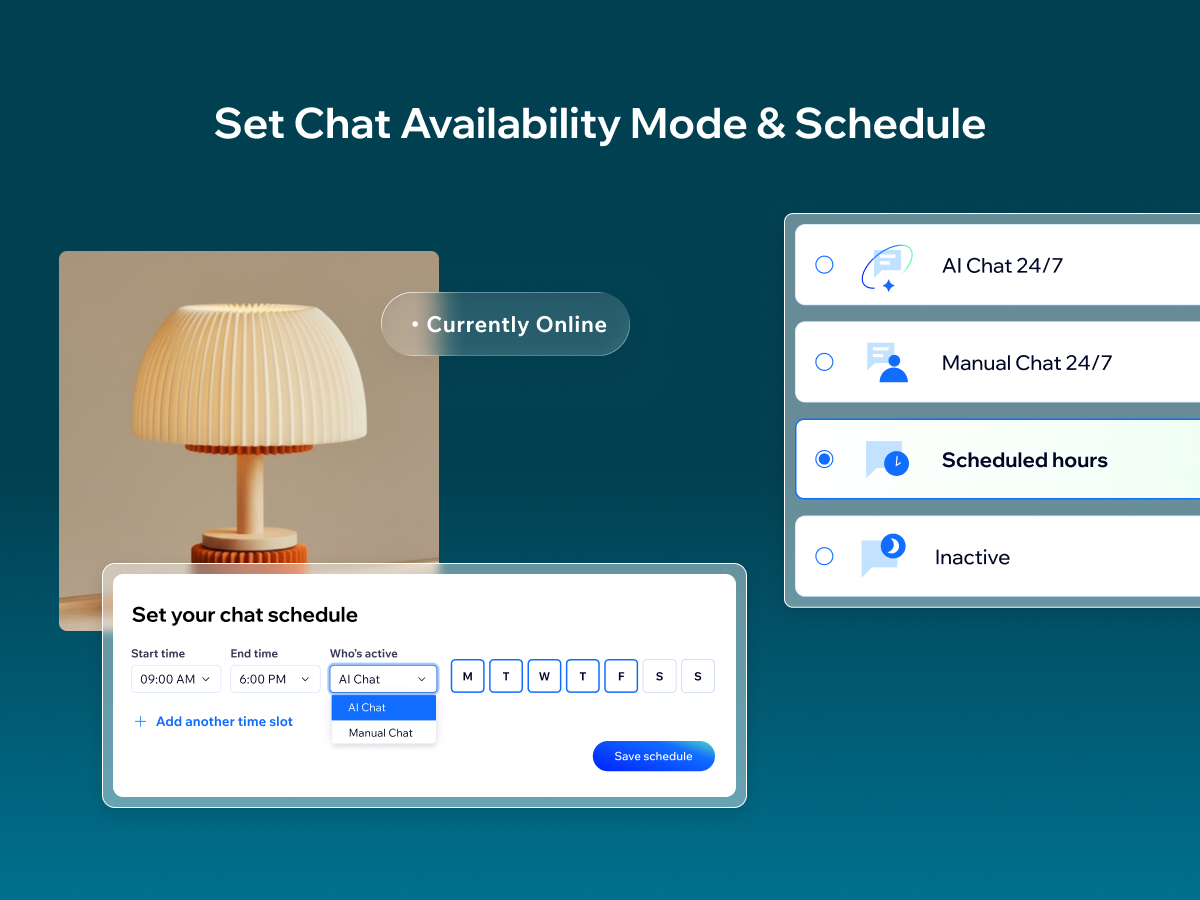
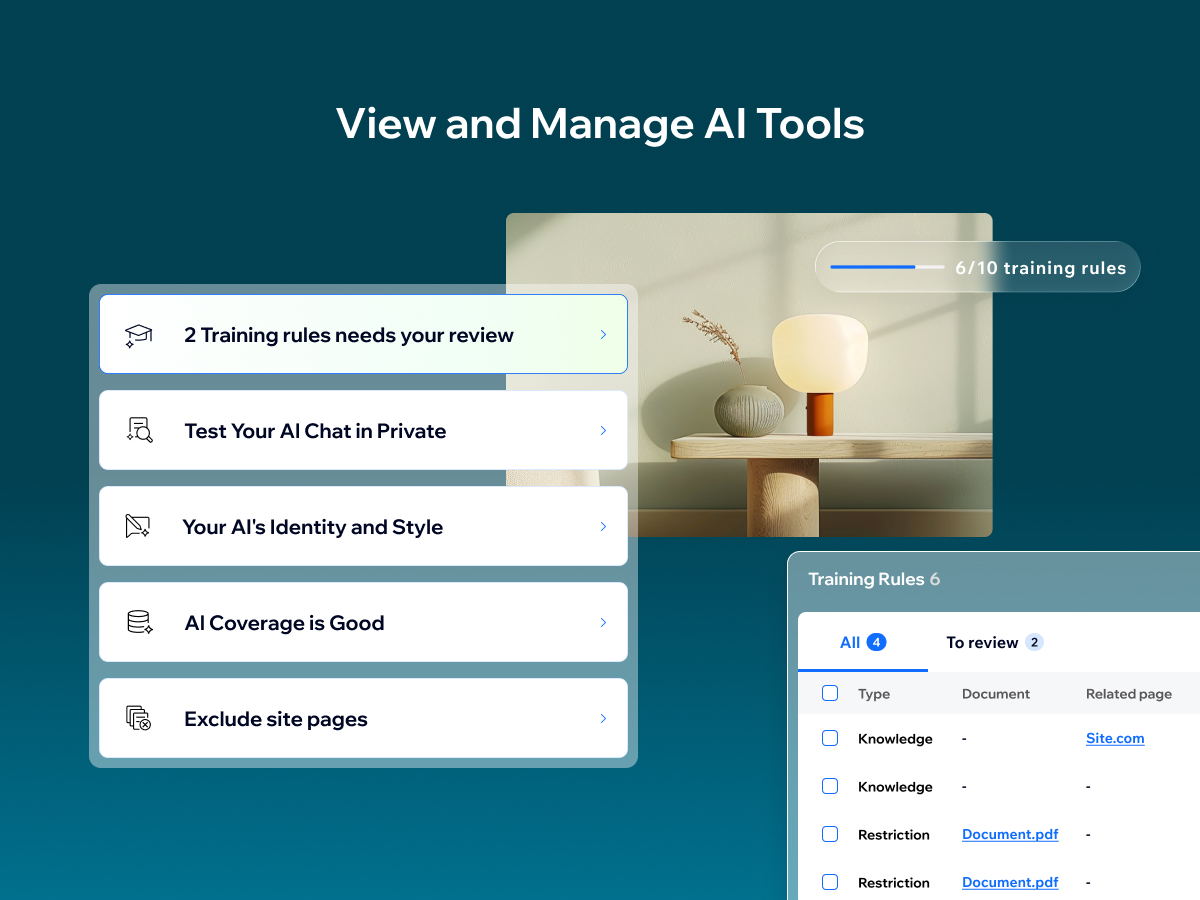
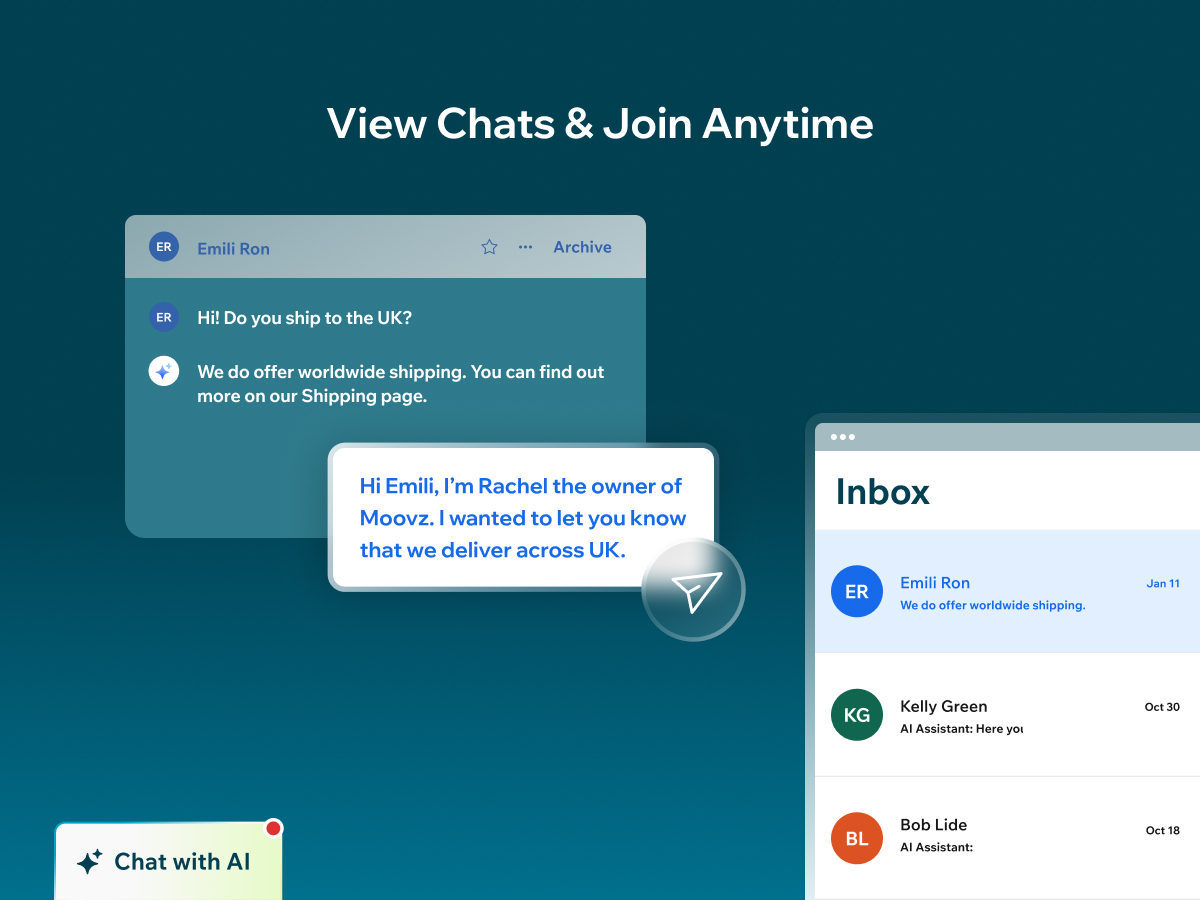
Wix Smart Chat combines AI chat and manual chat in one place, so you can support visitors in the way that fits your business—automated answers, real human replies, or a flexible mix of both. Stay responsive during peak hours and after hours with flexible availability modes: AI 24/7, manual 24/7, scheduled hours, or inactive (with offline options to keep collecting leads). From your dashboard, you can test and improve the AI, add knowledge and restrictions, adjust the AI’s identity and style, and review conversations in your Inbox—so Smart Chat becomes more accurate and helpful over time. Get easy access to key chat analytics that help you learn more about your site visitors and improve how you engage with them to boost conversions. Smart Chat also analyzes your conversations to give you key insights into what your customers are looking for and how you can improve your business. Previously known as Wix AI Site Chat, Smart Chat is now upgraded to include live (manual) chat—and it’s designed to replace the old Wix Chat with one unified solution.
What the listing highlights
- Choose how you’re available: AI chat 24/7, manual chat from your Inbox, or a mix on a schedule
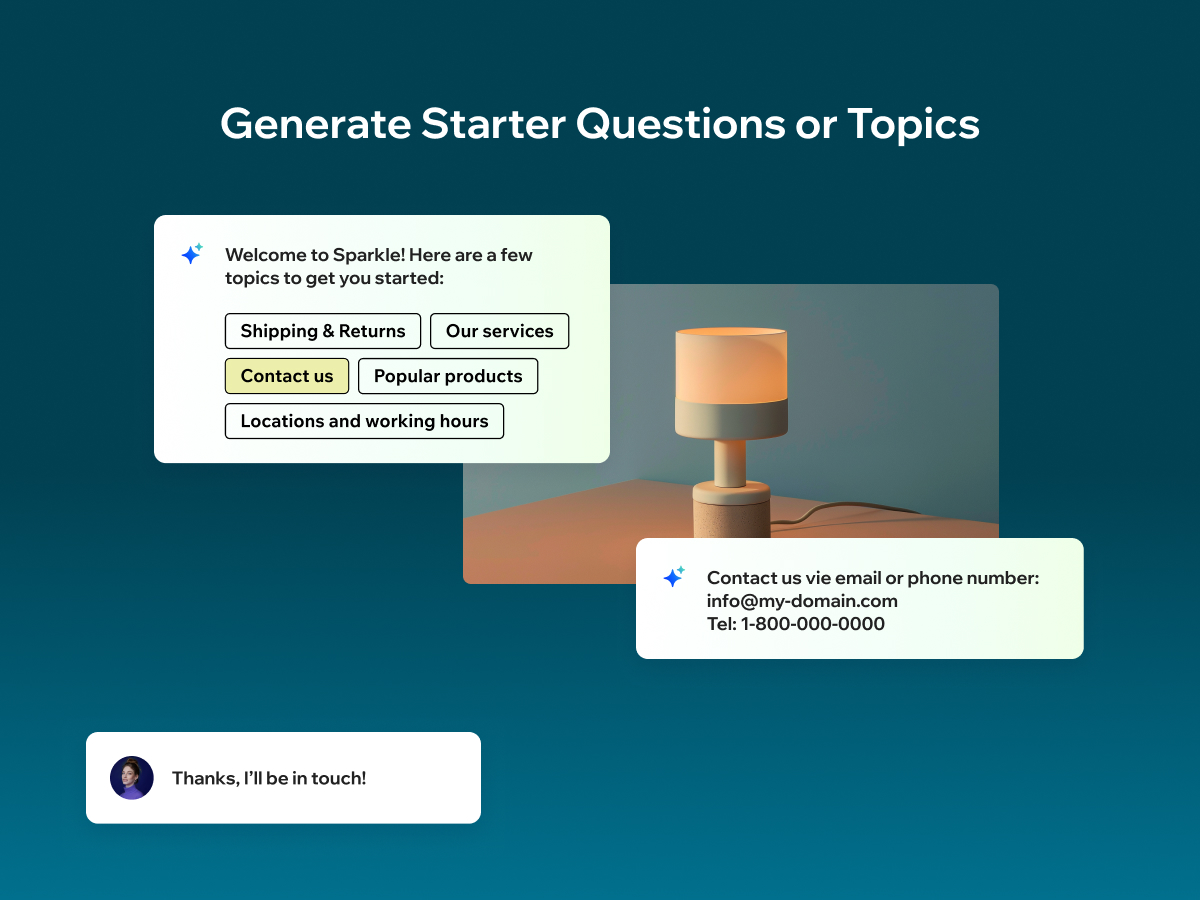
- Capture leads and guide visitors with contact forms, welcome messages, and quick topics
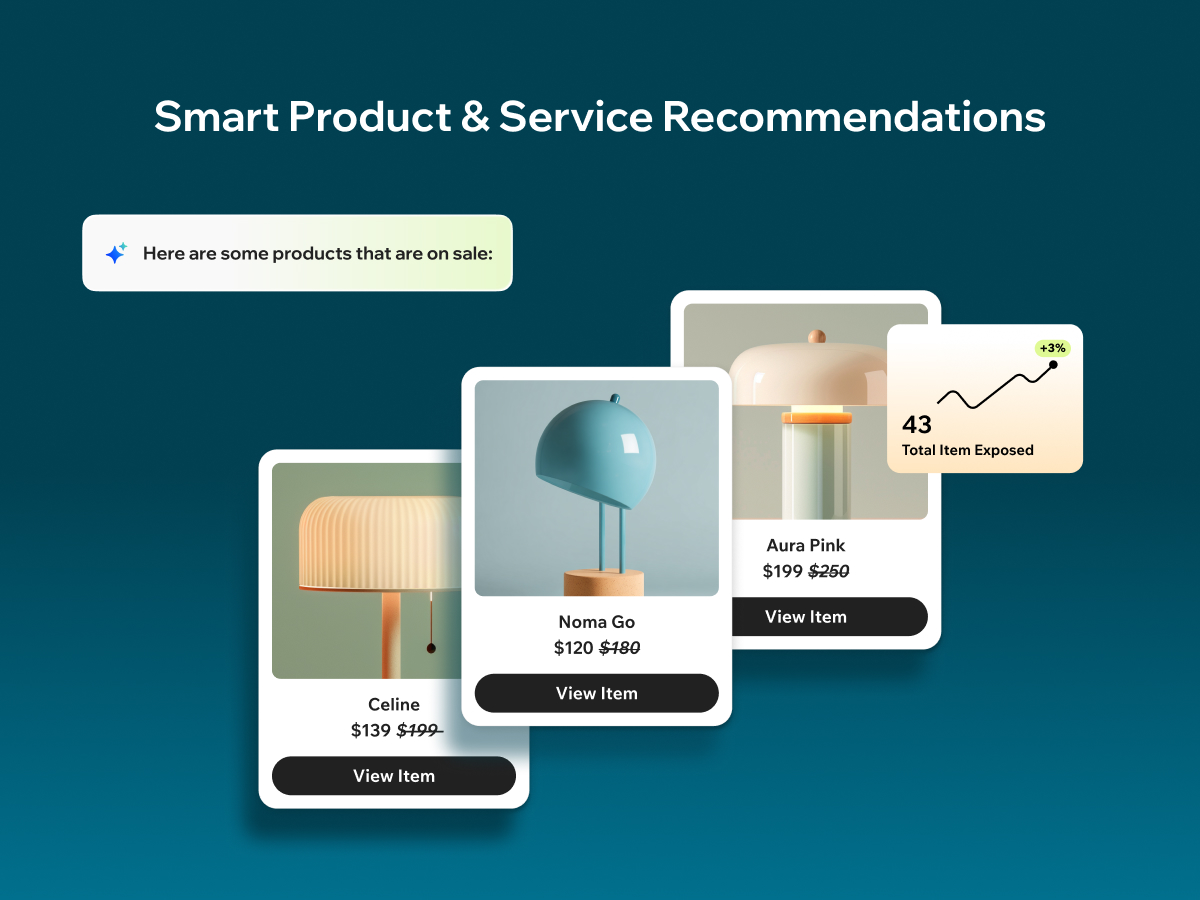
- Track key chat analytics like conversations, visitors, response times, and items shown in chat
- Get smart recommendations and actionable insights based on your chat conversations
Additional product media
Promotional media
Reviews
Official Wix marketplace summary
Wix Marketplace feedback
Review intelligence
App Market Index summaries derived from currently preserved Wix Review rows. The selected period affects only Review activity and Ratings; replies, publication state, and Review patterns describe the overall preserved dataset.Review activity, rating distribution, stored replies, publication state, and App Market Index review-pattern signals.
Calculated as of
Review activity
Reviews whose original Wix Review date falls in the selected elapsed-day period, compared with the immediately preceding equal period. Each paired bar represents the same relative part of both periods.Reviews in selected period
0 −11 (−100%) vs previous 30 days0 Reviews in the selected 30 days and 11 in the previous 30 days.
Stored replies
Reply coverage is the percentage of 216 preserved Reviews with at least one stored reply. Median and P75 use 190 Reviews with valid dated stored replies. Reply authorship is not inferred.Stored publication state
Current stored state across 216 preserved Reviews. A Review may remain preserved after it is no longer published by Wix.- Published
- 146 67.59%
- Unpublished
- 70 32.41%
- Unknown
- 0 0%
Review pattern signals
Automated App Market Index classifications, not proof of manipulation. Ordinary strength uses published 5-star Reviews. Suspicious unpublished is a separate signal for stored unpublished 5-star Reviews; an App can carry both kinds of evidence.- Suspicious 0 of 45 stored published 5★ Reviews.
- 0 0%
- Very suspicious 0 of 45 stored published 5★ Reviews.
- 0 0%
- Extremely suspicious 0 of 45 stored published 5★ Reviews.
- 0 0%
- Suspicious unpublished 0 of 216 preserved Reviews. Any stored unpublished 5-star Review qualifies independently; no cross-App relationship is required. The reason for unpublication is unknown.
- 0 0%
Review timeline
Visualize Review volume and rating mix over time, plus Review-pattern activity.
- Active months
- 25
- Peak Review month
- Mar 2025 · 30
Review volume
Reviews are grouped by original Wix Review month. Rating colors use each Review's currently stored rating. Hover a column for exact monthly counts.Review intelligence over time
Each lane has its own scale so low-volume evidence remains visible. Hover a mark for the exact monthly count. Pattern classifications describe current stored analysis grouped by original Review month.Ratings describe currently preserved Reviews grouped by their original Review dates. Unpublished activity uses surviving Wix-supplied unpublication dates. Switch to Table for exact numbers.
Timeline data table
| Month | Reviews | Rating | Suspicious | Unpublished | |||||||
|---|---|---|---|---|---|---|---|---|---|---|---|
| 5 stars | 4 stars | 3 stars | 2 stars | 1 star | Suspicious | Very | Extremely | Unpublished | |||
| Jul 2024 | 3 | 1 | 2 | 0 | 0 | 0 | 0 | 0 | 0 | 0 | 0 |
| Aug 2024 | 3 | 3 | 0 | 0 | 0 | 0 | 0 | 0 | 0 | 0 | 0 |
| Sep 2024 | 8 | 2 | 3 | 1 | 1 | 1 | 0 | 0 | 0 | 0 | 0 |
| Oct 2024 | 2 | 1 | 0 | 1 | 0 | 0 | 0 | 0 | 0 | 0 | 0 |
| Nov 2024 | 5 | 1 | 2 | 1 | 1 | 0 | 0 | 0 | 0 | 0 | 0 |
| Dec 2024 | 3 | 1 | 0 | 1 | 0 | 1 | 0 | 0 | 0 | 0 | 0 |
| Jan 2025 | 8 | 3 | 0 | 1 | 2 | 2 | 0 | 0 | 0 | 0 | 0 |
| Feb 2025 | 11 | 3 | 1 | 3 | 2 | 2 | 0 | 0 | 0 | 0 | 0 |
| Mar 2025 | 30 | 5 | 1 | 4 | 5 | 15 | 0 | 0 | 0 | 0 | 3 |
| Apr 2025 | 14 | 5 | 2 | 0 | 4 | 3 | 0 | 0 | 0 | 0 | 0 |
| May 2025 | 6 | 1 | 0 | 0 | 1 | 4 | 0 | 0 | 0 | 0 | 0 |
| Jun 2025 | 10 | 3 | 0 | 1 | 3 | 3 | 0 | 0 | 0 | 0 | 0 |
| Jul 2025 | 4 | 0 | 1 | 1 | 0 | 2 | 0 | 0 | 0 | 0 | 2 |
| Aug 2025 | 11 | 1 | 1 | 1 | 4 | 4 | 0 | 0 | 0 | 0 | 0 |
| Sep 2025 | 5 | 1 | 1 | 0 | 1 | 2 | 0 | 0 | 0 | 0 | 0 |
| Oct 2025 | 7 | 2 | 0 | 2 | 1 | 2 | 0 | 0 | 0 | 0 | 0 |
| Nov 2025 | 4 | 2 | 0 | 0 | 0 | 2 | 0 | 0 | 0 | 0 | 0 |
| Dec 2025 | 5 | 2 | 0 | 0 | 0 | 3 | 0 | 0 | 0 | 0 | 0 |
| Jan 2026 | 2 | 0 | 0 | 0 | 0 | 2 | 0 | 0 | 0 | 0 | 0 |
| Feb 2026 | 0 | 0 | 0 | 0 | 0 | 0 | 0 | 0 | 0 | 0 | 0 |
| Mar 2026 | 10 | 2 | 1 | 0 | 0 | 7 | 0 | 0 | 0 | 0 | 65 |
| Apr 2026 | 16 | 1 | 1 | 1 | 3 | 10 | 0 | 0 | 0 | 0 | 0 |
| May 2026 | 14 | 0 | 0 | 0 | 1 | 13 | 0 | 0 | 0 | 0 | 0 |
| Jun 2026 | 16 | 3 | 0 | 1 | 1 | 11 | 0 | 0 | 0 | 0 | 0 |
| Jul 2026 | 10 | 1 | 0 | 0 | 0 | 9 | 0 | 0 | 0 | 0 | 0 |
| Aug 2026 | 9 | 1 | 0 | 0 | 1 | 7 | 0 | 0 | 0 | 0 | 0 |
App Market Index archive
Review list
Browse preserved published and unpublished Reviews.These are preserved App Market Index Review rows. They are separate from the current official Wix marketplace summary shown above, and publication labels describe the state currently stored by App Market Index. About this archive
These Reviews were previously observed by App Market Index and Wix later supplied an unpublished state for them.
- mgmtgsUnpublished
One of their first users, after two years abandoning ship
Two years ago the Wix AI Chat started slow and clunky, then grew into something that was astonishingly good at providing the right answers. We trained and trained the bot, until about 4 months ago, the bot fell off a cliff somehow: hallucinating, not following our training rules, sometimes providing answers that we absolutely contradictory to our rules. The Wix Support team is absolutely overwhelmed, and - as typical for Wix - blames either "user error," or "can't reproduce" or "its a feature, not a bug". Despite our issues being "escalated" many times, nothing ever improved. Now when adding corrective responses into an ongoing AI chat, the AI actually doesnt stop responding anymore (like it used to). So, basically I cant type fast enough while the bot keeps giving bad answers.... I have found myself feeling like the bot's slave because constantly I had to monitor, correct it, email support.... hours and hours on end. Today I deleted the app. Don't waste your time with this....
Thank you for sharing your experience — especially as an early user. We truly understand how frustrating it is when something you’ve invested so much time in stops behaving as expected. Improving the “Train the AI” system is a major focus for us, and we’re continuously working to make it more reliable and consistent. Recently, we’ve released significant updates and improvements in this area, aimed at better rule-following and more stable behavior over time. We really appreciate you taking the time to share such detailed feedback — it helps us keep improving the product.
- tpseagerUnpublished
This is bad
The Wix AI Chat has been undergoing revisions that make it unreliable and unpredictable. Hours spent training a prior version can be made obsolete by any upgrade that changes the algo you thought you had a handle on. Then, the AI starts talking to customers in its own voice, even if that contradicts or humiliates your brand. No thanks.
Thank you for the feedback. We understand how frustrating it is when updates impact trained behavior and brand voice. We’re currently investigating this issue to understand what caused the change and how to prevent it going forward. Feedback like this is taken seriously and helps us improve the product’s reliability.
- gpgrantswissUnpublished
AI Site Chat is not usable as after-hours support
The idea of AI Site Chat is good, but the implementation makes it unusable for real businesses. There is no supported way to use AI as an automatic fallback when live chat is offline. You are forced to choose either AI Site Chat or Wix Chat — they cannot work together properly. This means a very basic and expected scenario (human support during business hours, AI after hours) is impossible without awkward workarounds. Even scheduling across midnight is not supported as a single range. As a result, AI Site Chat feels more like a demo feature than a production-ready tool. Until proper fallback logic is implemented, it’s hard to recommend this for serious B2B use.
Thank you for the thoughtful and detailed feedback, this is a very valid use case. You’re absolutely right that seamless after-hours support (live chat during business hours, AI outside of them) is a basic expectation for real businesses, especially in B2B scenarios. We agree this needs to work smoothly without awkward workarounds. The good news is that we’re actively working on improving this flow, including better support for combining live chat and AI chat together. Updates in this area are already in progress, and we’ll be rolling out improvements to make AI a more reliable fallback outside business hours. We appreciate you taking the time to explain the gap so clearly - it directly helps shape what we’re building next.
- duomostudioUnpublished
Awful
Chat dismisses rules set all the time, doesn't understand basic directions, forgets all the logic you give it after a few days, and changes its response style randomly. Completely broken. Then when you try to correct it, 9/10 times you get an error message that tells you to refresh the page.
Thank you for sharing this feedback. We understand how frustrating this experience is, especially when rules aren’t consistently followed and errors interrupt your work. Issues around training reliability, rule compliance, and editor errors are areas we’re actively working to improve. Your comments help us identify where the experience is breaking down, and we’re taking this feedback seriously as we continue to stabilize and improve the product. We appreciate you taking the time to call this out.
- solarcontentcreationUnpublished
so much hope for this but awful
Ok so installation is easy... the principal could be great but honestly its useless, F/E even after installing it, deleting it, re installing it, training it, re training it, putting in rule, it continued to start ever chat with "How can I help you with your recruitment and job search" this is all well and good but im not even in this industry, I own an advertising, and social media based company absolutely 0 to do with recruitment, no matter how I tried to train it against it, went through help & advice to train it and I use AI alot, this chat bot seems broken and like its pulling information from somewhere else and not listening to any of the training and rules we did, ( yes I tried multiple times even clearing off the brain and doing it all again) same results. then the response where not fluid, just prescript chats, this could be a great edition to wix how ever this feels very poorly written, this comment was written on the 6th of November 2025, so if in the future it maybe fixed
Thanks for your detailed feedback, we really appreciate it. We’re sorry to hear about your experience. We checked your site and you're right, the default greeting mentioning recruitment is completely unrelated to your business. That shouldn't happen, and we’re investigating why the AI keeps pulling that response despite your training and resets. The AI is designed to base its answers solely on your site’s content and any rules you’ve added - it doesn’t bring external data. If you’re still seeing unrelated messages, that likely points to a bug we need to fix, and your report helps us do that. We’ll follow up shortly once we understand what went wrong. Thanks again for flagging it - your case is exactly what helps us improve the product.
- musclorsuplementosUnpublished
Esta com um problema grave no funciomaneto para mobile.
O funcionamento para desktop esta perfeito, porém no mobile, quando clico no icone, ele não abre o chat com a IA e desaparece o icone.
Thanks for your feedback! We checked your mobile site and confirmed that the AI Site Chat is correctly installed and accessible through the Quick Action Bar (icon with 3 dots, we were able to open the chat successfully. One thing to consider: we noticed you also have a WhatsApp widget on your mobile site. In some screen resolutions, this widget may overlap or partially block the Quick Action Bar, making it harder to access the AI chat. You might want to adjust its placement to avoid this issue. Let us know if you need help making these changes - we’re happy to assist!
- kennedylee252Unpublished
My sales have ceased to exist since I installed this.
We're truly sorry to hear that and appreciate you taking the time to share your experience. We checked your site and saw that the AI engine successfully indexed your content, including over 7,000 products - which is quite impressive. The AI Site Chat is designed to help visitors explore your catalog and answer questions based on the live content of your site. Also important to note: the app doesn’t block or interfere with your sales funnel in any way. It runs alongside your site and is built to enhance, not disrupt, the customer experience. If you're certain the app is affecting your sales, we’re curious why it’s still live for your visitors. We’d truly like to understand what might be going wrong. If there’s a specific behavior or example you can share, we’re here to investigate and help.
- modets2fabiocontierUnpublished
Sem atualziação
Se o cliente pede por um preço, este IA dá preço errado...não tem atualização ?????
Olá! Obrigado pelo seu feedback. Estamos verificando o problema que você relatou. Em geral, o Wix AI Site Chat utiliza automaticamente o conteúdo publicado no seu site – isso significa que, ao atualizar preços ou qualquer outra informação no seu site, as respostas do AI devem refletir essas mudanças imediatamente. Se isso não está acontecendo corretamente, pode ser um problema pontual e estamos investigando para resolvê-lo o mais rápido possível. Obrigado por nos avisar!
- srsgamesUnpublished
Ok if it works
Works fine in test mode, worked for a while on the site, but then stops. Still works in test mode but when anything is typed on the live site all you see is what you wrote. Deleted, glad I didn't pay for it!
Thanks for your feedback! We checked your site, and everything looks good, the reason the chat isn’t responding on your live site is that your free trial quota has ended. The free plan includes 50 total conversations. To continue using the AI Site Chat, you can upgrade to one of our premium plans. You’ll then unlock more conversations and features to keep helping your visitors in real time.
- gruporosanegraownerUnpublished
No la puedo desisntalar
Hola, Revisamos tu sitio web y parece que el widget de AI Chat no aparece en la versión publicada de tu página. Si todavía lo ves en el editor, por favor sigue estos pasos: En el editor, asegúrate de que el widget esté seleccionado. Presiona la tecla Eliminar en tu teclado para quitar la aplicación. Después de eliminar el widget, publica tu sitio nuevamente.
- evamencnerovaUnpublished
Mix AI Site Chat
Hi! Can you please clarify what you meant by “Mix AI Site Chat”? Are you trying to combine it with another tool or customize the way it works? We’d love to understand more and help you out.
- andrewmason007Unpublished
doesn't appear on mobile app
works on pc but no show on a mobile website
Thanks for your feedback! Wix AI Site Chat does work on mobile as well as desktop. If it’s not appearing on your mobile site, please try the following: Go to your Editor → Mobile Editor (click the mobile icon in the top left) → Add the Quick Action Bar – this will place the AI Chat on your mobile site. Once added, publish your site again so visitors can see and use the chat. If it’s still not showing up, feel free to send us a screenshot, we’re happy to help!
- kusumoto0Unpublished
トレーニングをしても追加されません
いまいちの回答をしたときに、その詳細をレビューにして送るのですが、その内容が追加されません。「技術的な問題がおこりレビューが追加されなかった」と毎回なります。トレーニングの意味がありません。
ご意見ありがとうございます。そして、AIトレーニング機能のご利用中に問題が発生したこと、お詫び申し上げます。 これは一時的な不具合であった可能性があります。現在、「AIをトレーニング」機能は正常に動作していることを確認しておりますので、もう一度お試しいただければと思います。 もし再度問題が発生するようであれば、スクリーンショットをお送りいただければ、こちらで詳細を確認し、解決のお手伝いをさせていただきます。 Wix AI Site Chat の改善にご協力いただき、ありがとうございます。
- TheEventsConsultantUnpublished
Its very rigid and inflexible
Why I can see this could be a fantastic option and it is something that we really want on our website. However this model is currently very rigid and inflexible and does not allow for any real customisation which makes it unusable. If you are running a really basic site this could be an option, but for anything more complicated, it is just not up to the job sadly.
Thanks for your feedback, we hear you. Wix AI Site Chat is designed to work out-of-the-box for most websites by learning your site content automatically. However, we know that more advanced customization options are important, especially for complex businesses. This is something we're actively working on improving. If there are specific areas where you'd like to see more flexibility, we'd love to hear them. Your input helps us shape the next updates.
- oluwanifemilawsonUnpublished
INSTALLATION ISSUE
It tells me it's installed but I can't seem to find it and there's no action required message directed at it either.
Thanks for your feedback, and we're sorry for the experience you had. If the AI Site Chat says it’s installed but doesn’t appear on your site, please follow these steps: Open your site in the Editor In the left-hand menu, click the icon with four squares (App Market) At the bottom, click “Manage Apps” (gear icon) Look for Wix AI Site Chat in the list, if you see “Complete Installation”, click it to finish the setup Make sure the widget is placed on your site and then publish your site so your visitors can see it If it’s still not working, feel free to reach out, we’re here to help.
- drkaliebakerUnpublished
doesn't show up on website
Update: I had to remove the Wix Chat which I knew, but was having a hard time doing that. Once it was deleted, I deleted the Ai Chat and re-added it to my site. It is on the site now, so I'll provide an updated review in a month or so after I've seen how it's working. First Review: I paid for a more premium package and it says it's uploaded on my website but nothing shows up. My patients don't see it. I don't see it. I don't see the conversations. There's no way to add it in the website editor. It's not working at all.
Thanks for the update, we're glad to hear the AI Site Chat is now visible on your website! Just a tip for anyone reading this: if you're using both the classic Wix Chat and the new AI Site Chat, make sure the widgets don’t overlap. You can set one to appear on the left and the other on the right. To do that, go into the Editor → click the widget → go to Settings → Layout, and choose the side you want it to appear on. We appreciate your willingness to give the AI Site Chat another try, and we’re here if you need any help optimizing it. Looking forward to your updated review!
- malemassagesurreyUnpublished
DREADFUL
Seems to grasp most of the content on my site apart from it keeps referring to a BLACKFRIDAY discount code for £5.00 off one of my services. No such discount code exists!! I have trained it over and over and over again, yet it keeps referring to this which is MASSIVELY confusing to my website visitors. The training takes a while to bed in so to speak. Could it be better? Absolutely. Is it worth the subscription price? Not as it stands no. ADDITIONAL (based on the response below) The code BLACKFRIDAY does not appear ANYWHERE on my site - it did 2 years ago - but not anymore I have been through it. UPDATE 31/5/26 - STILL USELESS, STILL HALLUCINATING, STILL GIVING VISITORS THE WRONG INFORMATION AND EVEN SERVICES I DON'T EVEN PROVIDE. IT IS GETTING WORSE, NOT BETTER. DON'T WASTE YOUR MONEY!!
- james665454Unpublished
no support
I have an existing chat installed by wix, but can't work out to turn on the new AI chat in addition to the existing chat no way to get support
Hi, Thanks for your feedback! We checked your website and it looks like Wix AI Site Chat is working well. If you'd like to use Wix Chat alongside the AI Site Chat, you can simply re-add Wix Chat to your site. Just make sure to place it on the left side (you can set this in the Chat settings → Layout), since the AI Site Chat is currently on the right. Also, a quick tip: Wix AI Site Chat can work as a regular chat too (without AI replies). You can control this in the app settings via your site’s dashboard → Manage App. There you can define working hours for the AI and for offline mode, during offline hours, the same widget becomes a regular chat tool. Let us know if you need help setting it up, we’re here for you!
- amihai1Unpublished
Dont use!
- tdonesonUnpublished
Feels like 2022 chat gpt
It's answers are awful, you train the model and it doesn't use the trained answers. You can't change it's tone so you get a gen z, emoji using chat bot no matter what type of business you're running. Sucks for now
Thanks for the honest feedback — we really appreciate it. Just to clarify, the AI engine behind Wix AI Site Chat is based on the latest ChatGPT technology — not outdated. So it’s capable of high-quality responses, especially when trained well. We're also releasing an update very soon that will let you control the tone of voice (and remove emojis if you'd like), so the AI better fits your business style. If you're seeing issues with trained answers not being used, feel free to share an example — we’d be happy to look into it and help improve the experience.
Plan comparison
Pricing & Plans
Detailed plan information is not available for this App.